Before paying for an iPhone planner, it helps to see what Reminders and Calendar already do together. You can put scheduled reminders beside your appointments for free. The other apps below add different ways to organize that work, give it time in the day or move through a routine. Some of those features need a paid plan, and one app requires you to get started on desktop.
One disclosure: we make Ellie, and it's one of the six. The details here come from official product documentation and App Store listings, not from side-by-side hands-on tests.
App | How the day gets planned | Paid or setup boundary |
|---|---|---|
Apple Reminders + Calendar | Scheduled reminders appear in Calendar beside your events | Free; showing reminders in Calendar needs iOS 18 or later |
Ellie | Tasks wait in Brain Dump, you pick today's, then timebox them | 7-day free trial, then $9.99/month or $99.99/year |
Structured | You place tasks on a visual timeline; the rest sit in an Inbox | Calendar import and recurring tasks are Pro on iOS |
Tiimo | Visual schedule with routines broken into steps | Limited free tools on mobile; web needs a trial or subscription |
Todoist | Projects, labels and filters, with calendar events in Today and Upcoming | Calendar layout for time blocking is Pro or Business |
Sunsama | Guided planning on desktop, continued from the phone | First day planned on desktop; subscription after a 14-day trial |
Apple Reminders and Calendar: the free baseline
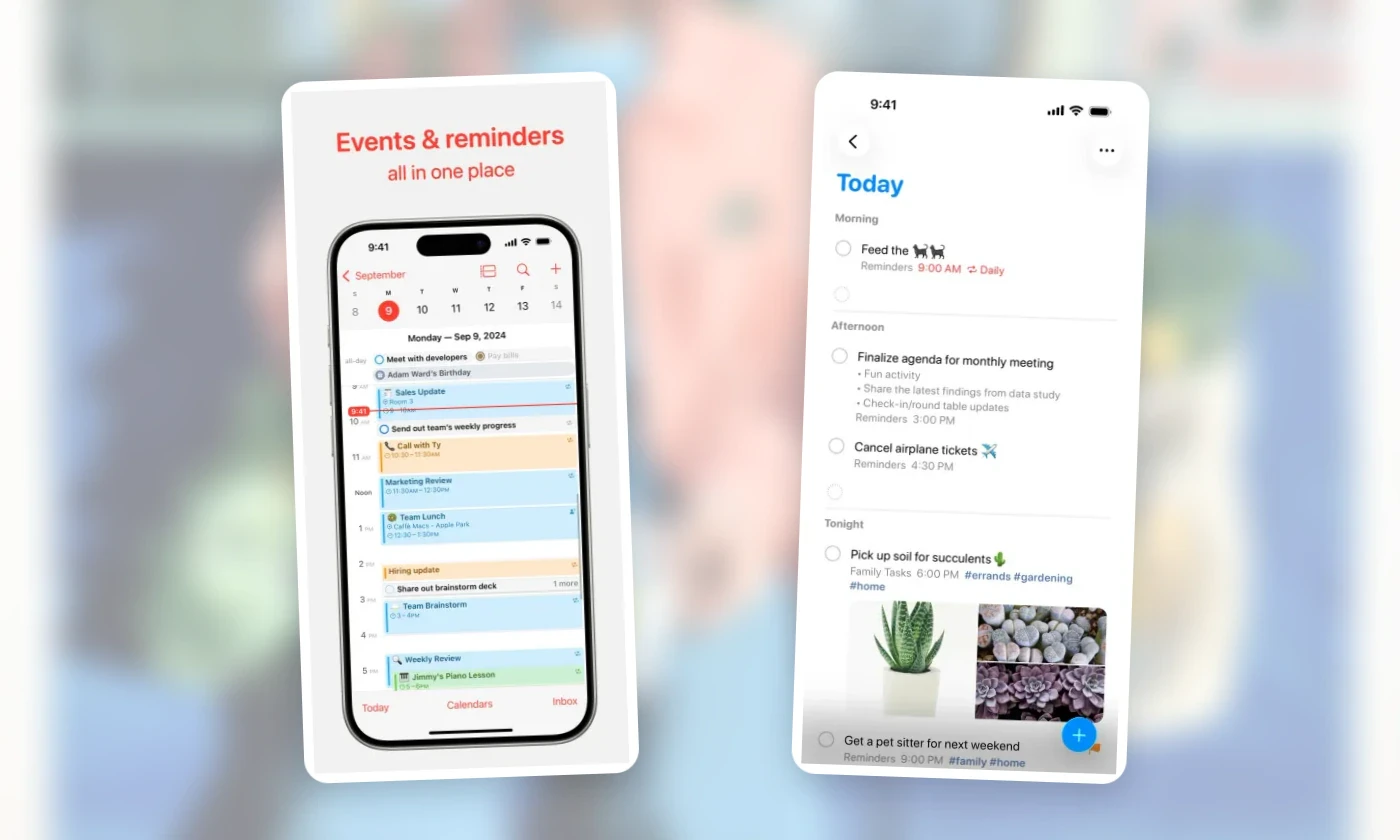
Reminders and Calendar are free, already installed, and on iOS 18 or later they work together. In Calendar, open Calendars and select Scheduled Reminders, and your scheduled reminders appear next to your events. You can create a reminder from Calendar itself, from the Reminders app or by asking Siri, and organize reminders with lists, tags, subtasks and repeats. Apple's Reminders guide and a related support article cover the details.
The two kinds of item stay distinct. A dentist appointment at 2 pm is an event: it takes up that slot whether or not you do anything about it. "Complete the intake form before you leave" is a reminder: it sits in the same day, and you mark it complete when it's done. Seeing both together shows what you have to show up for and what you have to finish, a split we cover in calendar vs. to-do list.
That's the baseline for the other five: appointments and completable tasks in one calendar, with recurring tasks, at no cost.
Ellie and Structured: two routes to a timed plan
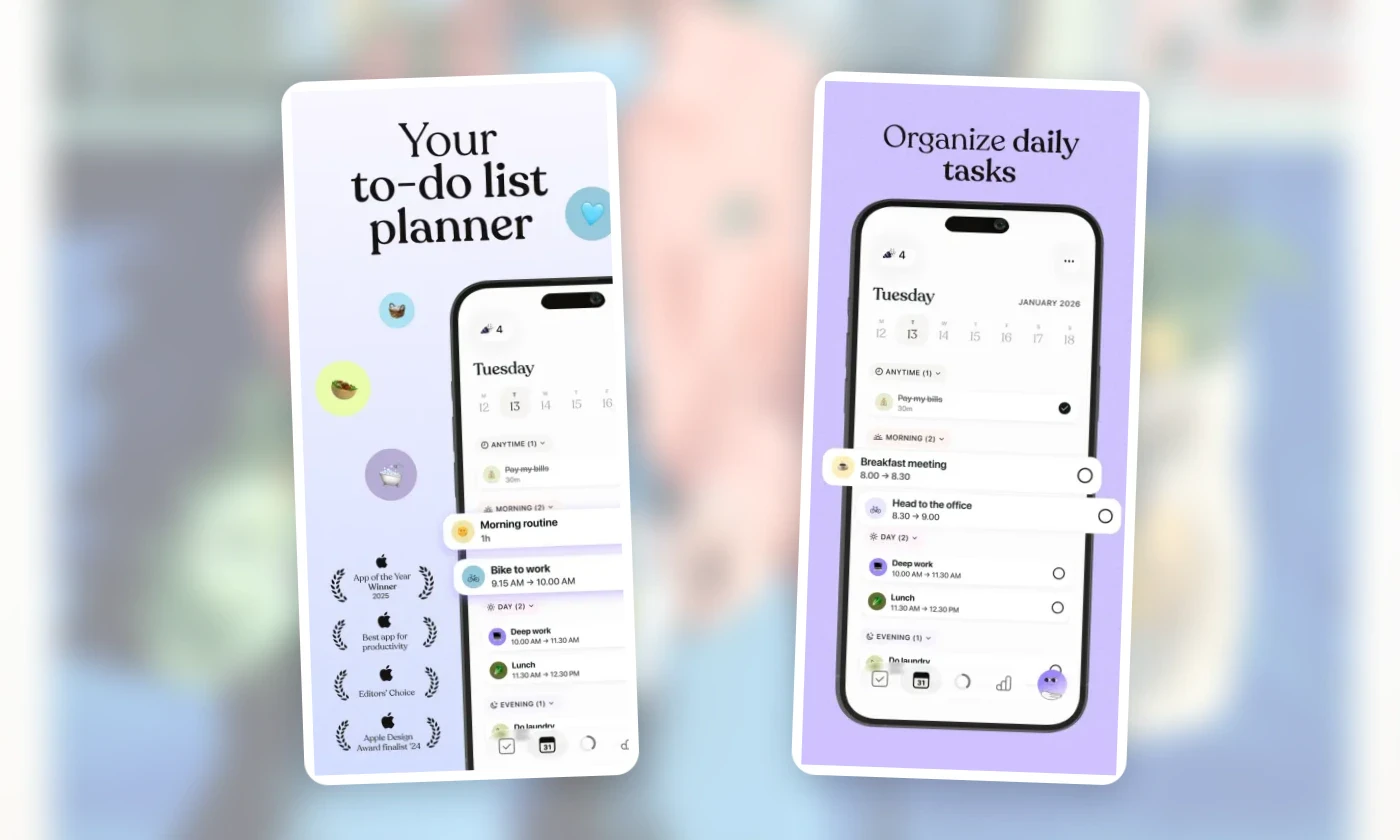
In Ellie, a native iPhone and iPad app, you can put new tasks in Brain Dump and leave them unscheduled. When you plan your day, you choose which ones you're taking on, and if a task needs a fixed slot, you give it a time yourself in Timebox. We cover that sequence in turning a brain dump into a realistic daily plan.
Every plan includes unlimited tasks, Brain Dump and Timebox on iPhone, iPad and the web, along with Google and Apple Calendar integrations, recurring tasks, labels, subtasks, due dates and reminders. Monthly and yearly plans start with a 7-day free trial.
On the U.S. App Store, Pro is $9.99 a month or $99.99 a year after a 7-day free trial; prices elsewhere may vary, and Ellie's plans list what's included. Ellie needs iOS 18 or later and has no Android app.
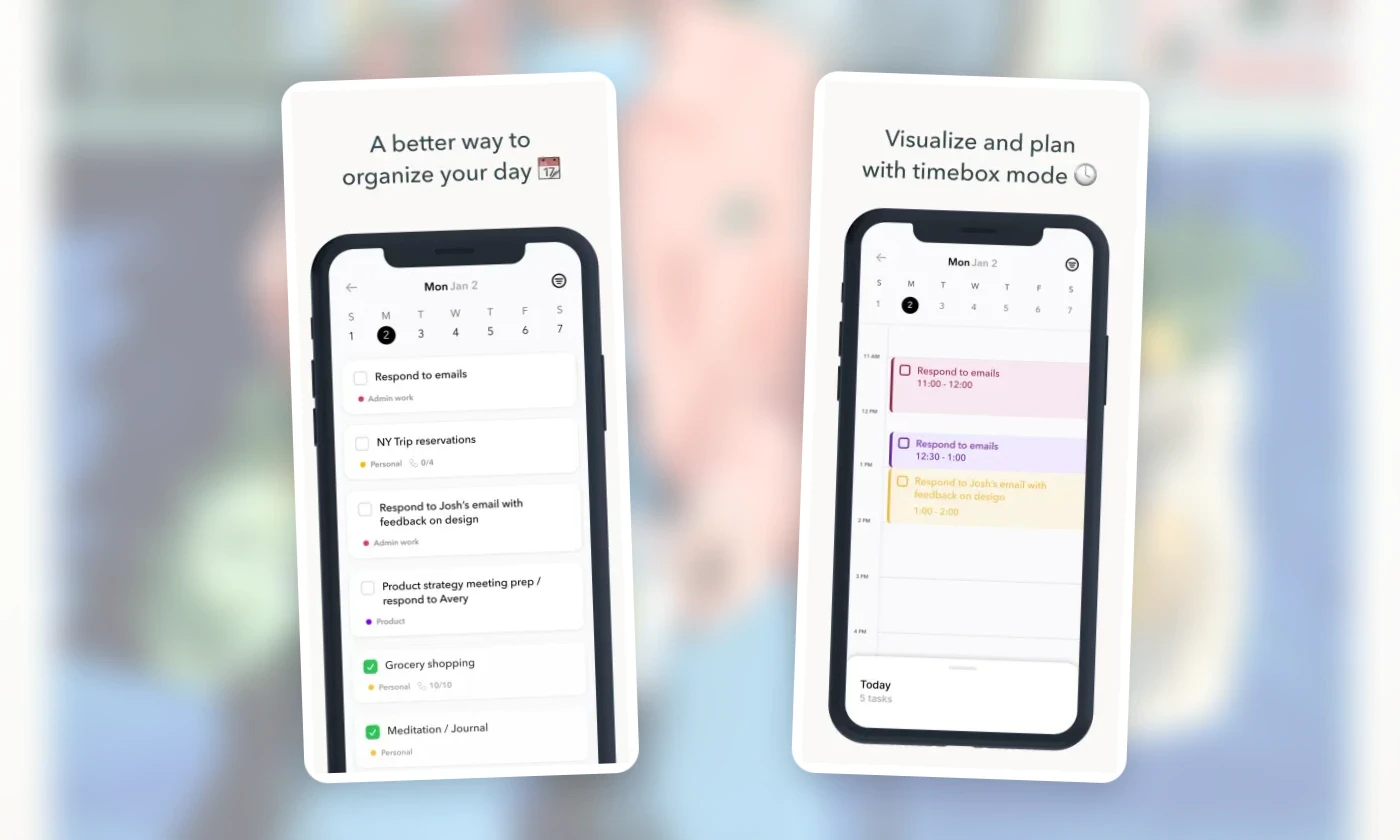
Structured puts a visual timeline at the center of the app. You can place tasks on that timeline or leave them unscheduled in its Inbox. Both apps let you capture work before choosing a time; the difference is what you want to see while planning. Structured emphasizes the day's timeline, while Ellie gives you a task board with an optional Timebox.
Structured's App Store listing also describes subtasks, a focus timer, widgets and sync across Apple devices. On iOS, Pro adds calendar import, Reminders import, recurring tasks, Replan and custom notifications, so bringing in your existing calendar is a paid step here too. Pro is sold monthly, yearly or as a lifetime purchase at prices that vary by region; Structured's Pro page has the details.
Tiimo: routines made of steps
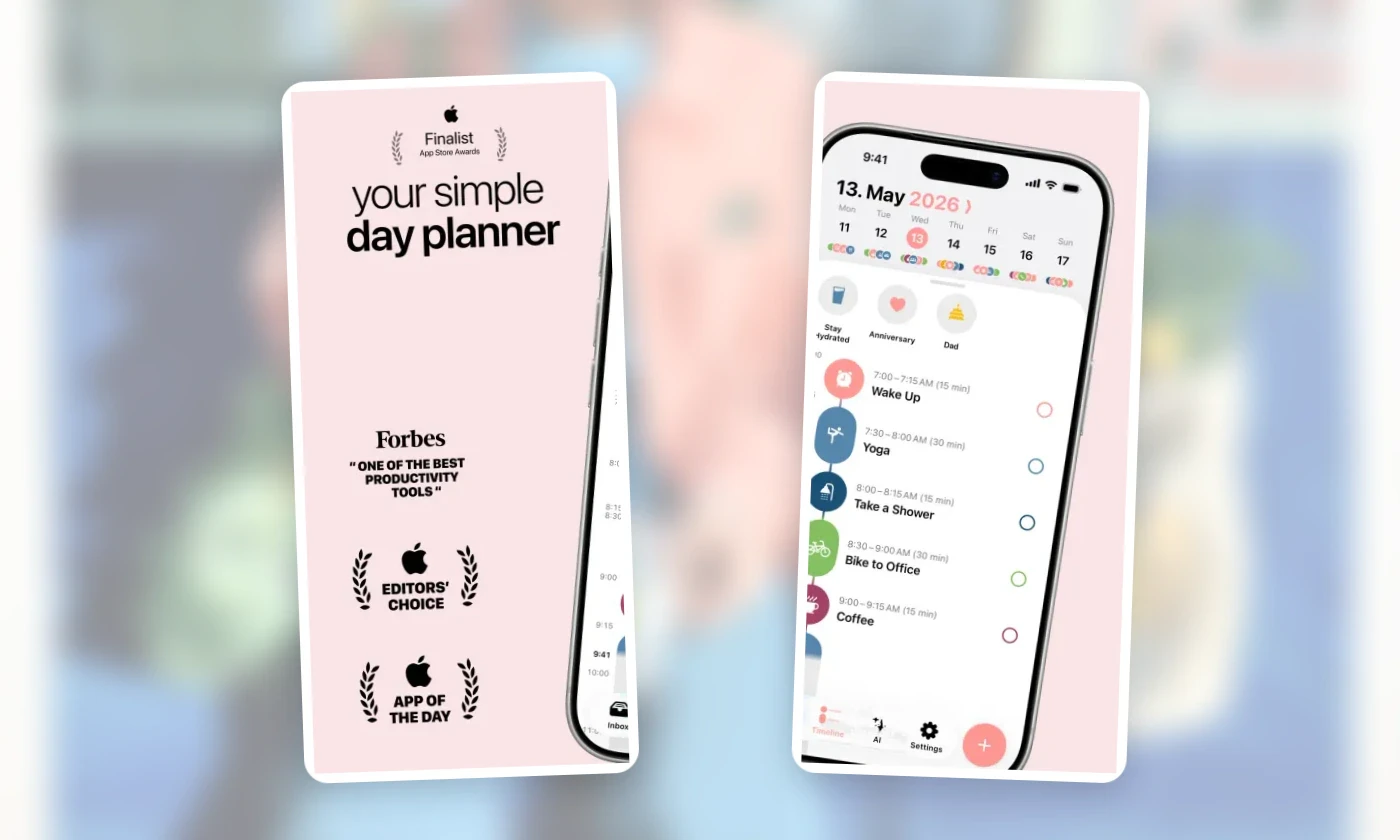
Tiimo has a visual schedule too, but the job it handles differently is the routine. A routine holds its steps inside it, so a morning routine could contain getting dressed, breakfast and packing a bag, with a step timer to move through them. That's a different kind of planning from keeping a long project list. Tiimo also has tasks, a focus timer, widgets and an AI co-planner with task breakdown.
It runs on iOS and Android. The free version has limited tools on mobile, Pro unlocks every feature across platforms, and the web app requires a trial or subscription. You'll see the current price in your local currency at checkout. Per Tiimo's FAQ, the 7-day trial applies only to the yearly subscription; the monthly one is charged immediately. The annual subscription continues after the trial unless you cancel at least 24 hours before it ends.
Todoist: organized tasks with your calendar alongside
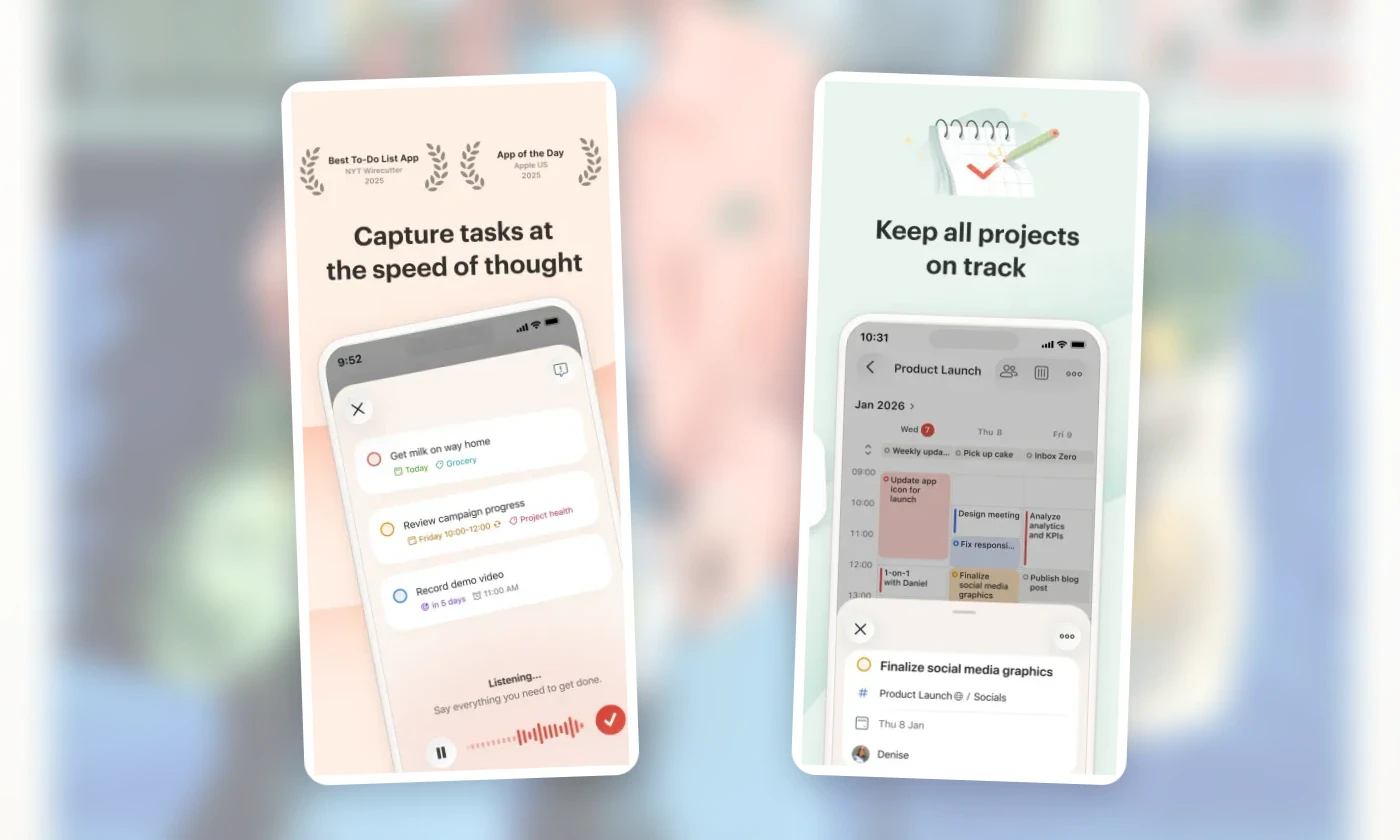
Todoist organizes tasks with projects, labels and filters. Its calendar integration is available on the Beginner, Pro and Business plans, so connecting a calendar doesn't require Pro. Once you connect Google Calendar or Outlook Calendar, your events show up in the Today and Upcoming views. You can also turn on syncing for scheduled tasks, as Todoist's integration guide explains. The visual calendar layout, the view you'd use for time blocking, is limited to Pro and Business.
Events are read-only inside Todoist, so when an appointment moves, you change it in your calendar app rather than in your task list. You can connect only one provider directly at a time. If your work calendar is in Outlook and your personal one is in Google, you cannot connect both accounts directly; Todoist’s guide explains how calendars subscribed through the connected provider can also appear.
Sunsama: a desktop plan you continue on the phone
With Sunsama, the iPhone app isn't where you start. Per its App Store listing, your first day has to be planned on desktop before the mobile app can be used, so you can't get started from the phone alone.
Planning on desktop is a guided session, set out in Sunsama's daily planning guide: you review the previous day, add or import tasks, estimate your workload, defer what doesn't fit, then finalize the plan and optionally timebox it. The workload estimate adds up planned task times. To include meetings in that estimate, you need to import them as tasks; its usefulness depends on the work and times you enter.
After that first day, the phone does more than display the plan. You can add tasks, schedule them onto your calendar, reorder them and review them alongside your events. Sunsama still describes mobile as a companion rather than a standalone replacement.
It costs $22 per user per month or $204 per user per year. There's a 14-day trial, and you aren't charged automatically when it ends unless you upgrade, according to Sunsama's official billing documentation.

Compare them with a piece of your own day
Put the same small slice of your real day into each app you're considering.
Add a few real tasks without times. You'll see where unscheduled work waits: a Reminders list, Ellie's Brain Dump, Structured's Inbox.
Add one real appointment, or connect the calendar it's on. If that takes an upgrade, you've found the first paid boundary.
Add a recurring task. Reminders and Ellie include repeats; in Structured on iOS, recurring tasks are Pro.
Give one task a 45-minute block. In Apple Calendar, use an event for the work block and keep the completable task in Reminders. In the other apps, this shows where timing happens and whether it's included: Ellie's Timebox is included in every plan, and Todoist's calendar layout needs Pro or Business.
Move the appointment. Note where the change has to be made and what you then do with the block.
Skip a day, then open the app again. How it presents unfinished tasks tells you how much tidying comes before planning today.
How much of the day to schedule beyond that one block is a separate question, covered in how to plan your day without overplanning.
Where to start

Start with Reminders and Calendar, since they're already on your phone and the exercise costs nothing there. The step that feels awkward there points to the one or two apps above that handle it differently.
If you prefer Ellie's task board and want to choose today's work before assigning times yourself, download Ellie for iPhone on the App Store. You can try everything, including Timebox and calendar integrations, free for 7 days, and the plans page shows the monthly and yearly prices. You can also browse our comparisons if you're deciding between two specific apps.
Frequently asked questions
What is the best free daily planner on iPhone?
Apple Reminders with Calendar is the free baseline. Scheduled reminders show up in Calendar beside your events on iOS 18 or later.
Does Ellie have a free plan?
No. Ellie has a 7-day free trial, then costs $9.99 a month or $99.99 a year on the U.S. App Store.
Is Ellie available on Android?
No. Ellie runs on iPhone, iPad, Mac, Windows and the web, but there is no Android app.
Before paying for an iPhone planner, it helps to see what Reminders and Calendar already do together. You can put scheduled reminders beside your appointments for free. The other apps below add different ways to organize that work, give it time in the day or move through a routine. Some of those features need a paid plan, and one app requires you to get started on desktop.
One disclosure: we make Ellie, and it's one of the six. The details here come from official product documentation and App Store listings, not from side-by-side hands-on tests.
App | How the day gets planned | Paid or setup boundary |
|---|---|---|
Apple Reminders + Calendar | Scheduled reminders appear in Calendar beside your events | Free; showing reminders in Calendar needs iOS 18 or later |
Ellie | Tasks wait in Brain Dump, you pick today's, then timebox them | 7-day free trial, then $9.99/month or $99.99/year |
Structured | You place tasks on a visual timeline; the rest sit in an Inbox | Calendar import and recurring tasks are Pro on iOS |
Tiimo | Visual schedule with routines broken into steps | Limited free tools on mobile; web needs a trial or subscription |
Todoist | Projects, labels and filters, with calendar events in Today and Upcoming | Calendar layout for time blocking is Pro or Business |
Sunsama | Guided planning on desktop, continued from the phone | First day planned on desktop; subscription after a 14-day trial |
Apple Reminders and Calendar: the free baseline
Reminders and Calendar are free, already installed, and on iOS 18 or later they work together. In Calendar, open Calendars and select Scheduled Reminders, and your scheduled reminders appear next to your events. You can create a reminder from Calendar itself, from the Reminders app or by asking Siri, and organize reminders with lists, tags, subtasks and repeats. Apple's Reminders guide and a related support article cover the details.
The two kinds of item stay distinct. A dentist appointment at 2 pm is an event: it takes up that slot whether or not you do anything about it. "Complete the intake form before you leave" is a reminder: it sits in the same day, and you mark it complete when it's done. Seeing both together shows what you have to show up for and what you have to finish, a split we cover in calendar vs. to-do list.
That's the baseline for the other five: appointments and completable tasks in one calendar, with recurring tasks, at no cost.
Ellie and Structured: two routes to a timed plan
In Ellie, a native iPhone and iPad app, you can put new tasks in Brain Dump and leave them unscheduled. When you plan your day, you choose which ones you're taking on, and if a task needs a fixed slot, you give it a time yourself in Timebox. We cover that sequence in turning a brain dump into a realistic daily plan.
Every plan includes unlimited tasks, Brain Dump and Timebox on iPhone, iPad and the web, along with Google and Apple Calendar integrations, recurring tasks, labels, subtasks, due dates and reminders. Monthly and yearly plans start with a 7-day free trial.
On the U.S. App Store, Pro is $9.99 a month or $99.99 a year after a 7-day free trial; prices elsewhere may vary, and Ellie's plans list what's included. Ellie needs iOS 18 or later and has no Android app.
Structured puts a visual timeline at the center of the app. You can place tasks on that timeline or leave them unscheduled in its Inbox. Both apps let you capture work before choosing a time; the difference is what you want to see while planning. Structured emphasizes the day's timeline, while Ellie gives you a task board with an optional Timebox.
Structured's App Store listing also describes subtasks, a focus timer, widgets and sync across Apple devices. On iOS, Pro adds calendar import, Reminders import, recurring tasks, Replan and custom notifications, so bringing in your existing calendar is a paid step here too. Pro is sold monthly, yearly or as a lifetime purchase at prices that vary by region; Structured's Pro page has the details.
Tiimo: routines made of steps
Tiimo has a visual schedule too, but the job it handles differently is the routine. A routine holds its steps inside it, so a morning routine could contain getting dressed, breakfast and packing a bag, with a step timer to move through them. That's a different kind of planning from keeping a long project list. Tiimo also has tasks, a focus timer, widgets and an AI co-planner with task breakdown.
It runs on iOS and Android. The free version has limited tools on mobile, Pro unlocks every feature across platforms, and the web app requires a trial or subscription. You'll see the current price in your local currency at checkout. Per Tiimo's FAQ, the 7-day trial applies only to the yearly subscription; the monthly one is charged immediately. The annual subscription continues after the trial unless you cancel at least 24 hours before it ends.
Todoist: organized tasks with your calendar alongside
Todoist organizes tasks with projects, labels and filters. Its calendar integration is available on the Beginner, Pro and Business plans, so connecting a calendar doesn't require Pro. Once you connect Google Calendar or Outlook Calendar, your events show up in the Today and Upcoming views. You can also turn on syncing for scheduled tasks, as Todoist's integration guide explains. The visual calendar layout, the view you'd use for time blocking, is limited to Pro and Business.
Events are read-only inside Todoist, so when an appointment moves, you change it in your calendar app rather than in your task list. You can connect only one provider directly at a time. If your work calendar is in Outlook and your personal one is in Google, you cannot connect both accounts directly; Todoist’s guide explains how calendars subscribed through the connected provider can also appear.
Sunsama: a desktop plan you continue on the phone
With Sunsama, the iPhone app isn't where you start. Per its App Store listing, your first day has to be planned on desktop before the mobile app can be used, so you can't get started from the phone alone.
Planning on desktop is a guided session, set out in Sunsama's daily planning guide: you review the previous day, add or import tasks, estimate your workload, defer what doesn't fit, then finalize the plan and optionally timebox it. The workload estimate adds up planned task times. To include meetings in that estimate, you need to import them as tasks; its usefulness depends on the work and times you enter.
After that first day, the phone does more than display the plan. You can add tasks, schedule them onto your calendar, reorder them and review them alongside your events. Sunsama still describes mobile as a companion rather than a standalone replacement.
It costs $22 per user per month or $204 per user per year. There's a 14-day trial, and you aren't charged automatically when it ends unless you upgrade, according to Sunsama's official billing documentation.
Compare them with a piece of your own day
Put the same small slice of your real day into each app you're considering.
Add a few real tasks without times. You'll see where unscheduled work waits: a Reminders list, Ellie's Brain Dump, Structured's Inbox.
Add one real appointment, or connect the calendar it's on. If that takes an upgrade, you've found the first paid boundary.
Add a recurring task. Reminders and Ellie include repeats; in Structured on iOS, recurring tasks are Pro.
Give one task a 45-minute block. In Apple Calendar, use an event for the work block and keep the completable task in Reminders. In the other apps, this shows where timing happens and whether it's included: Ellie's Timebox is included in every plan, and Todoist's calendar layout needs Pro or Business.
Move the appointment. Note where the change has to be made and what you then do with the block.
Skip a day, then open the app again. How it presents unfinished tasks tells you how much tidying comes before planning today.
How much of the day to schedule beyond that one block is a separate question, covered in how to plan your day without overplanning.
Where to start
Start with Reminders and Calendar, since they're already on your phone and the exercise costs nothing there. The step that feels awkward there points to the one or two apps above that handle it differently.
If you prefer Ellie's task board and want to choose today's work before assigning times yourself, download Ellie for iPhone on the App Store. You can try everything, including Timebox and calendar integrations, free for 7 days, and the plans page shows the monthly and yearly prices. You can also browse our comparisons if you're deciding between two specific apps.
Frequently asked questions
What is the best free daily planner on iPhone?
Apple Reminders with Calendar is the free baseline. Scheduled reminders show up in Calendar beside your events on iOS 18 or later.
Does Ellie have a free plan?
No. Ellie has a 7-day free trial, then costs $9.99 a month or $99.99 a year on the U.S. App Store.
Is Ellie available on Android?
No. Ellie runs on iPhone, iPad, Mac, Windows and the web, but there is no Android app.
Plan a day that can breathe
Ellie keeps tasks beside your calendar, so you can see your real capacity before the day fills up.