PRODUCTIVITY APP PRICING GUIDE
Akiflow Pricing (2026): Plans, Free Trial and Discounts
Akiflow costs $34 per month, or $19 per month when billed annually at $228 upfront. It has one paid plan, a 7-day full-feature trial, and no permanent free tier.

Chris Raroque

Akiflow pricing at a glance
As of October 26, 2026, Akiflow sells one paid plan with two billing choices. Pay $34 month to month, or $19 per month on the annual plan, charged as $228 once a year. The annual option costs $180 less than paying monthly for 12 months, a 44% saving at the current standard prices.

Twelve monthly payments add up to $408, against $228 for the yearly plan.
Billing | Standard price | Best for |
|---|---|---|
Monthly | $34 per month | Flexibility without an annual commitment |
Yearly | $19 per month, $228 billed yearly | The lowest standard Akiflow price |
Akiflow sometimes displays short-lived coupon banners. This guide uses the published base prices so the numbers remain useful after a promotion ends.
Does Akiflow have a free plan?
No. Akiflow does not offer a permanent free plan. New users get a 7-day trial with access to the full product. Akiflow’s pricing FAQ now says a card is required, and the subscription starts after the 7 days unless you cancel.

akiflow.com/pricing, captured October 26, 2026, while a one-hour coupon showed $16 instead of the standard $19.
Is Akiflow worth it?
Akiflow is worth $19–$34 a month when it removes real workflow friction: tasks scattered across work apps, calendar reshuffling, and the daily effort of deciding what happens next. If it only replaces a short personal to-do list, the price and setup can feel heavier than the problem.
The honest test: would Akiflow replace time you currently spend moving tasks between apps and rebuilding your calendar? If yes, the annual plan is easier to justify. If not, a simpler planner will probably feel better after the novelty wears off.

Akiflow is probably worth it if…
Your tasks arrive from several work apps, inboxes and calendars
You already time block and will use the command bar and planning rituals every day
One planning hub would replace meaningful manual coordination
Akiflow may feel like overkill if…
You mainly want to see what matters today without maintaining another workflow
Your tasks already live in one place and you rarely need deep integrations
You need a permanent free option or dislike annual subscriptions
People love the workflow. The price is the question.
Across App Store, G2, Product Hunt and Reddit reviews, the same tradeoff appears: Akiflow is praised for putting a whole day in one place, while its subscription price is the recurring hesitation.
Review snapshot checked July 23, 2026: App Store 4.2/5 from 188 ratings; G2 4.8/5 from 99 reviews; Product Hunt 4.6/5 from 18 reviews. Illustrated avatars are generated from reviewer handles and are not claimed likenesses. Ratings can change.
Alternatives if Akiflow feels like too much
Do not choose an alternative by feature count. Choose based on the friction you actually want to remove.
We compare Akiflow head to head in Akiflow vs Motion, Akiflow vs Routine and Sunsama vs Akiflow, and list more options in Akiflow alternatives.
Your real need | Try | Why it may fit better |
|---|---|---|
A calmer visual day | Tasks beside your calendar, a 7-day free trial and less setup | |
A fast shared task list | Quick capture and collaboration without a full planning workflow | |
Automatic rescheduling | More hands-off automation when you want the app to move work for you |
Ellie is our product, so here is the honest pitch: try it if you want the relief of seeing today clearly without turning personal planning into another system to manage. If Akiflow’s deep integrations, command bar and work-app consolidation are what attracted you, Akiflow is the better fit. You can see how Ellie works before deciding.
What the Akiflow plan includes
Monthly and annual subscribers get the same core planning system. The difference is how often you pay, not a separate feature tier.
Universal Inbox for tasks and meetings, with unlimited tasks, calendars and integrations
Drag-and-drop time blocking plus daily and weekly planning Rituals
Focus Mode, a built-in timer, productivity statistics and a keyboard-first command bar
Aki AI, MCP access, meeting links and a free one-to-one onboarding call
Apps for macOS, Windows, web and tablet, iPhone, iPad and Android
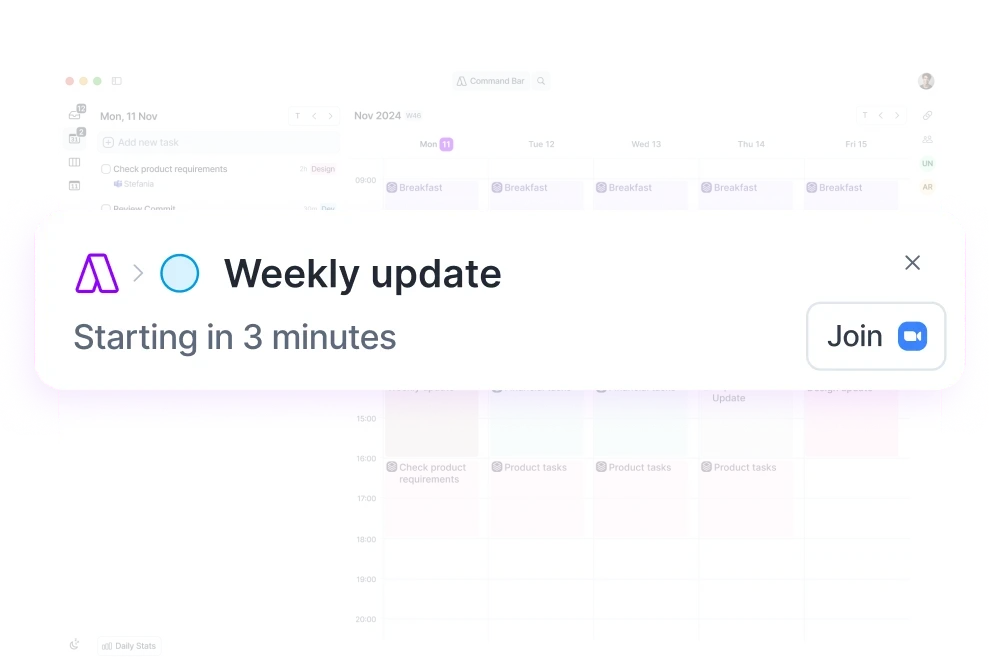
Akiflow’s official integration directory currently lists 18 direct connections, including Google Calendar, Outlook Calendar, Gmail, Outlook Email, Slack, Microsoft Teams, Notion, Todoist, ClickUp, Asana, Linear, Jira, GitHub, Trello and Zoom. Zapier and IFTTT cover additional workflows. See the official integration directory for the live list.
Student discount, teams and referral credit
Student and researcher discount
Akiflow’s current pricing page invites university students and researchers to contact support for an exclusive discount. It does not publish the discount amount, eligibility rules or renewal terms, so ask for those details before subscribing. Older claims about military or healthcare discounts are no longer stated on the current pricing page.
Team pricing
Teams are directed to contact Akiflow for pricing. Akiflow’s help center says invited team members can receive 40% off monthly or yearly subscriptions, but team agreements can vary, so confirm the final rate with sales.
Referral credit
Akiflow’s referral program gives both people $25 in account credit after the new subscriber pays their first invoice. Referrers can earn up to $300. Read the current referral terms before relying on the credit.

Frequently asked questions
How much is Akiflow per month?
Akiflow’s standard monthly price is $34. The annual plan works out to $19 per month but is billed as one $228 yearly payment.
Does Akiflow have a free plan?
No. Akiflow offers a 7-day full-feature trial, then requires a paid subscription.
Does Akiflow offer a student discount?
Yes. University students and researchers can contact support@akiflow.com for an exclusive discount. Akiflow does not currently publish the amount.
Can I cancel Akiflow anytime?
Yes. Akiflow says you can cancel anytime and keep access through the end of the current billing cycle without an additional cancellation fee.
Which platforms support Akiflow?
Akiflow is available on macOS, Windows, web and tablet, iOS and Android.
What are cheaper apps similar to Akiflow?
Ellie (from $9.99 a month, 7-day trial), Todoist (free plan, Pro from $5 a month) and Routine (free plan, Personal $5 a month) cover planning with less setup.
Sources and methodology
Prices and policies were checked on October 26, 2026 against Akiflow’s official pricing page and help center. Temporary coupon banners are excluded. Akiflow is a third-party product and can change its terms after this guide is published.
Akiflow pricing at a glance
As of October 26, 2026, Akiflow sells one paid plan with two billing choices. Pay $34 month to month, or $19 per month on the annual plan, charged as $228 once a year. The annual option costs $180 less than paying monthly for 12 months, a 44% saving at the current standard prices.
Twelve monthly payments add up to $408, against $228 for the yearly plan.
Billing | Standard price | Best for |
|---|---|---|
Monthly | $34 per month | Flexibility without an annual commitment |
Yearly | $19 per month, $228 billed yearly | The lowest standard Akiflow price |
Akiflow sometimes displays short-lived coupon banners. This guide uses the published base prices so the numbers remain useful after a promotion ends.
Does Akiflow have a free plan?
No. Akiflow does not offer a permanent free plan. New users get a 7-day trial with access to the full product. Akiflow’s pricing FAQ now says a card is required, and the subscription starts after the 7 days unless you cancel.
akiflow.com/pricing, captured October 26, 2026, while a one-hour coupon showed $16 instead of the standard $19.
Is Akiflow worth it?
Akiflow is worth $19–$34 a month when it removes real workflow friction: tasks scattered across work apps, calendar reshuffling, and the daily effort of deciding what happens next. If it only replaces a short personal to-do list, the price and setup can feel heavier than the problem.
The honest test: would Akiflow replace time you currently spend moving tasks between apps and rebuilding your calendar? If yes, the annual plan is easier to justify. If not, a simpler planner will probably feel better after the novelty wears off.
Akiflow is probably worth it if…
Your tasks arrive from several work apps, inboxes and calendars
You already time block and will use the command bar and planning rituals every day
One planning hub would replace meaningful manual coordination
Akiflow may feel like overkill if…
You mainly want to see what matters today without maintaining another workflow
Your tasks already live in one place and you rarely need deep integrations
You need a permanent free option or dislike annual subscriptions
People love the workflow. The price is the question.
Across App Store, G2, Product Hunt and Reddit reviews, the same tradeoff appears: Akiflow is praised for putting a whole day in one place, while its subscription price is the recurring hesitation.
Review snapshot checked July 23, 2026: App Store 4.2/5 from 188 ratings; G2 4.8/5 from 99 reviews; Product Hunt 4.6/5 from 18 reviews. Illustrated avatars are generated from reviewer handles and are not claimed likenesses. Ratings can change.
Alternatives if Akiflow feels like too much
Do not choose an alternative by feature count. Choose based on the friction you actually want to remove.
We compare Akiflow head to head in Akiflow vs Motion, Akiflow vs Routine and Sunsama vs Akiflow, and list more options in Akiflow alternatives.
Your real need | Try | Why it may fit better |
|---|---|---|
A calmer visual day | Tasks beside your calendar, a 7-day free trial and less setup | |
A fast shared task list | Quick capture and collaboration without a full planning workflow | |
Automatic rescheduling | More hands-off automation when you want the app to move work for you |
Ellie is our product, so here is the honest pitch: try it if you want the relief of seeing today clearly without turning personal planning into another system to manage. If Akiflow’s deep integrations, command bar and work-app consolidation are what attracted you, Akiflow is the better fit. You can see how Ellie works before deciding.
What the Akiflow plan includes
Monthly and annual subscribers get the same core planning system. The difference is how often you pay, not a separate feature tier.
Universal Inbox for tasks and meetings, with unlimited tasks, calendars and integrations
Drag-and-drop time blocking plus daily and weekly planning Rituals
Focus Mode, a built-in timer, productivity statistics and a keyboard-first command bar
Aki AI, MCP access, meeting links and a free one-to-one onboarding call
Apps for macOS, Windows, web and tablet, iPhone, iPad and Android
Akiflow’s official integration directory currently lists 18 direct connections, including Google Calendar, Outlook Calendar, Gmail, Outlook Email, Slack, Microsoft Teams, Notion, Todoist, ClickUp, Asana, Linear, Jira, GitHub, Trello and Zoom. Zapier and IFTTT cover additional workflows. See the official integration directory for the live list.
Student discount, teams and referral credit
Student and researcher discount
Akiflow’s current pricing page invites university students and researchers to contact support for an exclusive discount. It does not publish the discount amount, eligibility rules or renewal terms, so ask for those details before subscribing. Older claims about military or healthcare discounts are no longer stated on the current pricing page.
Team pricing
Teams are directed to contact Akiflow for pricing. Akiflow’s help center says invited team members can receive 40% off monthly or yearly subscriptions, but team agreements can vary, so confirm the final rate with sales.
Referral credit
Akiflow’s referral program gives both people $25 in account credit after the new subscriber pays their first invoice. Referrers can earn up to $300. Read the current referral terms before relying on the credit.
Frequently asked questions
How much is Akiflow per month?
Akiflow’s standard monthly price is $34. The annual plan works out to $19 per month but is billed as one $228 yearly payment.
Does Akiflow have a free plan?
No. Akiflow offers a 7-day full-feature trial, then requires a paid subscription.
Does Akiflow offer a student discount?
Yes. University students and researchers can contact support@akiflow.com for an exclusive discount. Akiflow does not currently publish the amount.
Can I cancel Akiflow anytime?
Yes. Akiflow says you can cancel anytime and keep access through the end of the current billing cycle without an additional cancellation fee.
Which platforms support Akiflow?
Akiflow is available on macOS, Windows, web and tablet, iOS and Android.
What are cheaper apps similar to Akiflow?
Ellie (from $9.99 a month, 7-day trial), Todoist (free plan, Pro from $5 a month) and Routine (free plan, Personal $5 a month) cover planning with less setup.
Sources and methodology
Prices and policies were checked on October 26, 2026 against Akiflow’s official pricing page and help center. Temporary coupon banners are excluded. Akiflow is a third-party product and can change its terms after this guide is published.
Plan a day that can breathe
Ellie keeps tasks beside your calendar, so you can see your real capacity before the day fills up.

