Todoist vs Notion (2026): Focused Task Manager vs All-in-One Workspace

Chris Raroque

This is less of an apples-to-apples comparison and more of a “which tool philosophy fits your brain?” question. Todoist is a dedicated task manager. Notion is a workspace that can do almost anything — including task management.
The answer depends on whether you want a tool that does one thing extremely well, or a tool that does everything in one place (but requires more setup).
The core difference
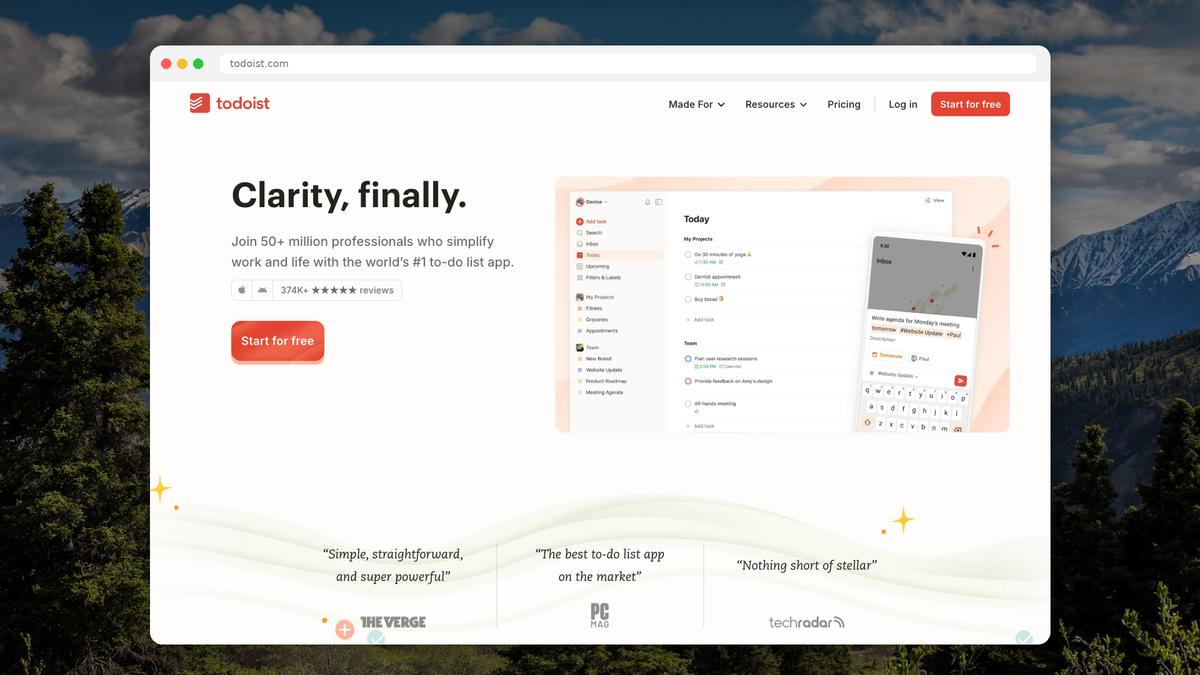
Todoist is opinionated. It has a clear structure: projects, tasks, subtasks, labels, filters, due dates. You open it, add a task, and get back to work. The design choices are made for you.
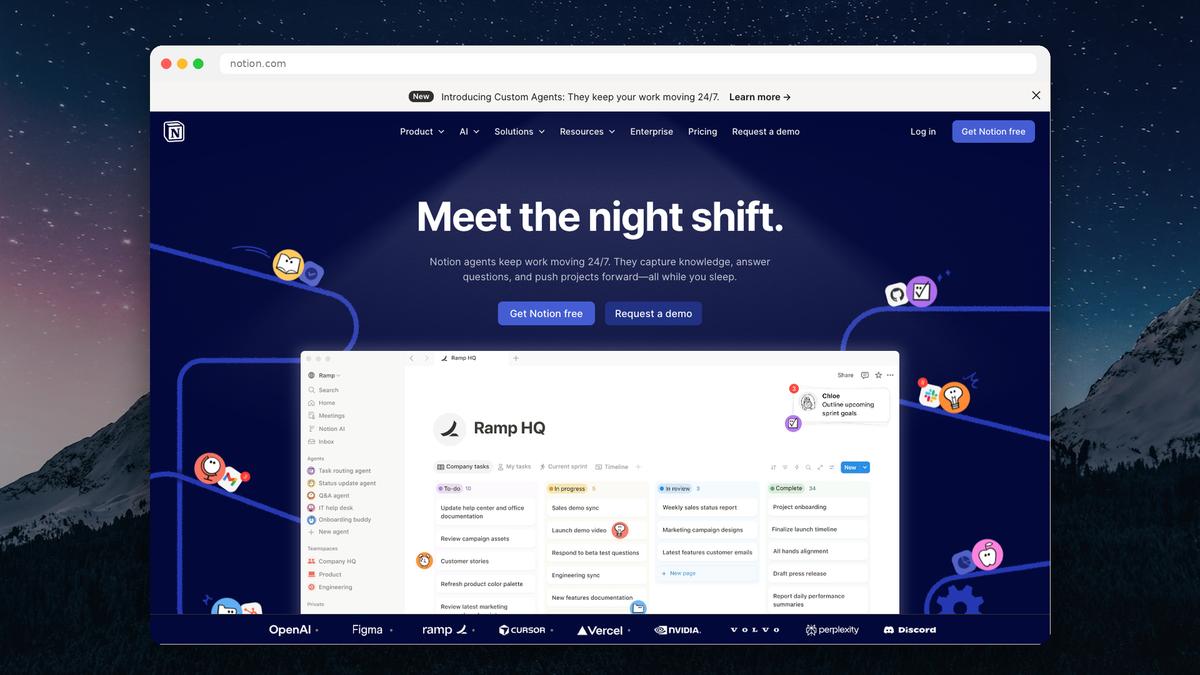
Notion is a blank canvas. It can be a task manager, a wiki, a CRM, a journal, a database, a project tracker — or all of the above. But you have to build (or find a template for) whatever system you want. The flexibility is the feature and the tax.
Feature comparison
Feature | Todoist | Notion |
|---|---|---|
Free plan | Yes (5 projects) | Yes (single user, 5MB uploads) |
Paid price | $7/mo or $5/mo annual | $12/mo or $10/mo annual |
Setup time | Minutes | Hours to days |
Natural language input | Excellent | None |
Task capture speed | Very fast (2 seconds) | Slower (navigate to database, add entry) |
Calendar view | Via integration | Built-in (database view) |
Kanban boards | Yes | Yes |
Notes/docs | No (task comments only) | Yes (first-class feature) |
Databases | No | Yes (powerful) |
Wiki/knowledge base | No | Yes |
Templates | Limited | Extensive (community + built-in) |
Recurring tasks | Excellent | Basic |
Integrations | 300+ | 100+ (plus API) |
Mobile app | Fast, native-feeling | Slower, web-app feeling |
Offline mode | Yes (full) | Partial |
AI features | Basic | Yes (Notion AI, GPT-4.1 on Business) |
Collaboration | Task assignments, comments | Full real-time collaboration |
Where Todoist wins
Speed of capture
Todoist is unmatched for quickly getting a task out of your head and into a system. Open the app, hit quick add, type “Call dentist Friday 3pm #Personal p2” — done. The whole interaction takes under 5 seconds.
With Notion, adding a task means navigating to the right database, clicking “New,” filling in properties (date, status, priority, project), and then typing the task name. It’s 15-30 seconds minimum, and that friction adds up when you’re capturing tasks throughout the day.
Recurring tasks
“Every other Thursday,” “every last Friday of the month,” “3 days after completion” — Todoist handles complex recurrence with natural language. Notion’s recurring task support is basic by comparison and often requires workarounds or automations.
Mobile experience
Todoist’s mobile apps feel fast and native. You can add tasks, check things off, and review your day without any lag. Notion’s mobile app, while improved, still feels like a web app in a wrapper — slower to load, slower to navigate, and less suited for quick interactions.
Reliability and offline
Todoist works fully offline and syncs when you’re back online. Notion’s offline mode is partial — you can view cached pages but creating and editing is unreliable without a connection. If you commute on a subway or work in areas with spotty wifi, this matters.
Integration breadth
Todoist integrates with 300+ apps natively, plus Zapier and IFTTT for everything else. It’s one of the most connected task managers available. Notion has fewer native integrations, though its API allows custom connections.
Where Notion wins
Everything in one place
Notion’s killer advantage is consolidation. Your tasks, meeting notes, project documentation, personal wiki, and reference material all live in the same workspace. No switching between apps. No wondering “where did I put that?”
If you find yourself constantly copying links between Todoist and Google Docs and your notes app, Notion eliminates that friction by being all of those things.
Database power
Notion’s databases are genuinely powerful. A single task database can be viewed as a list, kanban board, calendar, gallery, or timeline — with filters, sorts, formulas, and relations. You can build custom workflows that Todoist simply can’t match within its fixed structure.
Documentation and context
In Todoist, a task is a line of text with maybe a comment. In Notion, a task can be a full page with embedded documents, images, databases, and sub-pages. For complex projects where each task needs significant context, Notion’s approach is richer.
AI features
Notion AI can summarize pages, generate content, answer questions about your workspace, and automate workflows. Todoist’s AI features are basic by comparison. If you’re bought into the AI productivity wave, Notion offers more.
Customization
Notion can be molded into almost any productivity system — GTD, PARA, Zettelkasten, bullet journal, custom hybrids. Todoist is more rigid. If you have a specific workflow in mind, Notion can probably accommodate it.
Where both fall short
Daily planning
Neither Todoist nor Notion is great at answering the question: “What should I work on today, and when?”
Todoist shows you a “Today” view with everything due today — but it’s a flat list with no sense of time or priority ordering. Notion can show tasks on a calendar, but building a daily planning workflow requires significant setup, and the result still feels like a project management view, not a daily planner.
If you’ve ever opened your task manager, seen 15 things due today, and felt more overwhelmed than when you started — both apps share this problem.
The setup trap (Notion)
Notion’s flexibility is a double-edged sword. Many people spend more time designing their productivity system than actually being productive. The “perfect Notion setup” is a rabbit hole that never ends — especially for people with ADHD or perfectionist tendencies.
The rigidity trap (Todoist)
Todoist’s fixed structure means you can’t customize your workflow beyond what the app allows. If Todoist’s project → task → subtask hierarchy doesn’t match how you think, you’re stuck working around it.
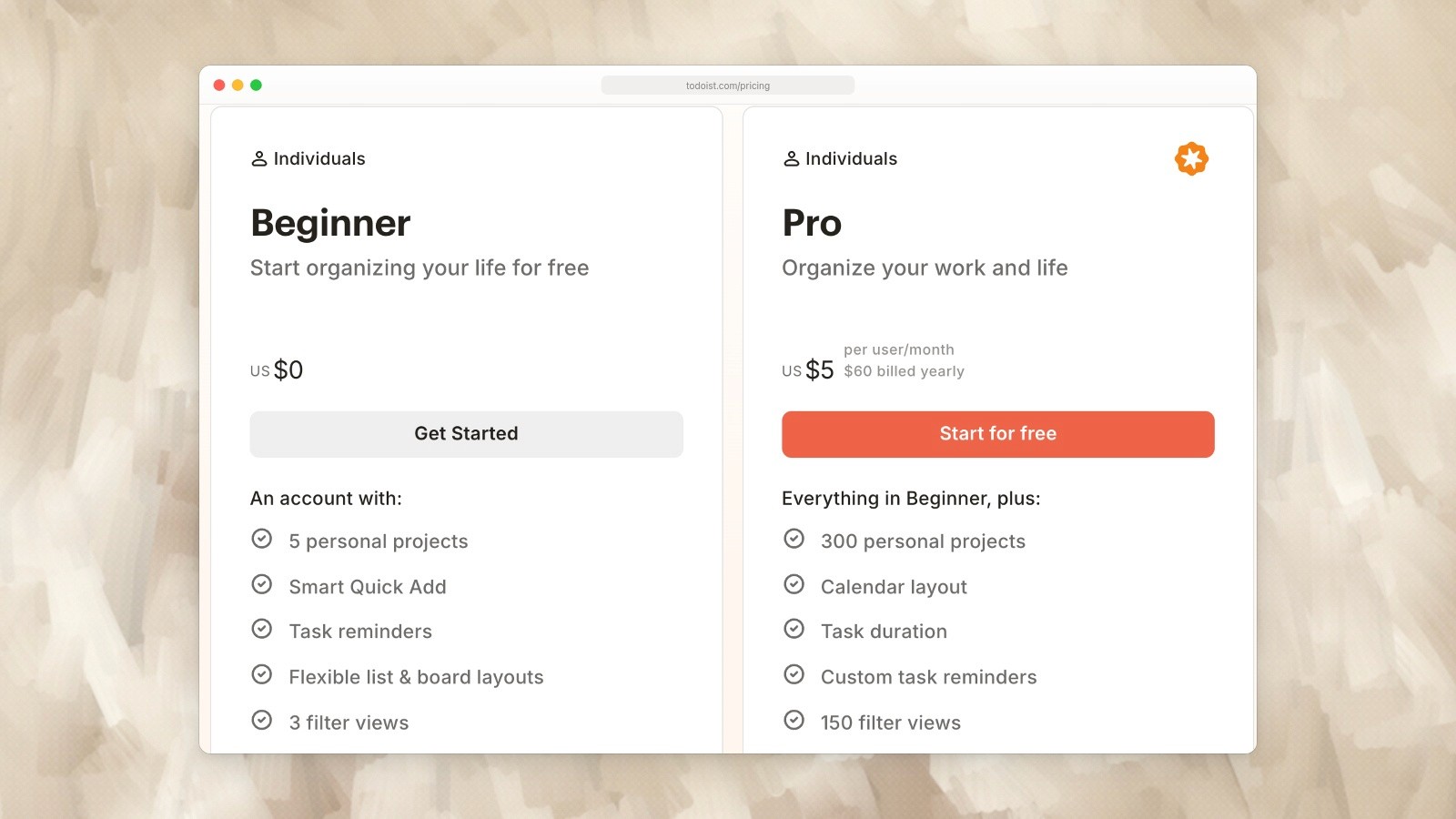
Todoist individual plans: Beginner is free and Pro is shown at US$60 billed yearly. Captured September 19, 2026. Source.
Pricing comparison (2026)
Todoist | Notion | |
|---|---|---|
Free | 5 projects, basic features | Single user, 5MB uploads |
Personal paid | $7/mo or $5/mo annual (Pro) | $12/mo or $10/mo annual (Plus) |
Business | $10/user/mo | $20/user/mo |
Enterprise | N/A | Custom pricing |
Todoist is cheaper at every tier. However, Notion replaces multiple tools (notes, docs, wiki, databases), so the value calculation depends on what you’d otherwise pay for those separately.
Who should choose what
Choose Todoist if you:
- Want the fastest possible task capture
- Need robust recurring tasks
- Prefer a tool that works perfectly out of the box
- Use many third-party integrations
- Value reliable offline mode and fast mobile apps
- Just need task management, nothing more
Choose Notion if you:
- Want tasks, notes, docs, and knowledge base in one app
- Enjoy building custom systems and workflows
- Need rich context attached to tasks (docs, databases, sub-pages)
- Work with a team that shares documentation
- Want AI features integrated into your workspace
- Are comfortable with a longer setup period
When neither is quite right
If what you actually want is a simple daily planner that bridges the gap between “all my tasks” and “what I’m doing today” — neither Todoist nor Notion nails this.
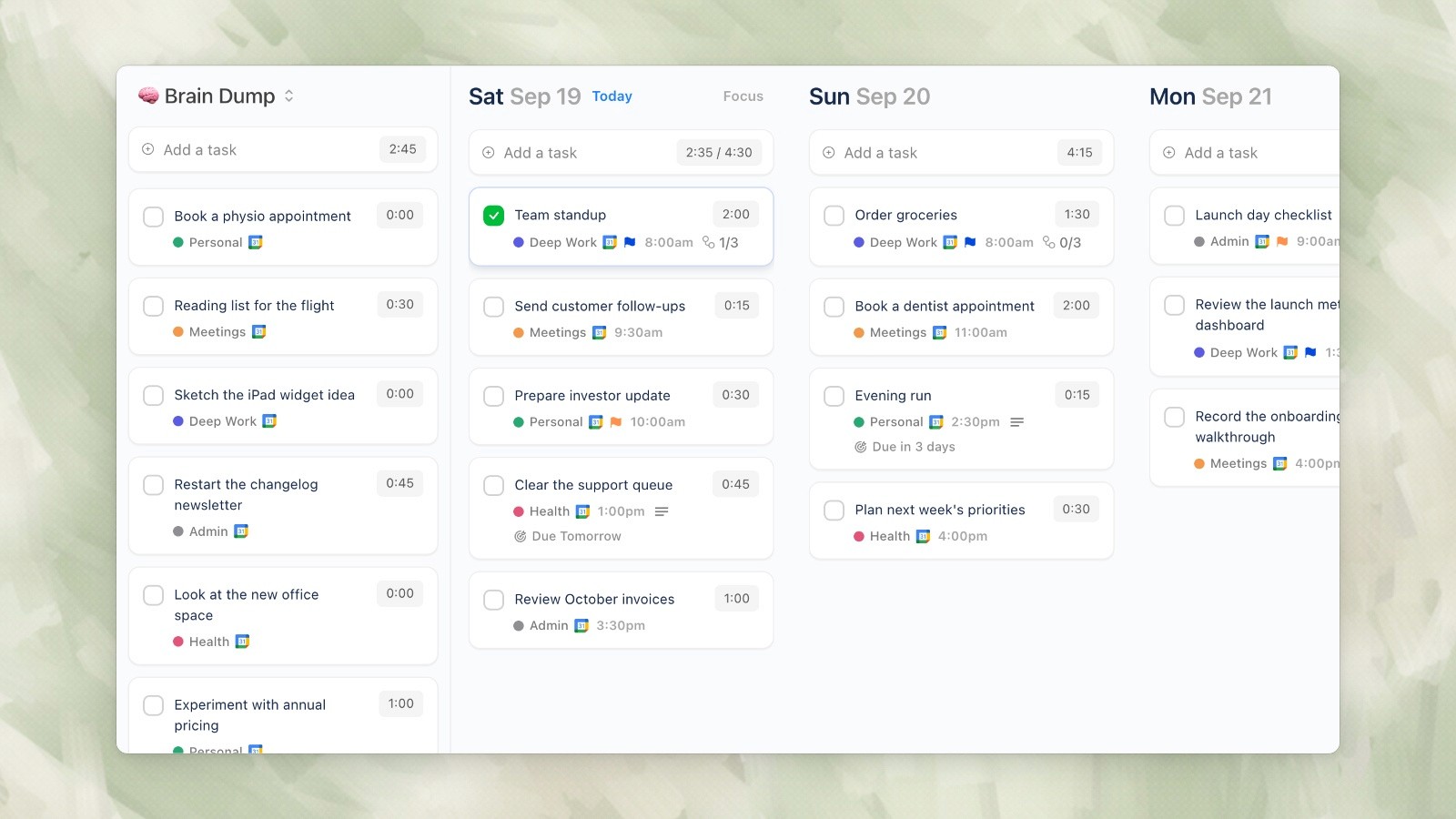
Ellie desktop demo data, captured September 19, 2026.
Ellie is built specifically for daily planning. The workflow is simple: brain dump everything on your mind, drag tasks to days on a kanban board, then timebox them onto your calendar. It’s faster than Todoist for daily planning and simpler than Notion for getting organized.
Ellie integrates with Google, Apple, and Outlook calendars, automatically rolls over unfinished tasks, and costs nothing to start (free plan available, $9.99/mo for full features, $4.99/mo with an education discount).
It’s not trying to be a task manager or an everything workspace. It’s solving the specific problem of “I have too much to do and I need a plan for today.”
This is less of an apples-to-apples comparison and more of a “which tool philosophy fits your brain?” question. Todoist is a dedicated task manager. Notion is a workspace that can do almost anything — including task management.
The answer depends on whether you want a tool that does one thing extremely well, or a tool that does everything in one place (but requires more setup).
The core difference
Todoist is opinionated. It has a clear structure: projects, tasks, subtasks, labels, filters, due dates. You open it, add a task, and get back to work. The design choices are made for you.
Notion is a blank canvas. It can be a task manager, a wiki, a CRM, a journal, a database, a project tracker — or all of the above. But you have to build (or find a template for) whatever system you want. The flexibility is the feature and the tax.
Feature comparison
Feature | Todoist | Notion |
|---|---|---|
Free plan | Yes (5 projects) | Yes (single user, 5MB uploads) |
Paid price | $7/mo or $5/mo annual | $12/mo or $10/mo annual |
Setup time | Minutes | Hours to days |
Natural language input | Excellent | None |
Task capture speed | Very fast (2 seconds) | Slower (navigate to database, add entry) |
Calendar view | Via integration | Built-in (database view) |
Kanban boards | Yes | Yes |
Notes/docs | No (task comments only) | Yes (first-class feature) |
Databases | No | Yes (powerful) |
Wiki/knowledge base | No | Yes |
Templates | Limited | Extensive (community + built-in) |
Recurring tasks | Excellent | Basic |
Integrations | 300+ | 100+ (plus API) |
Mobile app | Fast, native-feeling | Slower, web-app feeling |
Offline mode | Yes (full) | Partial |
AI features | Basic | Yes (Notion AI, GPT-4.1 on Business) |
Collaboration | Task assignments, comments | Full real-time collaboration |
Where Todoist wins
Speed of capture
Todoist is unmatched for quickly getting a task out of your head and into a system. Open the app, hit quick add, type “Call dentist Friday 3pm #Personal p2” — done. The whole interaction takes under 5 seconds.
With Notion, adding a task means navigating to the right database, clicking “New,” filling in properties (date, status, priority, project), and then typing the task name. It’s 15-30 seconds minimum, and that friction adds up when you’re capturing tasks throughout the day.
Recurring tasks
“Every other Thursday,” “every last Friday of the month,” “3 days after completion” — Todoist handles complex recurrence with natural language. Notion’s recurring task support is basic by comparison and often requires workarounds or automations.
Mobile experience
Todoist’s mobile apps feel fast and native. You can add tasks, check things off, and review your day without any lag. Notion’s mobile app, while improved, still feels like a web app in a wrapper — slower to load, slower to navigate, and less suited for quick interactions.
Reliability and offline
Todoist works fully offline and syncs when you’re back online. Notion’s offline mode is partial — you can view cached pages but creating and editing is unreliable without a connection. If you commute on a subway or work in areas with spotty wifi, this matters.
Integration breadth
Todoist integrates with 300+ apps natively, plus Zapier and IFTTT for everything else. It’s one of the most connected task managers available. Notion has fewer native integrations, though its API allows custom connections.
Where Notion wins
Everything in one place
Notion’s killer advantage is consolidation. Your tasks, meeting notes, project documentation, personal wiki, and reference material all live in the same workspace. No switching between apps. No wondering “where did I put that?”
If you find yourself constantly copying links between Todoist and Google Docs and your notes app, Notion eliminates that friction by being all of those things.
Database power
Notion’s databases are genuinely powerful. A single task database can be viewed as a list, kanban board, calendar, gallery, or timeline — with filters, sorts, formulas, and relations. You can build custom workflows that Todoist simply can’t match within its fixed structure.
Documentation and context
In Todoist, a task is a line of text with maybe a comment. In Notion, a task can be a full page with embedded documents, images, databases, and sub-pages. For complex projects where each task needs significant context, Notion’s approach is richer.
AI features
Notion AI can summarize pages, generate content, answer questions about your workspace, and automate workflows. Todoist’s AI features are basic by comparison. If you’re bought into the AI productivity wave, Notion offers more.
Customization
Notion can be molded into almost any productivity system — GTD, PARA, Zettelkasten, bullet journal, custom hybrids. Todoist is more rigid. If you have a specific workflow in mind, Notion can probably accommodate it.
Where both fall short
Daily planning
Neither Todoist nor Notion is great at answering the question: “What should I work on today, and when?”
Todoist shows you a “Today” view with everything due today — but it’s a flat list with no sense of time or priority ordering. Notion can show tasks on a calendar, but building a daily planning workflow requires significant setup, and the result still feels like a project management view, not a daily planner.
If you’ve ever opened your task manager, seen 15 things due today, and felt more overwhelmed than when you started — both apps share this problem.
The setup trap (Notion)
Notion’s flexibility is a double-edged sword. Many people spend more time designing their productivity system than actually being productive. The “perfect Notion setup” is a rabbit hole that never ends — especially for people with ADHD or perfectionist tendencies.
The rigidity trap (Todoist)
Todoist’s fixed structure means you can’t customize your workflow beyond what the app allows. If Todoist’s project → task → subtask hierarchy doesn’t match how you think, you’re stuck working around it.
Todoist individual plans: Beginner is free and Pro is shown at US$60 billed yearly. Captured September 19, 2026. Source.
Pricing comparison (2026)
Todoist | Notion | |
|---|---|---|
Free | 5 projects, basic features | Single user, 5MB uploads |
Personal paid | $7/mo or $5/mo annual (Pro) | $12/mo or $10/mo annual (Plus) |
Business | $10/user/mo | $20/user/mo |
Enterprise | N/A | Custom pricing |
Todoist is cheaper at every tier. However, Notion replaces multiple tools (notes, docs, wiki, databases), so the value calculation depends on what you’d otherwise pay for those separately.
Who should choose what
Choose Todoist if you:
- Want the fastest possible task capture
- Need robust recurring tasks
- Prefer a tool that works perfectly out of the box
- Use many third-party integrations
- Value reliable offline mode and fast mobile apps
- Just need task management, nothing more
Choose Notion if you:
- Want tasks, notes, docs, and knowledge base in one app
- Enjoy building custom systems and workflows
- Need rich context attached to tasks (docs, databases, sub-pages)
- Work with a team that shares documentation
- Want AI features integrated into your workspace
- Are comfortable with a longer setup period
When neither is quite right
If what you actually want is a simple daily planner that bridges the gap between “all my tasks” and “what I’m doing today” — neither Todoist nor Notion nails this.
Ellie desktop demo data, captured September 19, 2026.
Ellie is built specifically for daily planning. The workflow is simple: brain dump everything on your mind, drag tasks to days on a kanban board, then timebox them onto your calendar. It’s faster than Todoist for daily planning and simpler than Notion for getting organized.
Ellie integrates with Google, Apple, and Outlook calendars, automatically rolls over unfinished tasks, and costs nothing to start (free plan available, $9.99/mo for full features, $4.99/mo with an education discount).
It’s not trying to be a task manager or an everything workspace. It’s solving the specific problem of “I have too much to do and I need a plan for today.”
Give your brain the night off
Dump everything into Ellie, give tomorrow a plan, and close the laptop.
Try Ellie free
Web, Mac, Windows, iPhone and iPad. No credit card required.
