Sunsama vs Motion (2026): Which Premium Planner Is Worth the Price?

Chris Raroque

Sunsama and Motion are both premium daily planning tools aimed at busy professionals — but they take fundamentally different approaches to the same problem. Sunsama is calm, intentional, and human-driven. Motion is aggressive, automated, and AI-driven.
This comparison will help you figure out which philosophy matches how you actually work (and whether either one is worth the premium price tag).
The fundamental difference
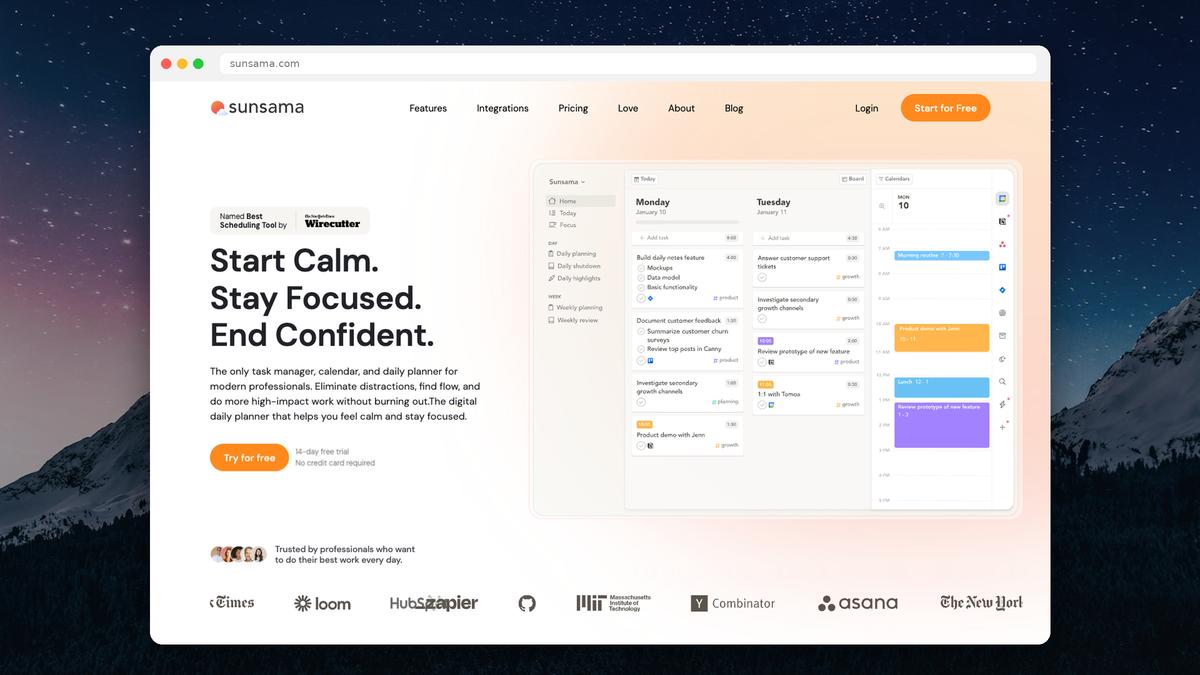
Sunsama believes you should plan your day deliberately. It guides you through a daily planning ritual where you pull tasks from various sources, estimate how long each will take, and place them on your calendar. You’re in control of every decision.
Motion believes an AI should plan your day for you. You add tasks with deadlines and time estimates, and Motion’s algorithm figures out when to schedule them around your meetings. You’re delegating the planning to a machine.
Neither approach is objectively better. But one will feel right and the other will feel wrong — and that depends entirely on your personality and workflow.
Feature comparison
Feature | Sunsama | Motion |
|---|---|---|
Pricing (monthly) | $25/mo | $49/mo (solo) |
Pricing (annual) | $20/mo | $29/mo (solo) |
Free plan | No (14-day trial) | No (7-day trial) |
Planning approach | Manual, guided ritual | AI auto-scheduling |
Calendar integration | Google, Outlook (required) | Google, Outlook (required) |
Task sources | Gmail, Notion, Asana, Trello, Jira, Linear, GitHub, Todoist, ClickUp, Slack | Linear, Asana, Jira, Todoist (fewer) |
Time tracking | Yes (built-in) | No |
Daily planning ritual | Yes (guided shutdown + planning) | No (AI does it) |
Focus mode | Yes | No |
Weekly objectives | Yes | No |
Project management | No | Yes (boards, timelines) |
Team scheduling | Limited | Yes (AI scheduling across team) |
Recurring tasks | Yes | Yes |
Analytics/reports | Yes (time spent, daily capacity) | Limited |
Mobile app | iOS, Android | iOS, Android |
Where Sunsama wins
The daily planning ritual
Sunsama’s signature feature is its guided daily planning flow. Each morning, it walks you through pulling in tasks from your connected tools, estimating how long each will take, and comparing that against your available calendar time. If you’re over capacity, it gently shows you — so you can decide what to cut before the day starts, rather than at 6pm when you’re exhausted.
This ritual is genuinely valuable. Most people start their day reacting to whatever shows up first. Sunsama forces an intentional pause.
Time tracking and capacity awareness
Sunsama tracks how long you actually spend on each task and compares it against your estimates. Over time, you get data on how accurate your time estimates are and how much you’re actually getting done in a day. This self-awareness is something Motion doesn’t offer.
Focus mode and shutdown ritual
Sunsama includes a focus mode that hides everything except your current task, and an end-of-day shutdown ritual that helps you reflect on what you accomplished and plan for tomorrow. These touches reflect Sunsama’s philosophy of intentional, mindful productivity.
Broader integrations
Sunsama pulls tasks from more sources than Motion — Gmail, Notion, Slack, Asana, Trello, Jira, Linear, GitHub, Todoist, and ClickUp. If you use multiple project management tools (common in consulting or cross-functional roles), Sunsama is better at consolidating everything into one daily view.
Where Motion wins
AI auto-scheduling
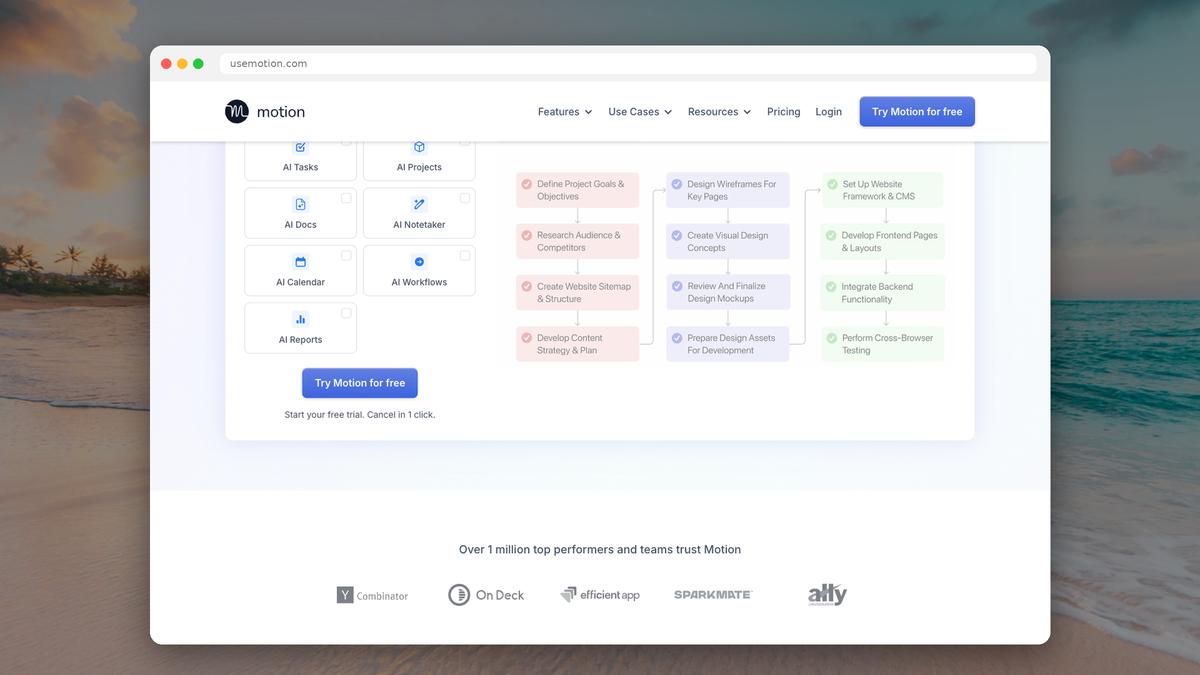
Motion’s core value proposition is that you don’t have to plan your day at all. Add tasks with deadlines and estimated durations, and Motion figures out when to schedule them. When a meeting gets added or moved, Motion automatically reshuffles your tasks. For people who find planning itself stressful or time-consuming, this is appealing.
Project management features
Motion includes project boards, timelines, and team task management — features Sunsama doesn’t have. If you need both a daily planner and a lightweight project management tool, Motion combines both. Sunsama is purely a personal daily planner.
Team AI scheduling
For teams, Motion’s AI can schedule tasks across multiple team members’ calendars, factoring in everyone’s availability. This is a genuinely unique capability that Sunsama doesn’t attempt.
Handling schedule chaos
When your calendar is chaotic and constantly changing — meetings being added, moved, and cancelled throughout the day — Motion’s automatic rescheduling is valuable. Sunsama requires you to manually adjust your plan when things change.
Where both fall short
Price
This is the elephant in the room. Sunsama costs $20–25/month. Motion costs $29–49/month for a single user. That’s $240–588 per year for a planning tool.
For context, Todoist Pro costs $5/month. Google Calendar is free. A paper planner costs $20 once.
Both Sunsama and Motion justify their pricing with a “what’s an hour of your time worth?” argument. And for some people — senior professionals, founders, consultants billing $200+/hour — the math works. But for students, freelancers, and anyone budget-conscious, these prices are hard to justify.
Mandatory calendar connection
Both Sunsama and Motion require connecting a Google or Outlook calendar just to use the app. If you don’t use either, you’re locked out entirely. And if your company uses a locked-down Google Workspace that doesn’t allow third-party calendar access, neither tool will work.
Learning curve
Sunsama’s daily ritual takes getting used to — it can feel slow at first, especially if you’re used to just diving into work. Motion’s AI can feel unpredictable — it sometimes schedules tasks at odd times, and you end up fighting the algorithm. Both tools require a commitment period before they feel natural.
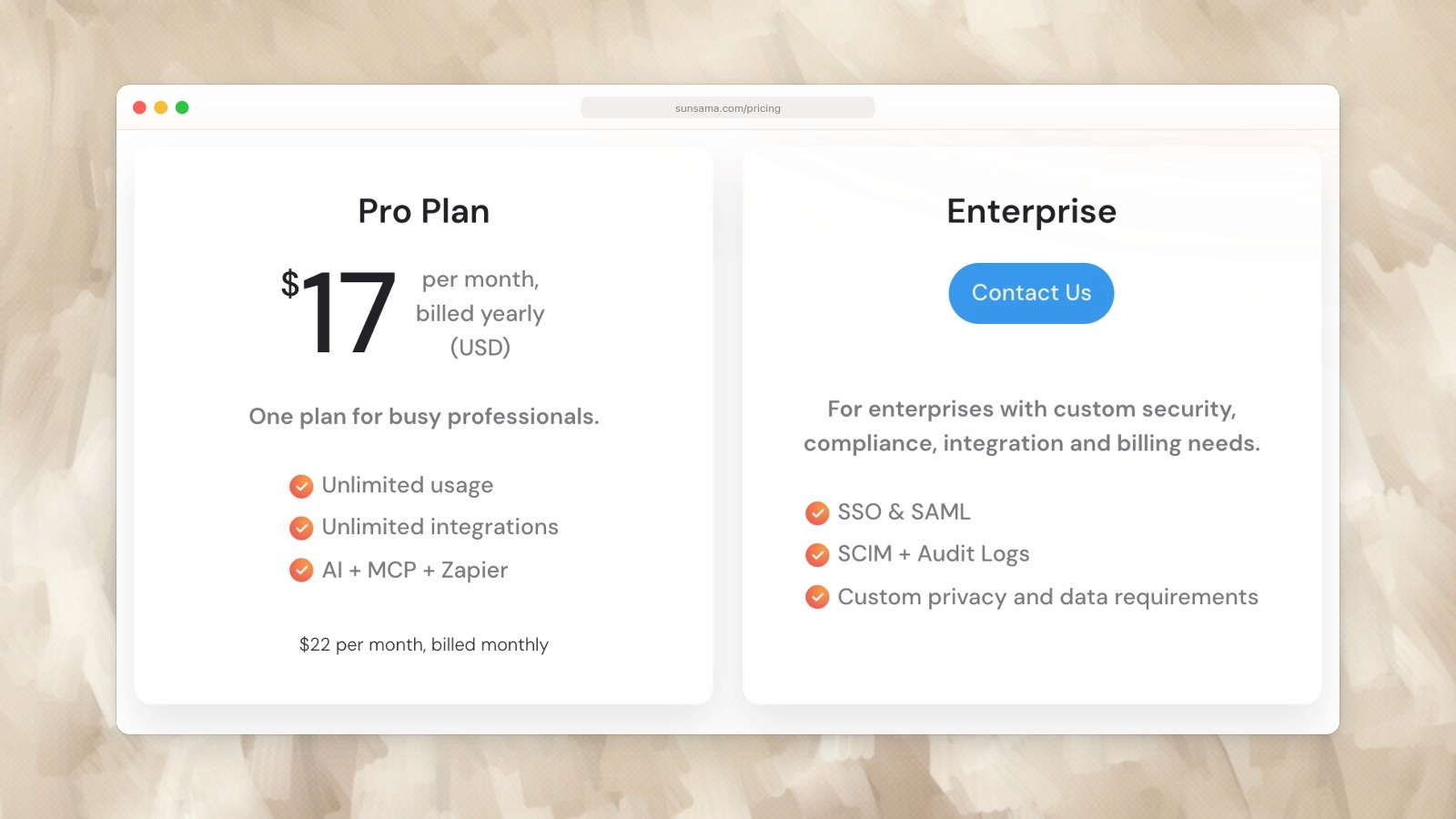
Sunsama Pro: US$17 per month billed yearly, or US$22 billed monthly. Captured September 19, 2026. Source.

Motion annual pricing shown on the Teams tab: Pro AI US$19 and Business AI US$29 per seat per month. Captured September 19, 2026. Source.
Pricing comparison (2026)
Sunsama | Motion | |
|---|---|---|
Monthly | $25/mo | $49/mo (solo) |
Annual | $20/mo ($240/yr) | $29/mo ($348/yr) |
Free trial | 14 days (no CC) | 7 days |
Free plan | No | No |
Student discount | No | 25% off |
Team pricing | $25/user/mo | $19-29/seat/mo (3+ users, annual) |
Motion is nearly double Sunsama’s price for individual users on monthly billing. Even annually, Motion is $108/year more expensive than Sunsama.
Who should choose what
Choose Sunsama if you: Want to stay in control of your daily plan. Value the reflective ritual of daily planning. Need to pull tasks from many different tools. Care about time tracking and capacity awareness. Prefer a calm, intentional user experience. Work solo or with a small team.
Choose Motion if you: Want AI to handle scheduling decisions for you. Have a chaotic, constantly-changing calendar. Need project management alongside daily planning. Work on a team that could benefit from AI task distribution. Are willing to pay a premium for automation. Trust algorithms more than manual planning.
A more affordable alternative
If the pricing of Sunsama and Motion gives you pause, you’re not alone. Both tools charge premium prices for what is ultimately a daily planning workflow.
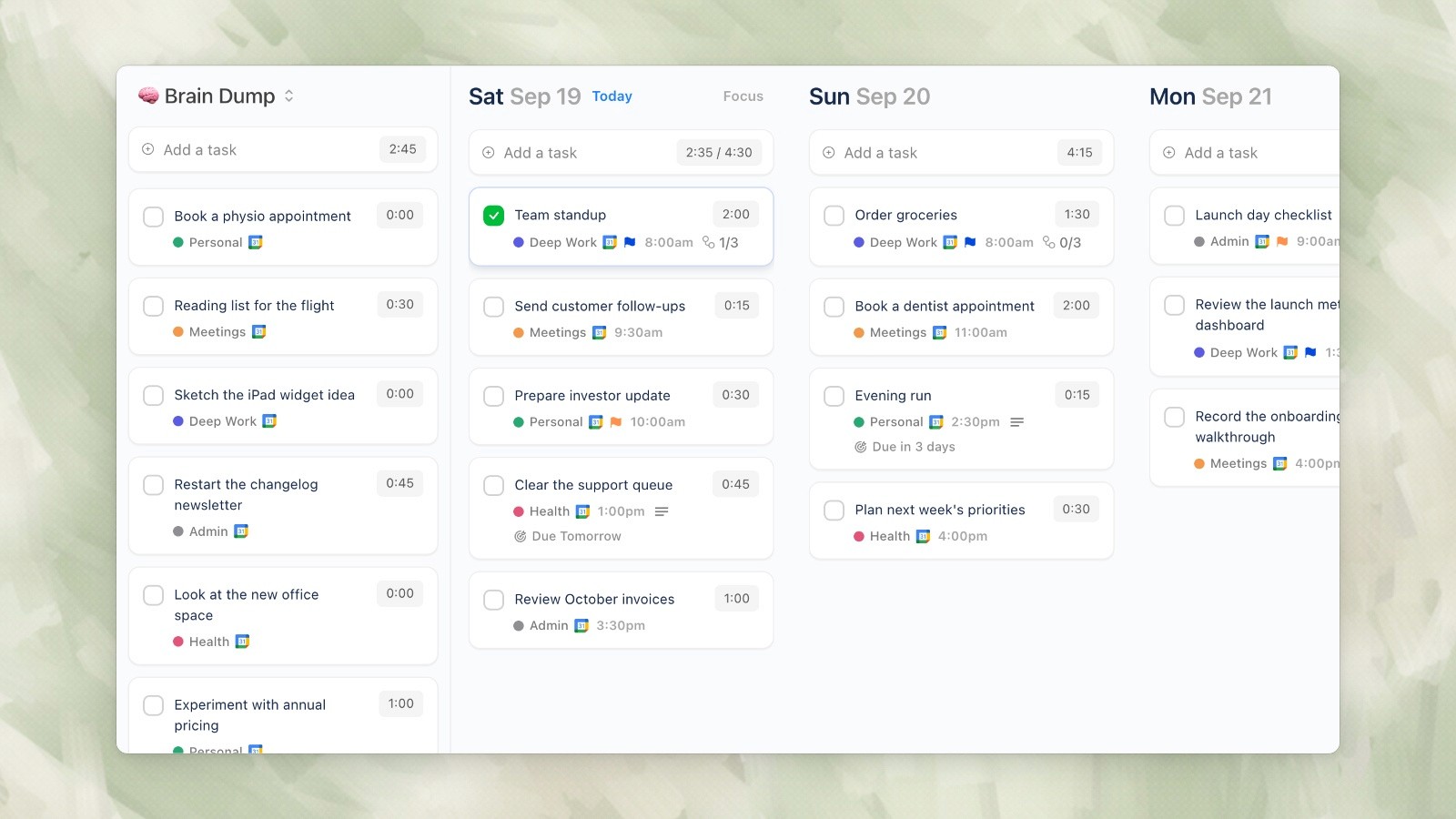
Ellie desktop demo data, captured September 19, 2026.
Ellie offers a daily planner that covers the core workflow both Sunsama and Motion are built around — without the premium price tag:
Brain dump your tasks into one place (like Sunsama’s task consolidation)
Kanban view to drag tasks to specific days of the week
Timebox view to schedule tasks on your actual calendar (like both Sunsama and Motion)
Calendar integration with Google, Apple, and Outlook
Automatic task rollover so unfinished tasks come back tomorrow
Ellie doesn’t have Sunsama’s guided ritual or Motion’s AI scheduling. What it does have is the daily planning workflow that most people actually use — brain dump, prioritize, schedule — without the features and complexity that drive prices up.
Ellie starts with a 7-day free trial, then $9.99/month or $99.99/year ($4.99/month with an education discount). That’s less than half what Sunsama charges and a fraction of Motion’s price.
Sunsama and Motion are both premium daily planning tools aimed at busy professionals — but they take fundamentally different approaches to the same problem. Sunsama is calm, intentional, and human-driven. Motion is aggressive, automated, and AI-driven.
This comparison will help you figure out which philosophy matches how you actually work (and whether either one is worth the premium price tag).
The fundamental difference
Sunsama believes you should plan your day deliberately. It guides you through a daily planning ritual where you pull tasks from various sources, estimate how long each will take, and place them on your calendar. You’re in control of every decision.
Motion believes an AI should plan your day for you. You add tasks with deadlines and time estimates, and Motion’s algorithm figures out when to schedule them around your meetings. You’re delegating the planning to a machine.
Neither approach is objectively better. But one will feel right and the other will feel wrong — and that depends entirely on your personality and workflow.
Feature comparison
Feature | Sunsama | Motion |
|---|---|---|
Pricing (monthly) | $25/mo | $49/mo (solo) |
Pricing (annual) | $20/mo | $29/mo (solo) |
Free plan | No (14-day trial) | No (7-day trial) |
Planning approach | Manual, guided ritual | AI auto-scheduling |
Calendar integration | Google, Outlook (required) | Google, Outlook (required) |
Task sources | Gmail, Notion, Asana, Trello, Jira, Linear, GitHub, Todoist, ClickUp, Slack | Linear, Asana, Jira, Todoist (fewer) |
Time tracking | Yes (built-in) | No |
Daily planning ritual | Yes (guided shutdown + planning) | No (AI does it) |
Focus mode | Yes | No |
Weekly objectives | Yes | No |
Project management | No | Yes (boards, timelines) |
Team scheduling | Limited | Yes (AI scheduling across team) |
Recurring tasks | Yes | Yes |
Analytics/reports | Yes (time spent, daily capacity) | Limited |
Mobile app | iOS, Android | iOS, Android |
Where Sunsama wins
The daily planning ritual
Sunsama’s signature feature is its guided daily planning flow. Each morning, it walks you through pulling in tasks from your connected tools, estimating how long each will take, and comparing that against your available calendar time. If you’re over capacity, it gently shows you — so you can decide what to cut before the day starts, rather than at 6pm when you’re exhausted.
This ritual is genuinely valuable. Most people start their day reacting to whatever shows up first. Sunsama forces an intentional pause.
Time tracking and capacity awareness
Sunsama tracks how long you actually spend on each task and compares it against your estimates. Over time, you get data on how accurate your time estimates are and how much you’re actually getting done in a day. This self-awareness is something Motion doesn’t offer.
Focus mode and shutdown ritual
Sunsama includes a focus mode that hides everything except your current task, and an end-of-day shutdown ritual that helps you reflect on what you accomplished and plan for tomorrow. These touches reflect Sunsama’s philosophy of intentional, mindful productivity.
Broader integrations
Sunsama pulls tasks from more sources than Motion — Gmail, Notion, Slack, Asana, Trello, Jira, Linear, GitHub, Todoist, and ClickUp. If you use multiple project management tools (common in consulting or cross-functional roles), Sunsama is better at consolidating everything into one daily view.
Where Motion wins
AI auto-scheduling
Motion’s core value proposition is that you don’t have to plan your day at all. Add tasks with deadlines and estimated durations, and Motion figures out when to schedule them. When a meeting gets added or moved, Motion automatically reshuffles your tasks. For people who find planning itself stressful or time-consuming, this is appealing.
Project management features
Motion includes project boards, timelines, and team task management — features Sunsama doesn’t have. If you need both a daily planner and a lightweight project management tool, Motion combines both. Sunsama is purely a personal daily planner.
Team AI scheduling
For teams, Motion’s AI can schedule tasks across multiple team members’ calendars, factoring in everyone’s availability. This is a genuinely unique capability that Sunsama doesn’t attempt.
Handling schedule chaos
When your calendar is chaotic and constantly changing — meetings being added, moved, and cancelled throughout the day — Motion’s automatic rescheduling is valuable. Sunsama requires you to manually adjust your plan when things change.
Where both fall short
Price
This is the elephant in the room. Sunsama costs $20–25/month. Motion costs $29–49/month for a single user. That’s $240–588 per year for a planning tool.
For context, Todoist Pro costs $5/month. Google Calendar is free. A paper planner costs $20 once.
Both Sunsama and Motion justify their pricing with a “what’s an hour of your time worth?” argument. And for some people — senior professionals, founders, consultants billing $200+/hour — the math works. But for students, freelancers, and anyone budget-conscious, these prices are hard to justify.
Mandatory calendar connection
Both Sunsama and Motion require connecting a Google or Outlook calendar just to use the app. If you don’t use either, you’re locked out entirely. And if your company uses a locked-down Google Workspace that doesn’t allow third-party calendar access, neither tool will work.
Learning curve
Sunsama’s daily ritual takes getting used to — it can feel slow at first, especially if you’re used to just diving into work. Motion’s AI can feel unpredictable — it sometimes schedules tasks at odd times, and you end up fighting the algorithm. Both tools require a commitment period before they feel natural.
Sunsama Pro: US$17 per month billed yearly, or US$22 billed monthly. Captured September 19, 2026. Source.
Motion annual pricing shown on the Teams tab: Pro AI US$19 and Business AI US$29 per seat per month. Captured September 19, 2026. Source.
Pricing comparison (2026)
Sunsama | Motion | |
|---|---|---|
Monthly | $25/mo | $49/mo (solo) |
Annual | $20/mo ($240/yr) | $29/mo ($348/yr) |
Free trial | 14 days (no CC) | 7 days |
Free plan | No | No |
Student discount | No | 25% off |
Team pricing | $25/user/mo | $19-29/seat/mo (3+ users, annual) |
Motion is nearly double Sunsama’s price for individual users on monthly billing. Even annually, Motion is $108/year more expensive than Sunsama.
Who should choose what
Choose Sunsama if you: Want to stay in control of your daily plan. Value the reflective ritual of daily planning. Need to pull tasks from many different tools. Care about time tracking and capacity awareness. Prefer a calm, intentional user experience. Work solo or with a small team.
Choose Motion if you: Want AI to handle scheduling decisions for you. Have a chaotic, constantly-changing calendar. Need project management alongside daily planning. Work on a team that could benefit from AI task distribution. Are willing to pay a premium for automation. Trust algorithms more than manual planning.
A more affordable alternative
If the pricing of Sunsama and Motion gives you pause, you’re not alone. Both tools charge premium prices for what is ultimately a daily planning workflow.
Ellie desktop demo data, captured September 19, 2026.
Ellie offers a daily planner that covers the core workflow both Sunsama and Motion are built around — without the premium price tag:
Brain dump your tasks into one place (like Sunsama’s task consolidation)
Kanban view to drag tasks to specific days of the week
Timebox view to schedule tasks on your actual calendar (like both Sunsama and Motion)
Calendar integration with Google, Apple, and Outlook
Automatic task rollover so unfinished tasks come back tomorrow
Ellie doesn’t have Sunsama’s guided ritual or Motion’s AI scheduling. What it does have is the daily planning workflow that most people actually use — brain dump, prioritize, schedule — without the features and complexity that drive prices up.
Ellie starts with a 7-day free trial, then $9.99/month or $99.99/year ($4.99/month with an education discount). That’s less than half what Sunsama charges and a fraction of Motion’s price.
Give your brain the night off
Dump everything into Ellie, give tomorrow a plan, and close the laptop.
Try Ellie free
Web, Mac, Windows, iPhone and iPad. 7-day free trial, cancel anytime.
