Sunsama vs Akiflow (2026): Which Daily Planner Is Worth It?

Chris Raroque

If you’re shopping for a premium daily planner in 2026, you’ve likely heard of Sunsama and Akiflow. Both are high-end task management tools designed for professionals who want to move beyond basic to-do lists. But they take fundamentally different approaches: Sunsama emphasizes a guided, ritual-based planning experience with a calm philosophy, while Akiflow is built for speed and keyboard-first power users who want maximum integration with their existing tool ecosystem.
In this comparison, we’ll break down exactly how these two premium planners differ, what each does best, and who should choose which one. If you’re torn between them—or wondering if either is right for you—this guide will help you make an informed decision.
Feature Comparison: Head-to-Head
Where Sunsama Wins
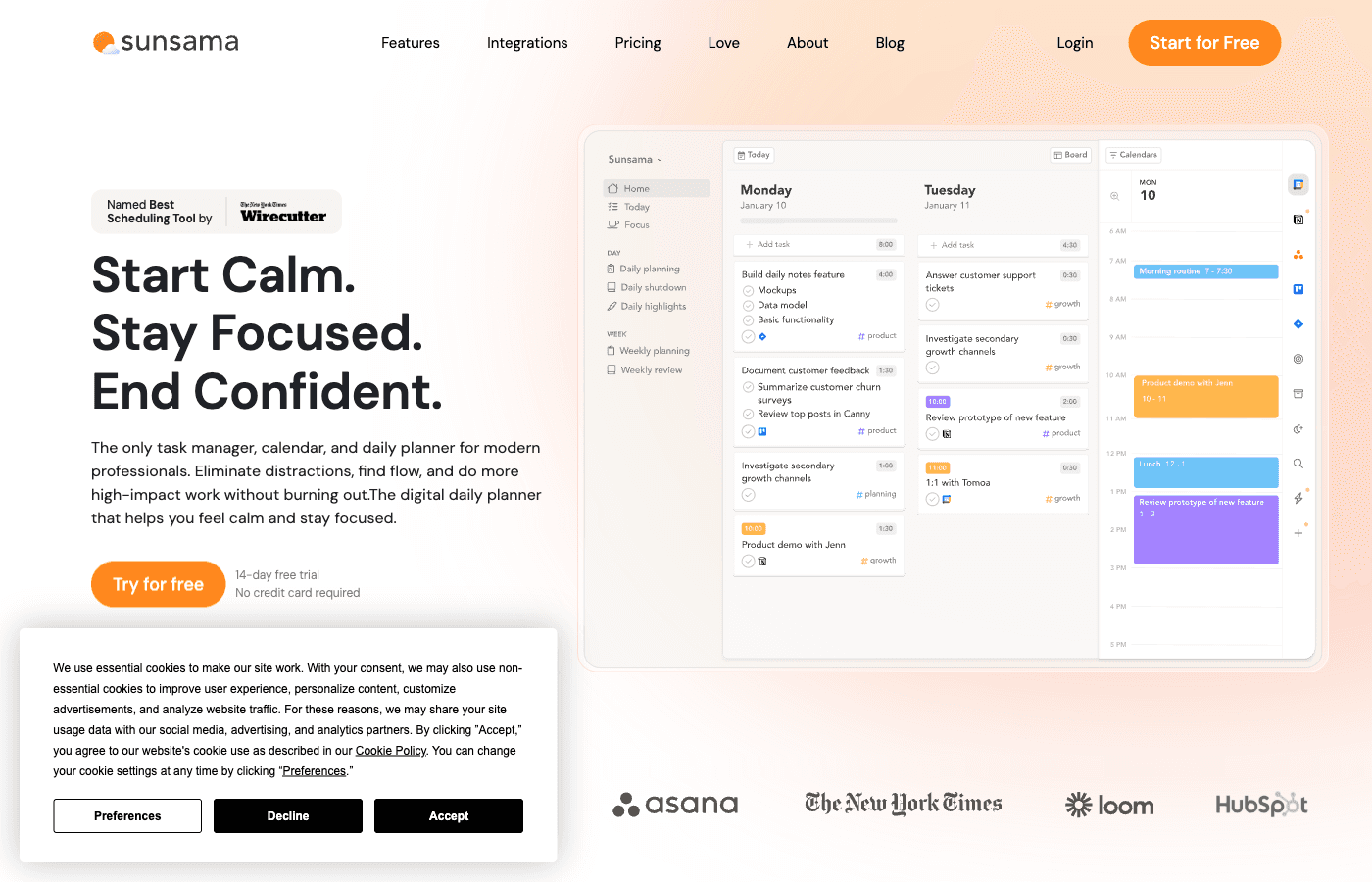
Sunsama is designed for people who want to be guided through their daily planning process, not left alone with a blank canvas. Here’s what makes it stand out from Akiflow.
1. Guided Daily Planning Ritual
Sunsama’s core strength is its structured daily planning ritual. Every morning, you’re walked through a calm, step-by-step process: review yesterday, define your three biggest priorities for today, schedule focus blocks, and handle routine tasks. This ritual approach is powerful for people who struggle with decision paralysis or who want a proven planning system. Unlike Akiflow’s command-bar speed approach, Sunsama assumes you want help thinking through your day—and many users find this guidance invaluable. The ritual is deliberate and meditative, not frantic.
2. Built-in Time Tracking & Capacity Management
Sunsama includes native time tracking that automatically captures how long tasks actually take. This data feeds into capacity planning, helping you avoid overcommitting. Akiflow has a focus timer on desktop, but it doesn’t keep a record of how long tasks actually take. If you need to manage team capacity, track billable hours, or simply understand your own productivity patterns, Sunsama has a major advantage here.
3. Planning on Your Phone
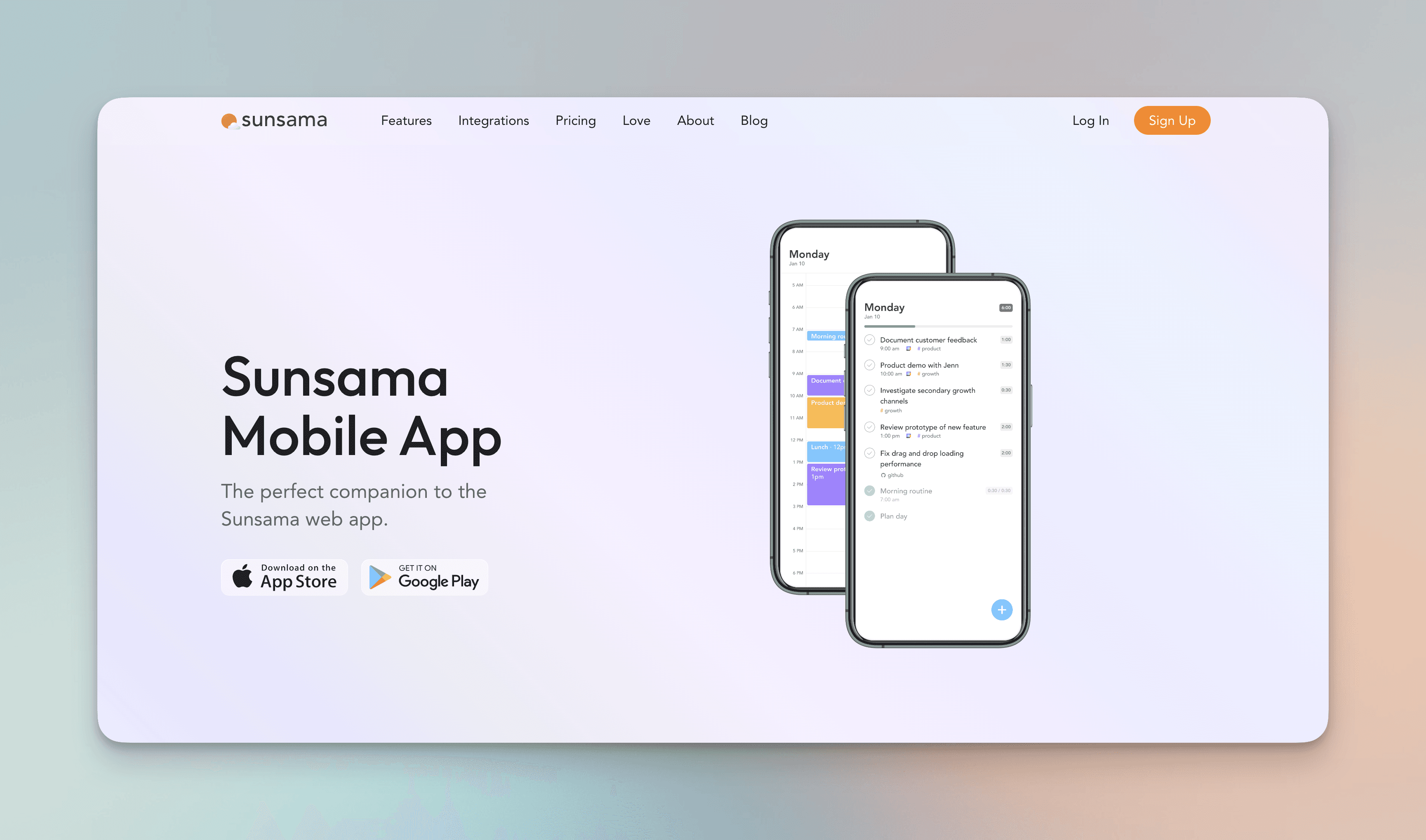
Both apps have iOS and Android versions, but they do different things on the phone. Sunsama’s mobile app can run your daily planning and shutdown, while Akiflow’s planning rituals and focus timer only run on desktop.
4. Focus Mode
Sunsama’s focus mode is a distraction-free view for deep work that hides everything except the task you’re on. Akiflow now has a focus mode and timer too, so the difference is mostly in feel: Sunsama’s is calmer and more guided.
5. Calmer, Less Technical UX
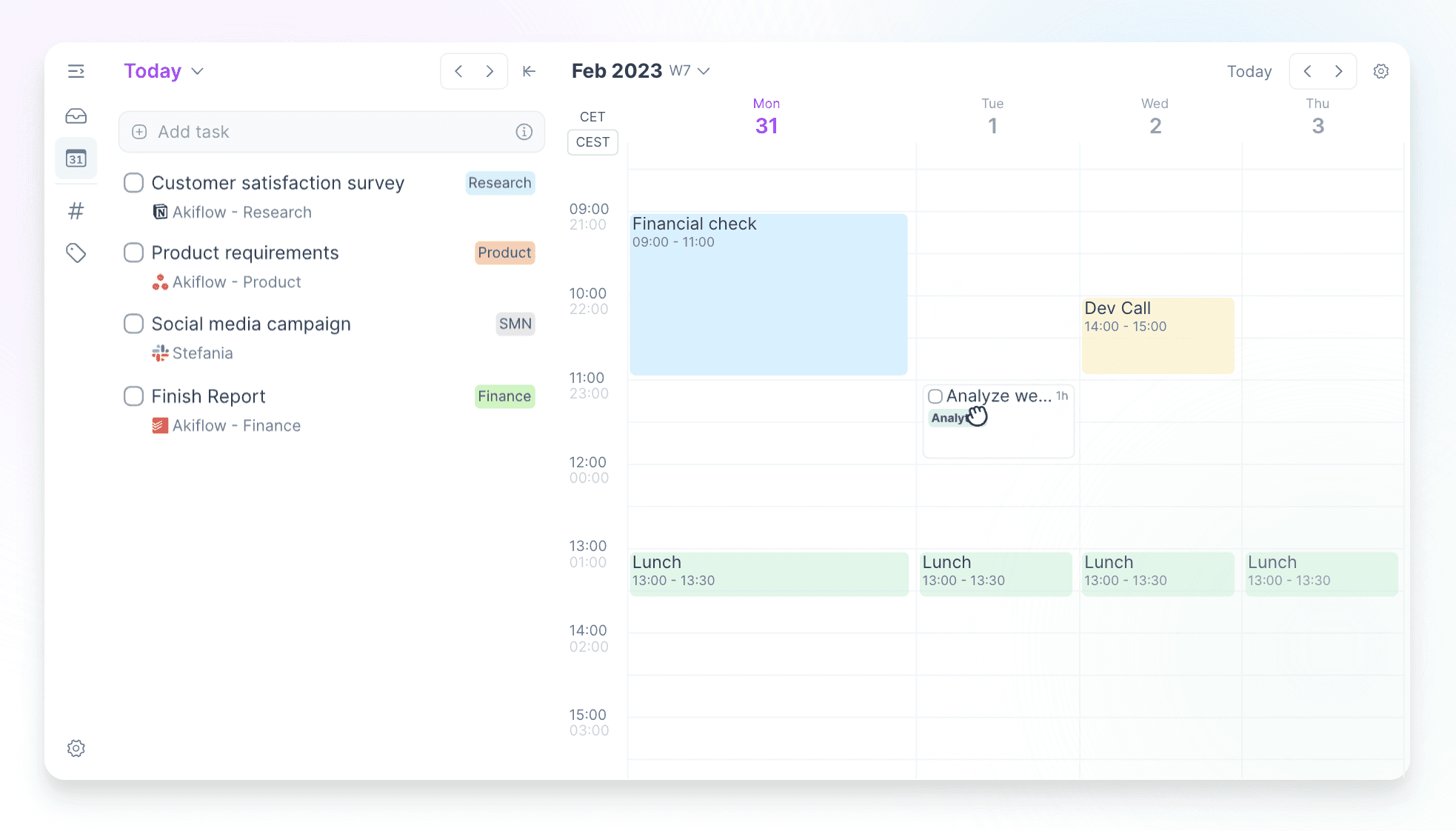
Sunsama’s interface is deliberately designed to feel calm and supportive. The philosophy is zen-like: slow down, think clearly, plan intentionally. Akiflow, by contrast, is optimized for speed and efficiency. If the idea of a command bar and keyboard shortcuts feels stressful rather than liberating, Sunsama’s gentler approach will feel like a better fit for your work style.
Where Akiflow Wins
Akiflow is built for power users who want speed, flexibility, and deep integration with their entire tool stack. Here’s where it outshines Sunsama.
1. Massive Integration Ecosystem (3000+ Tools via Zapier)
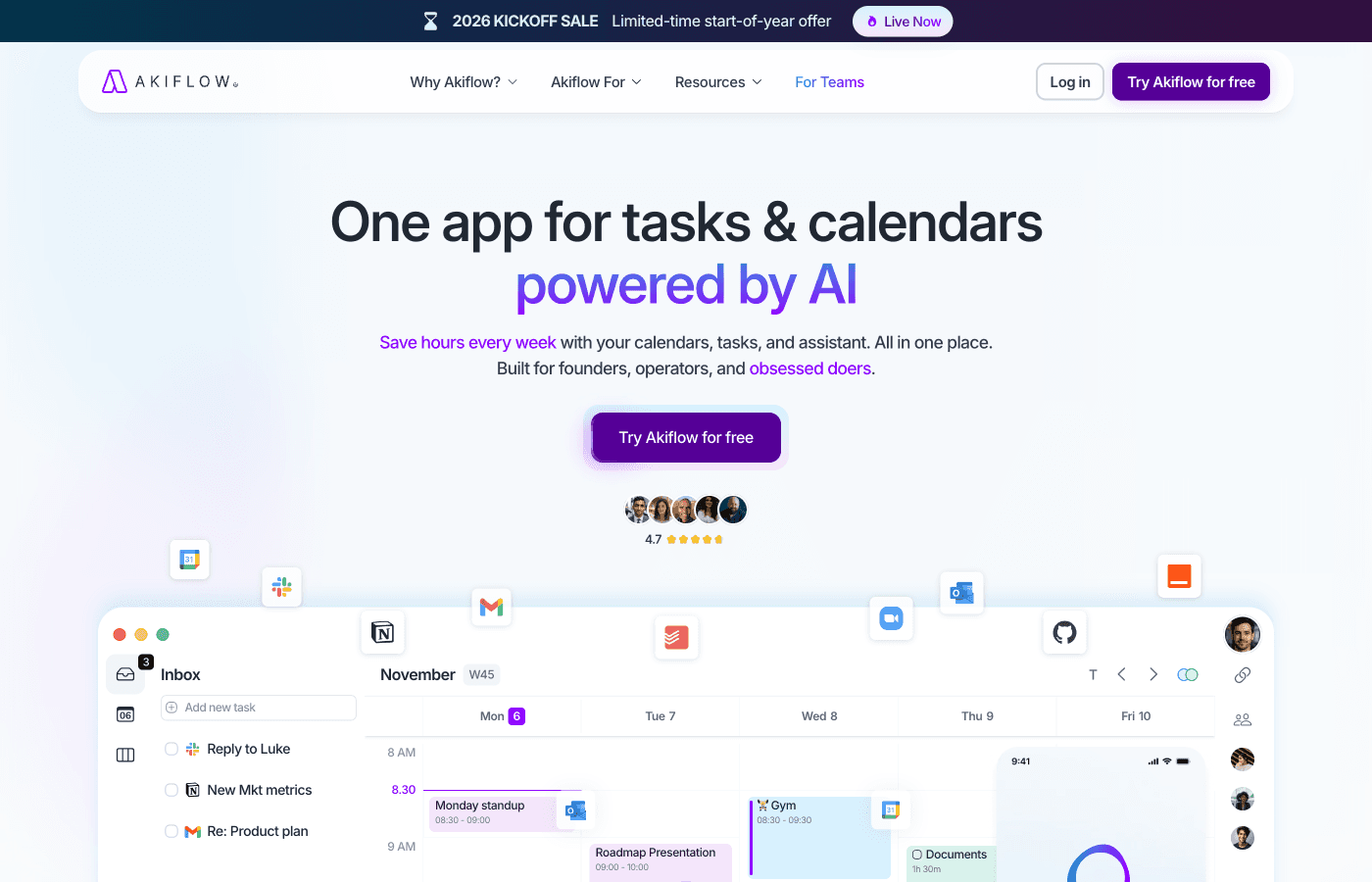
Akiflow directly connects to 80+ tools and integrates with 3000+ more via Zapier. Sunsama has roughly 15 native integrations. If you use niche tools, custom workflows, or a highly specialized tool stack, Akiflow’s integration breadth is a game-changer. You can pull tasks from almost anywhere and unify them in one command center. Sunsama can’t touch this level of integration flexibility.
2. Keyboard-First Speed & Command Bar
Akiflow is built for people who live in the keyboard. Its command bar puts everything at your fingertips—navigate, create, move, and execute almost everything without touching the mouse. For users who type fast and hate context-switching, this speed is addictive. Sunsama supports keyboard shortcuts but doesn’t prioritize them the same way. If you’re a power user who measures productivity in how many mouse clicks you can eliminate, Akiflow wins decisively.
3. Aki AI Assistant
Akiflow includes Aki, an AI assistant that can help suggest task groupings, optimizations, and automations. Sunsama has a lighter assistant, Sunny, but Akiflow leans much further into AI. If you want machine learning to help you work smarter—not just harder—Akiflow’s AI integration is a differentiator. The AI can learn from your patterns and offer suggestions over time.
4. Slots Feature for Task Grouping
Akiflow’s Slots feature lets you group related tasks together for block scheduling. While Sunsama has time blocking, Akiflow’s Slots approach is more flexible and faster to set up, especially if you’re juggling multiple projects or clients. It’s a subtle but powerful organizational tool that speed-focused users appreciate.
5. Command Center Philosophy
Akiflow is designed as a unified command center for your work. Everything flows in, everything is accessible from one place, and you control it all through speed and keyboard efficiency. If you want to consolidate all your tools and work from a single hub, Akiflow’s command center architecture is more ambitious and powerful than Sunsama’s ritual-focused approach. You get the sense that anything is possible from the keyboard.
Where Both Fall Short
Neither Sunsama nor Akiflow are perfect. Both have meaningful limitations that might push you toward other options.
No Free Plans or Freemium Models
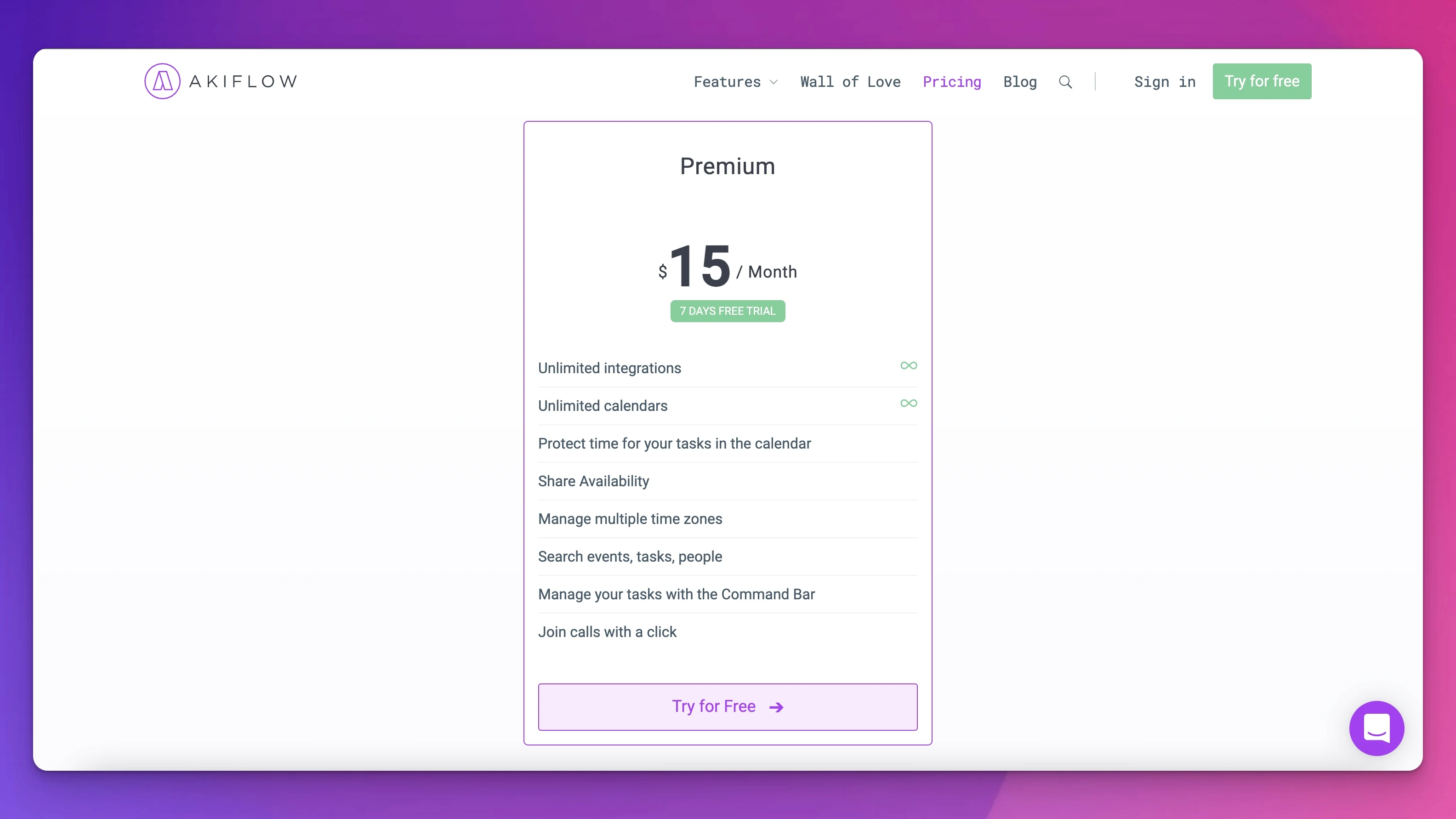
Both tools are premium-only. Sunsama is $22/mo (or $17/mo billed yearly), and Akiflow is $34/mo (or $19/mo billed yearly). If you’re budget-constrained or want to try before committing, both pricing models are steep. There’s no way to use either tool for free long-term, which excludes casual users or those evaluating multiple tools simultaneously.
Limited AI Compared to Modern Task Managers
While Akiflow has Aki, neither tool offers the deep AI capabilities that newer products are rolling out in 2026. Sunsama’s assistant, Sunny, is fairly light. If you want AI-powered priority suggestions, smart scheduling, or predictive capacity planning, both tools are behind the curve. Larger platforms with bigger engineering teams are innovating faster here.
Small User Communities
Both Sunsama and Akiflow are niche premium tools. They don’t have the large user communities that tools like Todoist or Asana enjoy. If you value public templates, YouTube tutorials, and active community forums, you’ll find less support and fewer resources with either of these.
Phone Apps That Lean on the Desktop
Both have iOS and Android apps, but both lean on the desktop: Sunsama wants you to plan your first day on a computer, and Akiflow needs a computer to create an account and keeps its rituals and focus timer there.
Steep Learning Curve for Beginners
Both Sunsama and Akiflow assume you have a certain level of planning sophistication. They’re not for casual to-do list users. If you’re new to task management or daily planning, you might find both tools overwhelming compared to simpler alternatives. Sunsama helps guide you through this with its ritual structure, but Akiflow is definitely more hands-off.
Pricing Comparison
Pricing Metric | Sunsama | Akiflow |
|---|---|---|
Monthly Billing | $22/month | $34/month |
Annual Billing | $204/year ($17/month) | $228/year ($19/month) |
Annual Savings vs Monthly | $60/year (23% discount) | $180/year (44% discount) |
Free Trial | 14 days full access | 7 days (card required) |
Free Plan Option | None | None |
Refund Policy | 30-day money-back guarantee | Check website |
Cost per Year (Monthly Billing) | $264/year | $408/year |
Cost per Year (Best Rate) | $204/year | $228/year |
Sunsama is cheaper on monthly billing: $22 vs $34 a month. On yearly billing the gap is small: $17 vs $19 a month, or $204 vs $228 a year. Neither tool offers a free plan.
Who Should Choose Sunsama
Sunsama is the right choice if you fit one or more of these profiles:
You want a guided, ritual-based planning process that walks you through daily planning step-by-step.
You need to track time and manage capacity—knowing how long tasks actually take matters to you.
You want a mobile app to plan on the go, away from your desk.
You appreciate calm, intentional design over speed and keyboard shortcuts.
You want to minimize context-switching with a distraction-free focus mode.
You prefer a lower monthly cost and want the best annual pricing deal.
You value a 14-day trial and 30-day money-back guarantee to try the tool risk-free.
Your tool stack is relatively standard (Slack, Google Workspace, Asana, etc.) and you don’t need 80+ integrations.
Who Should Choose Akiflow
Akiflow is the right choice if you fit one or more of these profiles:
You live in the keyboard and hate using the mouse—speed and efficiency are your highest values.
You use niche, specialized, or highly customized tools and need 3000+ integrations via Zapier.
You want to consolidate all your work into a single command center.
You’re interested in AI assistance (Aki) to optimize your planning and workflow.
You love the command bar paradigm and want to execute everything through keyboard shortcuts.
You’re a productivity power user who values flexibility and customization over guided structure.
You work mostly from a desktop or laptop and use your phone mainly to check and capture tasks.
You want the Slots feature to group and batch similar tasks together.
Neither? Consider Ellie
If you’re drawn to the idea of daily planning rituals like Sunsama, but you want a mobile-first experience with smart time management built in, there’s another option: Ellie. Ellie is a calm daily planner with guided daily planning and shutdown, your calendar beside your list, and full iPhone and iPad apps. Unlike Sunsama and Akiflow, Ellie emphasizes simplicity and clarity over premium feature bloat.
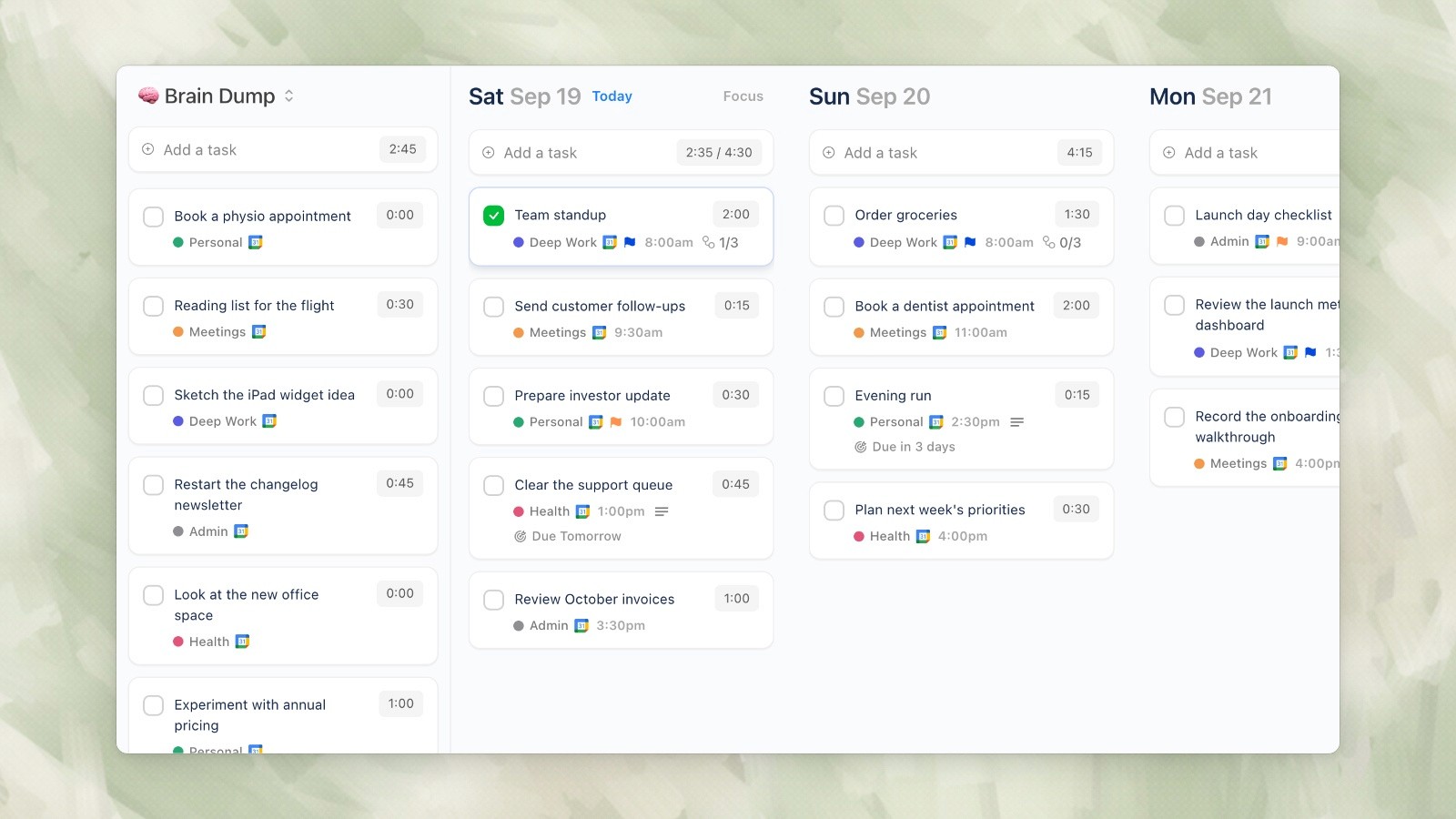
Ellie brings together the best of what makes daily planning tools work: your tasks beside your calendar, intuitive task management that doesn’t require memorizing keyboard shortcuts, and a beautiful mobile-first interface that makes planning feel less like work and more like clarity. If you’re tired of premium tools with bloated feature sets and want a simpler, more focused daily planning experience, Ellie is worth exploring.
You can learn more and try Ellie at https://ellieplanner.com.
Final Verdict
Sunsama and Akiflow are both excellent premium daily planners, but they serve different user types. Sunsama wins if you want to be guided through a calm, ritual-based planning process with excellent time tracking, mobile access, and a gentler learning curve. Akiflow wins if you’re a power user obsessed with speed, keyboard efficiency, and deep integration with a vast tool ecosystem.
Neither is cheap—you’re looking at $204–408 per year depending on which tool and billing method you choose. And neither has a free plan. But if you’re serious about daily planning and can afford the investment, both are genuinely excellent tools. The decision comes down to your work style: Do you want guidance and calm, or speed and flexibility?
Test both tools during their free trials (14 days for Sunsama, 7 days for Akiflow) and see which philosophy resonates with how you work. And if you find both tools are either too expensive or too complex for what you need, remember that Ellie offers a simpler, more focused alternative that’s specifically designed for daily planning clarity.
Related planning and app guides
Compare six daily planner apps for iPhone if mobile planning matters most. For current costs, see the Sunsama pricing and Akiflow pricing guides.
If you’re shopping for a premium daily planner in 2026, you’ve likely heard of Sunsama and Akiflow. Both are high-end task management tools designed for professionals who want to move beyond basic to-do lists. But they take fundamentally different approaches: Sunsama emphasizes a guided, ritual-based planning experience with a calm philosophy, while Akiflow is built for speed and keyboard-first power users who want maximum integration with their existing tool ecosystem.
In this comparison, we’ll break down exactly how these two premium planners differ, what each does best, and who should choose which one. If you’re torn between them—or wondering if either is right for you—this guide will help you make an informed decision.
Feature Comparison: Head-to-Head
Where Sunsama Wins
Sunsama is designed for people who want to be guided through their daily planning process, not left alone with a blank canvas. Here’s what makes it stand out from Akiflow.
1. Guided Daily Planning Ritual
Sunsama’s core strength is its structured daily planning ritual. Every morning, you’re walked through a calm, step-by-step process: review yesterday, define your three biggest priorities for today, schedule focus blocks, and handle routine tasks. This ritual approach is powerful for people who struggle with decision paralysis or who want a proven planning system. Unlike Akiflow’s command-bar speed approach, Sunsama assumes you want help thinking through your day—and many users find this guidance invaluable. The ritual is deliberate and meditative, not frantic.
2. Built-in Time Tracking & Capacity Management
Sunsama includes native time tracking that automatically captures how long tasks actually take. This data feeds into capacity planning, helping you avoid overcommitting. Akiflow has a focus timer on desktop, but it doesn’t keep a record of how long tasks actually take. If you need to manage team capacity, track billable hours, or simply understand your own productivity patterns, Sunsama has a major advantage here.
3. Planning on Your Phone
Both apps have iOS and Android versions, but they do different things on the phone. Sunsama’s mobile app can run your daily planning and shutdown, while Akiflow’s planning rituals and focus timer only run on desktop.
4. Focus Mode
Sunsama’s focus mode is a distraction-free view for deep work that hides everything except the task you’re on. Akiflow now has a focus mode and timer too, so the difference is mostly in feel: Sunsama’s is calmer and more guided.
5. Calmer, Less Technical UX
Sunsama’s interface is deliberately designed to feel calm and supportive. The philosophy is zen-like: slow down, think clearly, plan intentionally. Akiflow, by contrast, is optimized for speed and efficiency. If the idea of a command bar and keyboard shortcuts feels stressful rather than liberating, Sunsama’s gentler approach will feel like a better fit for your work style.
Where Akiflow Wins
Akiflow is built for power users who want speed, flexibility, and deep integration with their entire tool stack. Here’s where it outshines Sunsama.
1. Massive Integration Ecosystem (3000+ Tools via Zapier)
Akiflow directly connects to 80+ tools and integrates with 3000+ more via Zapier. Sunsama has roughly 15 native integrations. If you use niche tools, custom workflows, or a highly specialized tool stack, Akiflow’s integration breadth is a game-changer. You can pull tasks from almost anywhere and unify them in one command center. Sunsama can’t touch this level of integration flexibility.
2. Keyboard-First Speed & Command Bar
Akiflow is built for people who live in the keyboard. Its command bar puts everything at your fingertips—navigate, create, move, and execute almost everything without touching the mouse. For users who type fast and hate context-switching, this speed is addictive. Sunsama supports keyboard shortcuts but doesn’t prioritize them the same way. If you’re a power user who measures productivity in how many mouse clicks you can eliminate, Akiflow wins decisively.
3. Aki AI Assistant
Akiflow includes Aki, an AI assistant that can help suggest task groupings, optimizations, and automations. Sunsama has a lighter assistant, Sunny, but Akiflow leans much further into AI. If you want machine learning to help you work smarter—not just harder—Akiflow’s AI integration is a differentiator. The AI can learn from your patterns and offer suggestions over time.
4. Slots Feature for Task Grouping
Akiflow’s Slots feature lets you group related tasks together for block scheduling. While Sunsama has time blocking, Akiflow’s Slots approach is more flexible and faster to set up, especially if you’re juggling multiple projects or clients. It’s a subtle but powerful organizational tool that speed-focused users appreciate.
5. Command Center Philosophy
Akiflow is designed as a unified command center for your work. Everything flows in, everything is accessible from one place, and you control it all through speed and keyboard efficiency. If you want to consolidate all your tools and work from a single hub, Akiflow’s command center architecture is more ambitious and powerful than Sunsama’s ritual-focused approach. You get the sense that anything is possible from the keyboard.
Where Both Fall Short
Neither Sunsama nor Akiflow are perfect. Both have meaningful limitations that might push you toward other options.
No Free Plans or Freemium Models
Both tools are premium-only. Sunsama is $22/mo (or $17/mo billed yearly), and Akiflow is $34/mo (or $19/mo billed yearly). If you’re budget-constrained or want to try before committing, both pricing models are steep. There’s no way to use either tool for free long-term, which excludes casual users or those evaluating multiple tools simultaneously.
Limited AI Compared to Modern Task Managers
While Akiflow has Aki, neither tool offers the deep AI capabilities that newer products are rolling out in 2026. Sunsama’s assistant, Sunny, is fairly light. If you want AI-powered priority suggestions, smart scheduling, or predictive capacity planning, both tools are behind the curve. Larger platforms with bigger engineering teams are innovating faster here.
Small User Communities
Both Sunsama and Akiflow are niche premium tools. They don’t have the large user communities that tools like Todoist or Asana enjoy. If you value public templates, YouTube tutorials, and active community forums, you’ll find less support and fewer resources with either of these.
Phone Apps That Lean on the Desktop
Both have iOS and Android apps, but both lean on the desktop: Sunsama wants you to plan your first day on a computer, and Akiflow needs a computer to create an account and keeps its rituals and focus timer there.
Steep Learning Curve for Beginners
Both Sunsama and Akiflow assume you have a certain level of planning sophistication. They’re not for casual to-do list users. If you’re new to task management or daily planning, you might find both tools overwhelming compared to simpler alternatives. Sunsama helps guide you through this with its ritual structure, but Akiflow is definitely more hands-off.
Pricing Comparison
Pricing Metric | Sunsama | Akiflow |
|---|---|---|
Monthly Billing | $22/month | $34/month |
Annual Billing | $204/year ($17/month) | $228/year ($19/month) |
Annual Savings vs Monthly | $60/year (23% discount) | $180/year (44% discount) |
Free Trial | 14 days full access | 7 days (card required) |
Free Plan Option | None | None |
Refund Policy | 30-day money-back guarantee | Check website |
Cost per Year (Monthly Billing) | $264/year | $408/year |
Cost per Year (Best Rate) | $204/year | $228/year |
Sunsama is cheaper on monthly billing: $22 vs $34 a month. On yearly billing the gap is small: $17 vs $19 a month, or $204 vs $228 a year. Neither tool offers a free plan.
Who Should Choose Sunsama
Sunsama is the right choice if you fit one or more of these profiles:
You want a guided, ritual-based planning process that walks you through daily planning step-by-step.
You need to track time and manage capacity—knowing how long tasks actually take matters to you.
You want a mobile app to plan on the go, away from your desk.
You appreciate calm, intentional design over speed and keyboard shortcuts.
You want to minimize context-switching with a distraction-free focus mode.
You prefer a lower monthly cost and want the best annual pricing deal.
You value a 14-day trial and 30-day money-back guarantee to try the tool risk-free.
Your tool stack is relatively standard (Slack, Google Workspace, Asana, etc.) and you don’t need 80+ integrations.
Who Should Choose Akiflow
Akiflow is the right choice if you fit one or more of these profiles:
You live in the keyboard and hate using the mouse—speed and efficiency are your highest values.
You use niche, specialized, or highly customized tools and need 3000+ integrations via Zapier.
You want to consolidate all your work into a single command center.
You’re interested in AI assistance (Aki) to optimize your planning and workflow.
You love the command bar paradigm and want to execute everything through keyboard shortcuts.
You’re a productivity power user who values flexibility and customization over guided structure.
You work mostly from a desktop or laptop and use your phone mainly to check and capture tasks.
You want the Slots feature to group and batch similar tasks together.
Neither? Consider Ellie
If you’re drawn to the idea of daily planning rituals like Sunsama, but you want a mobile-first experience with smart time management built in, there’s another option: Ellie. Ellie is a calm daily planner with guided daily planning and shutdown, your calendar beside your list, and full iPhone and iPad apps. Unlike Sunsama and Akiflow, Ellie emphasizes simplicity and clarity over premium feature bloat.
Ellie brings together the best of what makes daily planning tools work: your tasks beside your calendar, intuitive task management that doesn’t require memorizing keyboard shortcuts, and a beautiful mobile-first interface that makes planning feel less like work and more like clarity. If you’re tired of premium tools with bloated feature sets and want a simpler, more focused daily planning experience, Ellie is worth exploring.
You can learn more and try Ellie at https://ellieplanner.com.
Final Verdict
Sunsama and Akiflow are both excellent premium daily planners, but they serve different user types. Sunsama wins if you want to be guided through a calm, ritual-based planning process with excellent time tracking, mobile access, and a gentler learning curve. Akiflow wins if you’re a power user obsessed with speed, keyboard efficiency, and deep integration with a vast tool ecosystem.
Neither is cheap—you’re looking at $204–408 per year depending on which tool and billing method you choose. And neither has a free plan. But if you’re serious about daily planning and can afford the investment, both are genuinely excellent tools. The decision comes down to your work style: Do you want guidance and calm, or speed and flexibility?
Test both tools during their free trials (14 days for Sunsama, 7 days for Akiflow) and see which philosophy resonates with how you work. And if you find both tools are either too expensive or too complex for what you need, remember that Ellie offers a simpler, more focused alternative that’s specifically designed for daily planning clarity.
Related planning and app guides
Compare six daily planner apps for iPhone if mobile planning matters most. For current costs, see the Sunsama pricing and Akiflow pricing guides.
Give your brain the night off
Dump everything into Ellie, give tomorrow a plan, and close the laptop.
Try Ellie free
Web, Mac, Windows, iPhone and iPad. No credit card required.
