7 Best Sunsama Alternatives in 2026

Chris Raroque

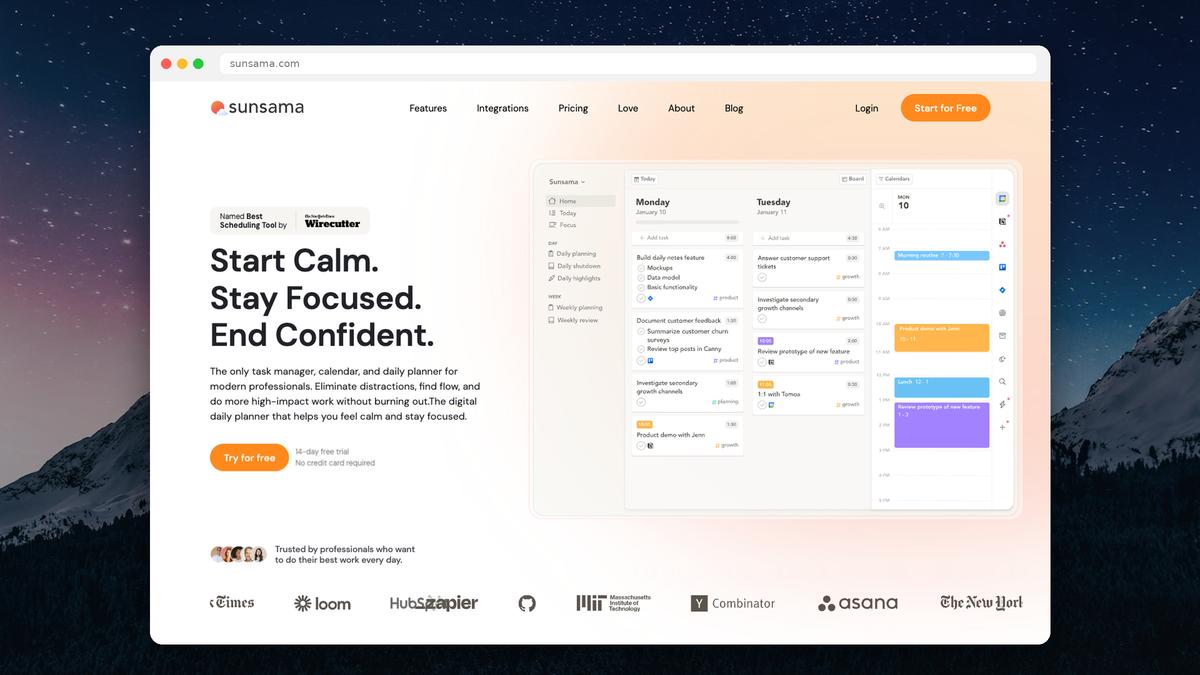
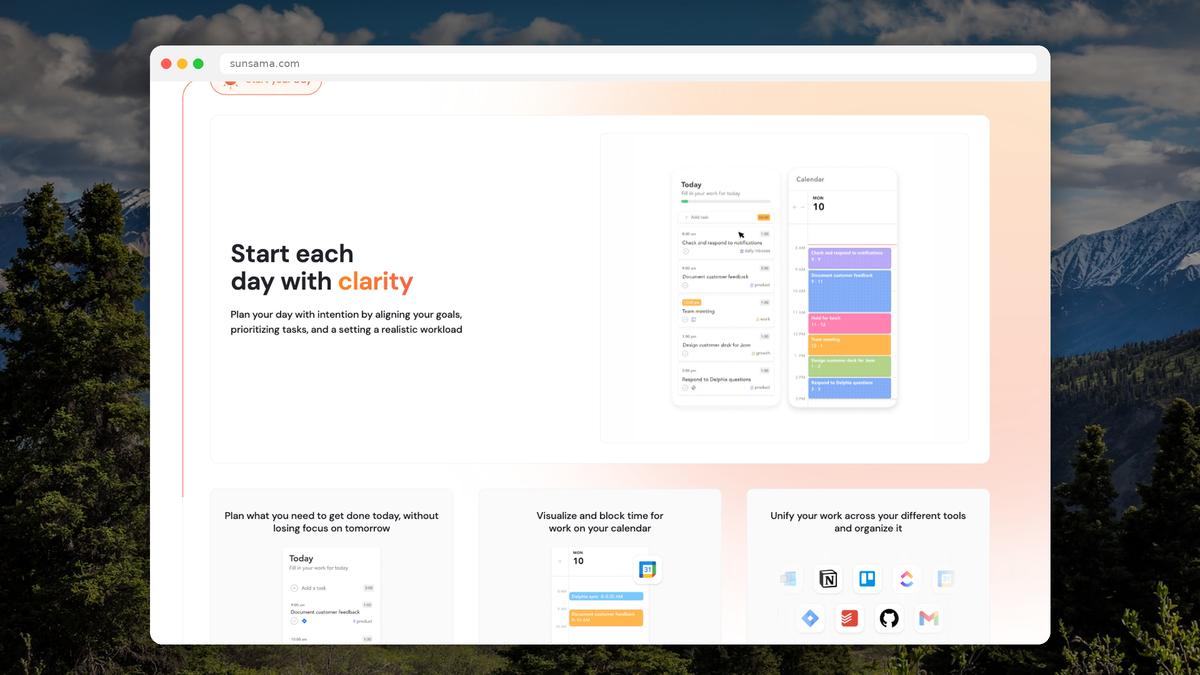
Sunsama is a beautifully designed daily planner. Its guided planning ritual, time tracking, and calm aesthetic have earned it a loyal following — and a Wirecutter “Best Scheduling App” pick.
But at $25/month ($20/month annual), Sunsama is one of the most expensive planning tools on the market. There’s no free plan, no lifetime deal, and no way to use it without connecting a Google or Outlook calendar.
If you love Sunsama’s approach but can’t justify the price — or if certain limitations are holding you back — here are the best alternatives to consider.
Why people look for Sunsama alternatives
Before we dive into options, here are the most common reasons people leave Sunsama (based on Reddit discussions, app reviews, and community feedback):
Price. $20–25/month is steep for a personal planning tool, especially for students, freelancers, and anyone on a budget.
Mandatory calendar connection. You can’t use Sunsama without Google or Outlook calendar. If your workplace restricts third-party calendar access, you’re locked out.
Guided ritual feels slow. Some people find the daily planning ritual too structured. They want to open their planner and start working, not go through a guided flow every morning.
No free plan. The 14-day trial is generous, but there’s no way to use Sunsama long-term without paying.
Limited offline access. Sunsama is primarily cloud-based, and offline functionality is limited.
The alternatives
1. Ellie — Best overall Sunsama alternative
Price: Free plan available; $9.99/mo ($4.99/mo with education discount) Platforms: web, iPhone and iPad Calendar integration: Google, Apple, Outlook
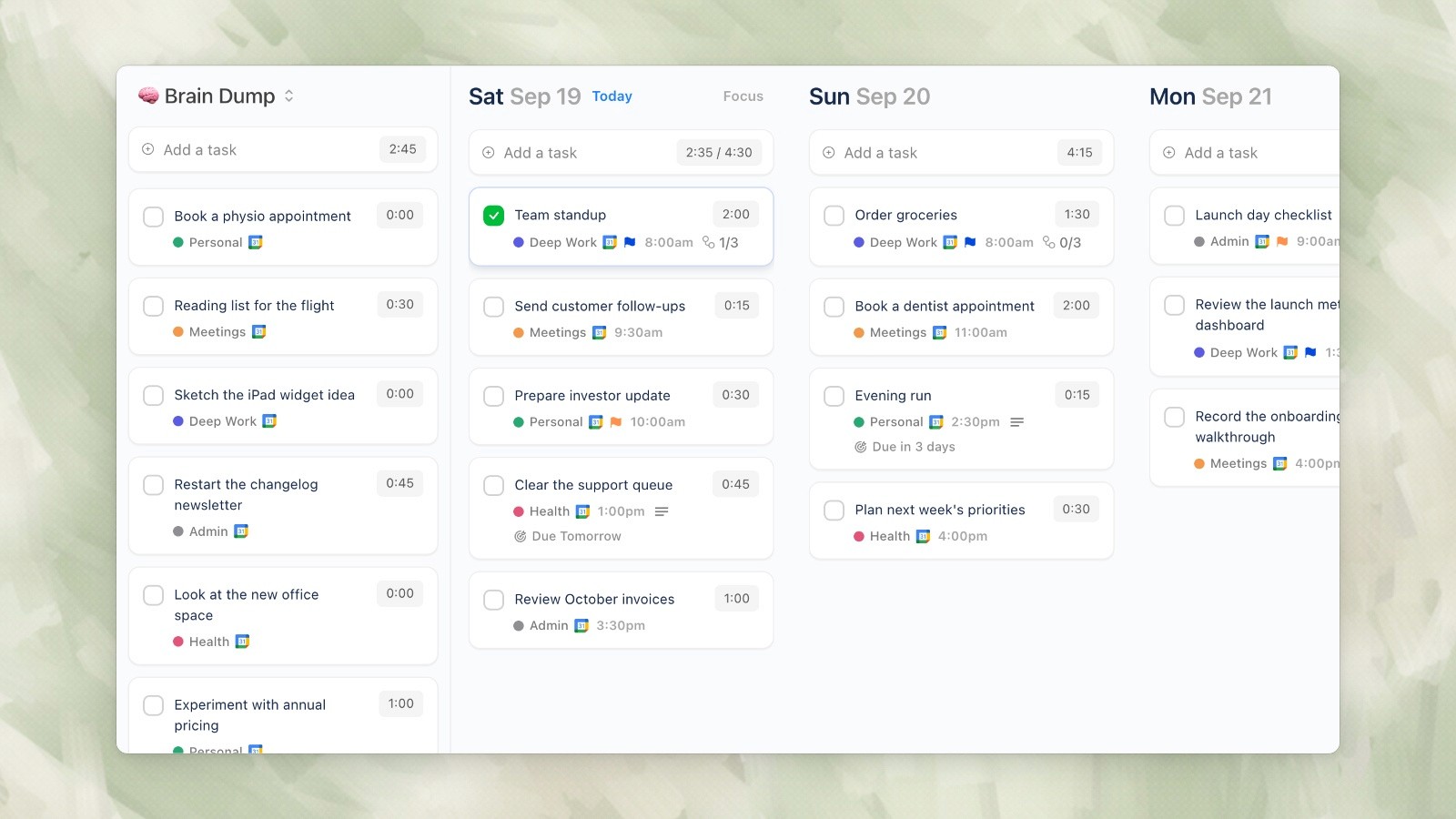
Ellie desktop demo data, captured September 19, 2026.
Ellie is the closest match to Sunsama’s daily planning philosophy, but at a fraction of the cost and without the mandatory setup friction.
Like Sunsama, Ellie is built around a daily planning workflow — not project management, not team collaboration, just helping you figure out what to do today and when to do it. The flow works like this:
Brain Dump everything on your mind into a single column
Drag tasks to specific days on a visual weekly kanban board
Timebox tasks onto your calendar by dragging them into time slots
Where Ellie differs from Sunsama: there’s no guided ritual (you plan at your own pace), it supports Apple Calendar (Sunsama doesn’t), and unfinished tasks automatically roll back to your brain dump so every day starts fresh.
What you get that Sunsama has: Calendar integration, daily planning workflow, timeboxing, visual task scheduling. What you don’t get: Guided planning ritual, built-in time tracking, focus mode, weekly objectives, Jira/Asana/Slack integrations.
Bottom line: If Sunsama’s core value for you is “I need a daily planner that shows my tasks on my calendar,” Ellie delivers that for free (or 50–80% less on paid plans).
2. Motion — Best for AI auto-scheduling
Price: $29/mo annual, $49/mo monthly (no free plan) Platforms: Web, iOS, Android Calendar integration: Google, Outlook
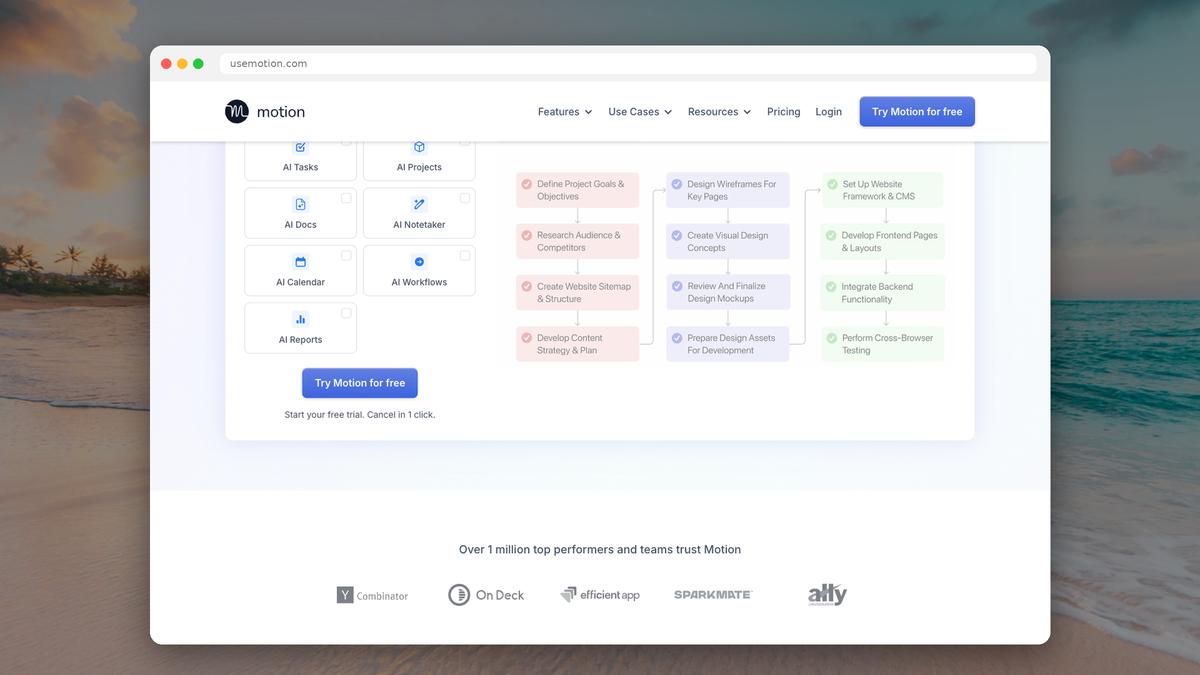
Motion is Sunsama’s opposite in philosophy. Where Sunsama guides you through making your own plan, Motion’s AI builds the plan for you. Add tasks with deadlines and time estimates, and Motion schedules them around your meetings automatically.
Best for: People who find planning itself stressful and want an algorithm to handle it. Also teams that need AI-powered scheduling across multiple calendars. Not great for: Budget-conscious users (it’s even more expensive than Sunsama), people who want to stay in control of their schedule, anyone without Google/Outlook calendar.
3. Todoist — Best for pure task management
Price: Free; Pro $5/mo annual, $7/mo monthly Platforms: Web, Mac, Windows, iOS, Android Calendar integration: Via Google Calendar sync
Todoist isn’t a daily planner — it’s a task manager. But it’s the best task manager available, and if your main need is capturing, organizing, and completing tasks (rather than calendar-based planning), Todoist might be all you need.
Best for: People who want fast task capture with natural language input, robust recurring tasks, and 300+ integrations. Works great paired with Google Calendar. Not great for: Visual planners who want to see tasks on a calendar timeline, people who need time tracking, anyone looking for a guided daily planning experience.
4. Reclaim.ai — Best for protecting focus time
Price: Free (Lite); Starter $8/mo Platforms: Web, iOS, Android Calendar integration: Google Calendar (primary), Outlook
Reclaim takes a different approach: instead of being a planner you work inside, it sits on top of Google Calendar and automatically protects time for your tasks, habits, and focus time. It’s particularly good at defending your calendar from meeting creep.
Best for: People with meeting-heavy calendars who need help protecting deep work time. The habit scheduling feature (automatically finding time for exercise, lunch, learning, etc.) is uniquely valuable. Not great for: People who want a standalone daily planner interface, anyone who doesn’t use Google Calendar as their primary tool.
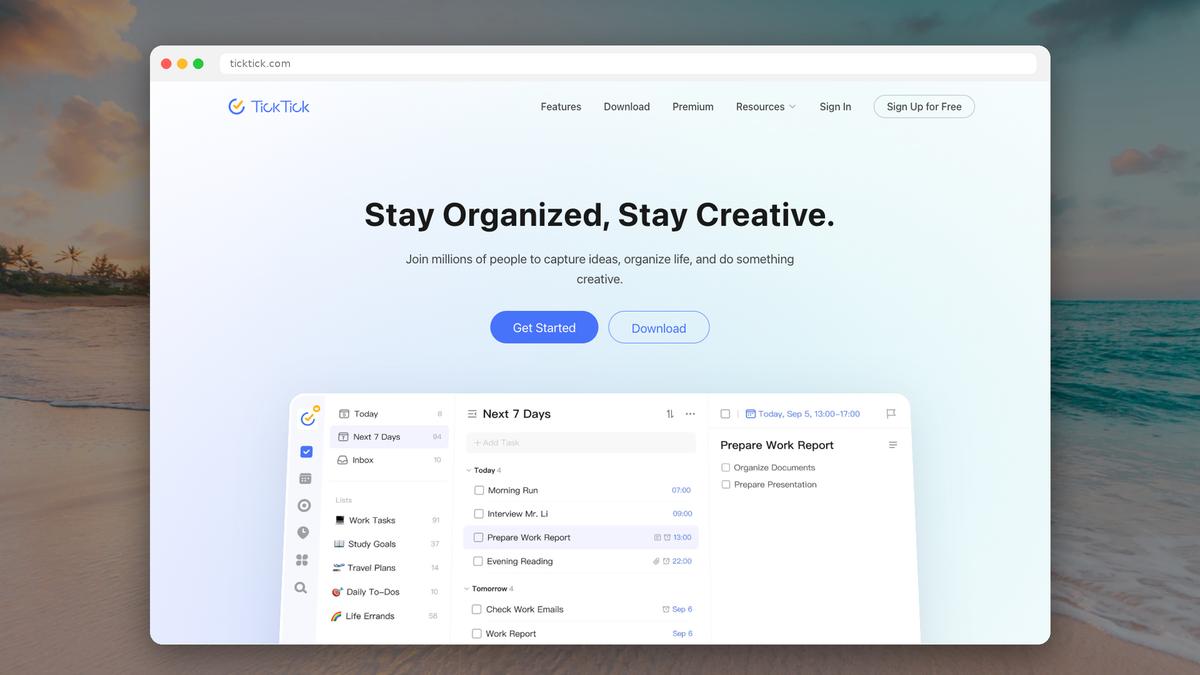
5. TickTick — Best budget all-in-one
Price: Free; Premium $35.99/year (~$3/mo) Platforms: Web, Mac, Windows, iOS, Android Calendar integration: Built-in calendar view
TickTick bundles more features into a cheaper package than almost any competitor: tasks, calendar view, habit tracking, Pomodoro timer, Eisenhower matrix, and note-taking — all for under $3/month on the annual plan.
Best for: Budget-conscious users who want the most features per dollar. The built-in calendar view makes it more of a planner than Todoist, and the habit tracker is genuinely useful. Not great for: People who want deep calendar integration (TickTick’s calendar is built-in, not synced with Google/Outlook as a primary feature), teams, anyone who prefers minimal tools.
6. Notion — Best for building a custom system
Price: Free; Plus $10/mo annual Platforms: Web, Mac, Windows, iOS, Android Calendar integration: Built-in calendar database view
Notion can be configured to replicate almost any productivity system — including something that resembles Sunsama’s daily planning flow. With a database, calendar view, and some template building, you can create a daily planner, habit tracker, and project manager in one workspace.
Best for: People who enjoy building systems and want maximum customization. Also great if you need tasks, docs, wikis, and databases in one tool. Not great for: People who want something that works out of the box (Notion requires significant setup), anyone who finds blank-canvas tools overwhelming, people with ADHD (the infinite customization can be a trap).
7. Google Calendar + Tasks — Best free option
Price: Free Platforms: Web, iOS, Android Calendar integration: It IS the calendar
If you’re leaving Sunsama primarily because of price, Google Calendar with Google Tasks is the simplest free replacement. Create tasks, assign them times, and see them on your calendar. It’s basic but functional.
Best for: People who want a free solution with zero setup, anyone already deep in the Google ecosystem. Not great for: People who need kanban views, brain dumping, or any planning workflow beyond basic calendar events and a task list.
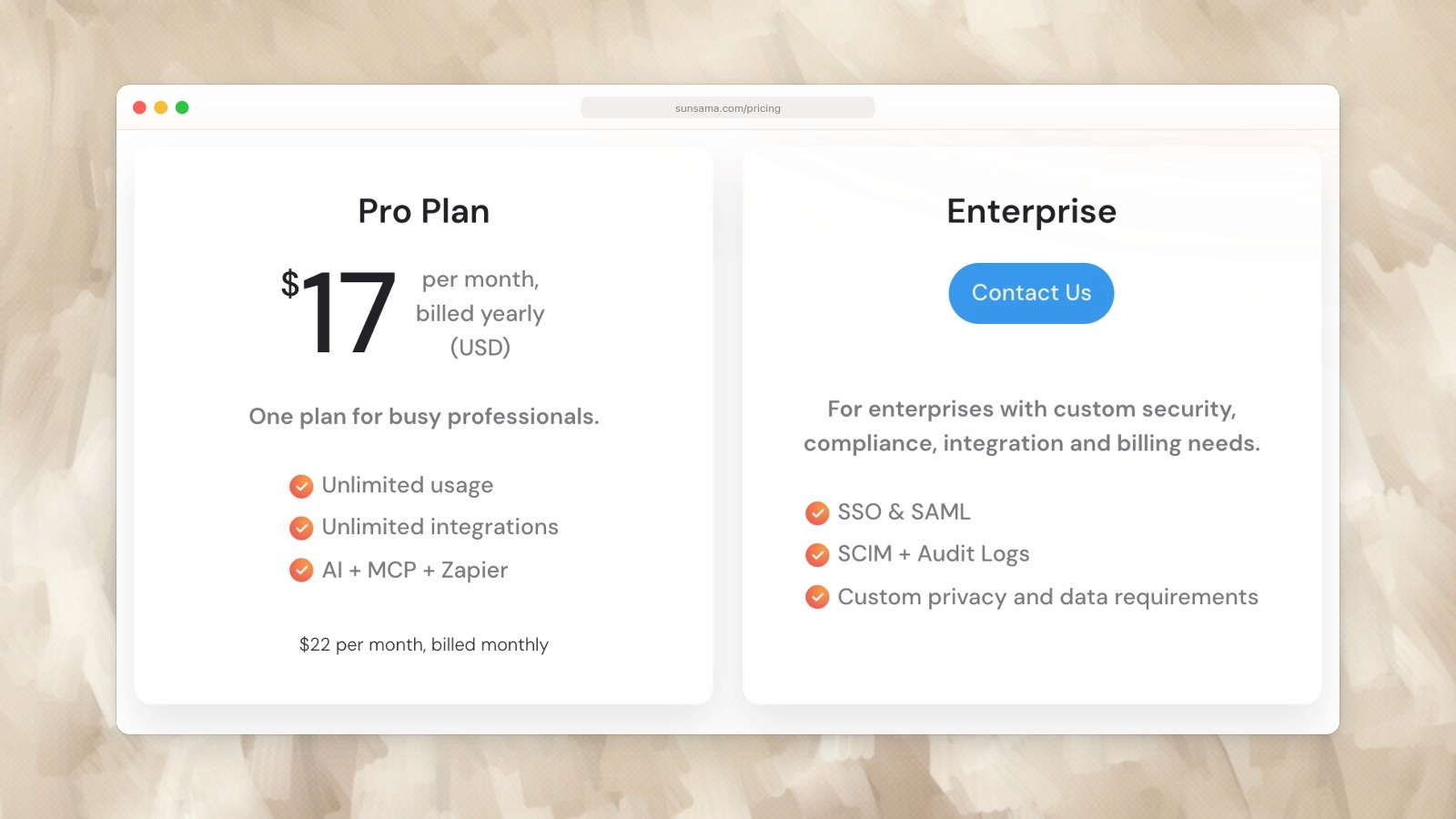
Sunsama Pro: US$17 per month billed yearly, or US$22 billed monthly. Captured September 19, 2026. Source.
Quick comparison table
Tool | Price | Free Plan | Calendar Integration | Daily Planning | Best For |
|---|---|---|---|---|---|
Sunsama | $20-25/mo | No | Google, Outlook | Guided ritual | Intentional planners |
$0-9.99/mo | Yes | Google, Apple, Outlook | Brain dump + kanban + timebox | Daily planners on a budget | |
Motion | $29-49/mo | No | Google, Outlook | AI auto-schedule | Automation enthusiasts |
Todoist | $0-7/mo | Yes | Via sync | Task list (no planning) | Task management purists |
Reclaim.ai | $0-8/mo | Yes | Google, Outlook | Auto-blocking | Meeting-heavy calendars |
TickTick | $0-3.99/mo | Yes | Built-in | Calendar + tasks | Budget all-in-one |
Notion | $0-12/mo | Yes | Built-in DB view | Custom (build your own) | System builders |
Google Cal + Tasks | Free | Yes | Native | Basic | Zero-budget users |
The bottom line
Sunsama is a great product — its daily planning ritual and calm design are genuinely valuable. But at $20-25/month with no free tier, it’s not for everyone.
If the daily planning workflow is what you value most, Ellie is the most direct alternative at a fraction of the price. If you want AI scheduling, Reclaim.ai does it for $8/month (vs Motion’s $29-49). And if you realize you mainly need task management rather than daily planning, Todoist and TickTick are excellent and far cheaper.
The right choice depends on what Sunsama was actually doing for you — and whether you were using all of it or just the core daily planning features.
Sunsama is a beautifully designed daily planner. Its guided planning ritual, time tracking, and calm aesthetic have earned it a loyal following — and a Wirecutter “Best Scheduling App” pick.
But at $25/month ($20/month annual), Sunsama is one of the most expensive planning tools on the market. There’s no free plan, no lifetime deal, and no way to use it without connecting a Google or Outlook calendar.
If you love Sunsama’s approach but can’t justify the price — or if certain limitations are holding you back — here are the best alternatives to consider.
Why people look for Sunsama alternatives
Before we dive into options, here are the most common reasons people leave Sunsama (based on Reddit discussions, app reviews, and community feedback):
Price. $20–25/month is steep for a personal planning tool, especially for students, freelancers, and anyone on a budget.
Mandatory calendar connection. You can’t use Sunsama without Google or Outlook calendar. If your workplace restricts third-party calendar access, you’re locked out.
Guided ritual feels slow. Some people find the daily planning ritual too structured. They want to open their planner and start working, not go through a guided flow every morning.
No free plan. The 14-day trial is generous, but there’s no way to use Sunsama long-term without paying.
Limited offline access. Sunsama is primarily cloud-based, and offline functionality is limited.
The alternatives
1. Ellie — Best overall Sunsama alternative
Price: Free plan available; $9.99/mo ($4.99/mo with education discount) Platforms: web, iPhone and iPad Calendar integration: Google, Apple, Outlook
Ellie desktop demo data, captured September 19, 2026.
Ellie is the closest match to Sunsama’s daily planning philosophy, but at a fraction of the cost and without the mandatory setup friction.
Like Sunsama, Ellie is built around a daily planning workflow — not project management, not team collaboration, just helping you figure out what to do today and when to do it. The flow works like this:
Brain Dump everything on your mind into a single column
Drag tasks to specific days on a visual weekly kanban board
Timebox tasks onto your calendar by dragging them into time slots
Where Ellie differs from Sunsama: there’s no guided ritual (you plan at your own pace), it supports Apple Calendar (Sunsama doesn’t), and unfinished tasks automatically roll back to your brain dump so every day starts fresh.
What you get that Sunsama has: Calendar integration, daily planning workflow, timeboxing, visual task scheduling. What you don’t get: Guided planning ritual, built-in time tracking, focus mode, weekly objectives, Jira/Asana/Slack integrations.
Bottom line: If Sunsama’s core value for you is “I need a daily planner that shows my tasks on my calendar,” Ellie delivers that for free (or 50–80% less on paid plans).
2. Motion — Best for AI auto-scheduling
Price: $29/mo annual, $49/mo monthly (no free plan) Platforms: Web, iOS, Android Calendar integration: Google, Outlook
Motion is Sunsama’s opposite in philosophy. Where Sunsama guides you through making your own plan, Motion’s AI builds the plan for you. Add tasks with deadlines and time estimates, and Motion schedules them around your meetings automatically.
Best for: People who find planning itself stressful and want an algorithm to handle it. Also teams that need AI-powered scheduling across multiple calendars. Not great for: Budget-conscious users (it’s even more expensive than Sunsama), people who want to stay in control of their schedule, anyone without Google/Outlook calendar.
3. Todoist — Best for pure task management
Price: Free; Pro $5/mo annual, $7/mo monthly Platforms: Web, Mac, Windows, iOS, Android Calendar integration: Via Google Calendar sync
Todoist isn’t a daily planner — it’s a task manager. But it’s the best task manager available, and if your main need is capturing, organizing, and completing tasks (rather than calendar-based planning), Todoist might be all you need.
Best for: People who want fast task capture with natural language input, robust recurring tasks, and 300+ integrations. Works great paired with Google Calendar. Not great for: Visual planners who want to see tasks on a calendar timeline, people who need time tracking, anyone looking for a guided daily planning experience.
4. Reclaim.ai — Best for protecting focus time
Price: Free (Lite); Starter $8/mo Platforms: Web, iOS, Android Calendar integration: Google Calendar (primary), Outlook
Reclaim takes a different approach: instead of being a planner you work inside, it sits on top of Google Calendar and automatically protects time for your tasks, habits, and focus time. It’s particularly good at defending your calendar from meeting creep.
Best for: People with meeting-heavy calendars who need help protecting deep work time. The habit scheduling feature (automatically finding time for exercise, lunch, learning, etc.) is uniquely valuable. Not great for: People who want a standalone daily planner interface, anyone who doesn’t use Google Calendar as their primary tool.
5. TickTick — Best budget all-in-one
Price: Free; Premium $35.99/year (~$3/mo) Platforms: Web, Mac, Windows, iOS, Android Calendar integration: Built-in calendar view
TickTick bundles more features into a cheaper package than almost any competitor: tasks, calendar view, habit tracking, Pomodoro timer, Eisenhower matrix, and note-taking — all for under $3/month on the annual plan.
Best for: Budget-conscious users who want the most features per dollar. The built-in calendar view makes it more of a planner than Todoist, and the habit tracker is genuinely useful. Not great for: People who want deep calendar integration (TickTick’s calendar is built-in, not synced with Google/Outlook as a primary feature), teams, anyone who prefers minimal tools.
6. Notion — Best for building a custom system
Price: Free; Plus $10/mo annual Platforms: Web, Mac, Windows, iOS, Android Calendar integration: Built-in calendar database view
Notion can be configured to replicate almost any productivity system — including something that resembles Sunsama’s daily planning flow. With a database, calendar view, and some template building, you can create a daily planner, habit tracker, and project manager in one workspace.
Best for: People who enjoy building systems and want maximum customization. Also great if you need tasks, docs, wikis, and databases in one tool. Not great for: People who want something that works out of the box (Notion requires significant setup), anyone who finds blank-canvas tools overwhelming, people with ADHD (the infinite customization can be a trap).
7. Google Calendar + Tasks — Best free option
Price: Free Platforms: Web, iOS, Android Calendar integration: It IS the calendar
If you’re leaving Sunsama primarily because of price, Google Calendar with Google Tasks is the simplest free replacement. Create tasks, assign them times, and see them on your calendar. It’s basic but functional.
Best for: People who want a free solution with zero setup, anyone already deep in the Google ecosystem. Not great for: People who need kanban views, brain dumping, or any planning workflow beyond basic calendar events and a task list.
Sunsama Pro: US$17 per month billed yearly, or US$22 billed monthly. Captured September 19, 2026. Source.
Quick comparison table
Tool | Price | Free Plan | Calendar Integration | Daily Planning | Best For |
|---|---|---|---|---|---|
Sunsama | $20-25/mo | No | Google, Outlook | Guided ritual | Intentional planners |
$0-9.99/mo | Yes | Google, Apple, Outlook | Brain dump + kanban + timebox | Daily planners on a budget | |
Motion | $29-49/mo | No | Google, Outlook | AI auto-schedule | Automation enthusiasts |
Todoist | $0-7/mo | Yes | Via sync | Task list (no planning) | Task management purists |
Reclaim.ai | $0-8/mo | Yes | Google, Outlook | Auto-blocking | Meeting-heavy calendars |
TickTick | $0-3.99/mo | Yes | Built-in | Calendar + tasks | Budget all-in-one |
Notion | $0-12/mo | Yes | Built-in DB view | Custom (build your own) | System builders |
Google Cal + Tasks | Free | Yes | Native | Basic | Zero-budget users |
The bottom line
Sunsama is a great product — its daily planning ritual and calm design are genuinely valuable. But at $20-25/month with no free tier, it’s not for everyone.
If the daily planning workflow is what you value most, Ellie is the most direct alternative at a fraction of the price. If you want AI scheduling, Reclaim.ai does it for $8/month (vs Motion’s $29-49). And if you realize you mainly need task management rather than daily planning, Todoist and TickTick are excellent and far cheaper.
The right choice depends on what Sunsama was actually doing for you — and whether you were using all of it or just the core daily planning features.
Give your brain the night off
Dump everything into Ellie, give tomorrow a plan, and close the laptop.
Try Ellie free
Web, Mac, Windows, iPhone and iPad. No credit card required.
