Motion vs Reclaim.ai (2026): AI Scheduling Showdown

Chris Raroque

Motion and Reclaim.ai both promise to use AI to take the pain out of calendar management. But they approach the problem from different angles — Motion wants to be your AI-powered task manager and scheduler, while Reclaim.ai focuses specifically on protecting your time on a calendar you already use.
The philosophical difference
Motion replaces your planning process. You feed it tasks with deadlines and estimates, and it builds your entire schedule. It’s assertive — the AI decides when you work on what, and reshuffles everything when your calendar changes.
Reclaim.ai augments your existing calendar. It automatically blocks time for your habits, tasks, and focus time around your real meetings. It’s gentler — it works with Google Calendar (or Outlook) rather than replacing your workflow, and its blocks are “flexible” by default so they move when meetings are added.
Feature comparison
Feature | Motion | Reclaim.ai |
|---|---|---|
Monthly price (solo) | $49/mo | Free (Lite), $8/mo (Starter) |
Annual price (solo) | $29/mo | Free (Lite), ~$5.68/mo (Starter) |
Free plan | No (7-day trial) | Yes (Lite — single user) |
AI scheduling | Full auto-scheduling of tasks | Smart time blocking around meetings |
Calendar integration | Google, Outlook | Google Calendar (primary), Outlook |
Task management | Yes (built-in) | Yes (basic, or via integrations) |
Project management | Yes (boards, timelines) | No |
Habit scheduling | No | Yes (recurring time blocks) |
Smart meetings | No | Yes (AI-powered meeting scheduling) |
Focus time protection | Via task scheduling | Yes (dedicated feature) |
Buffer time | Manual | Automatic (between meetings) |
Team features | AI team scheduling | Team analytics, scheduling links |
Integrations | Linear, Asana, Jira, Todoist | Todoist, Asana, Jira, ClickUp, Linear, Slack, Zoom |
Mobile app | Yes | Yes |
Where Motion wins
Full task-to-calendar automation
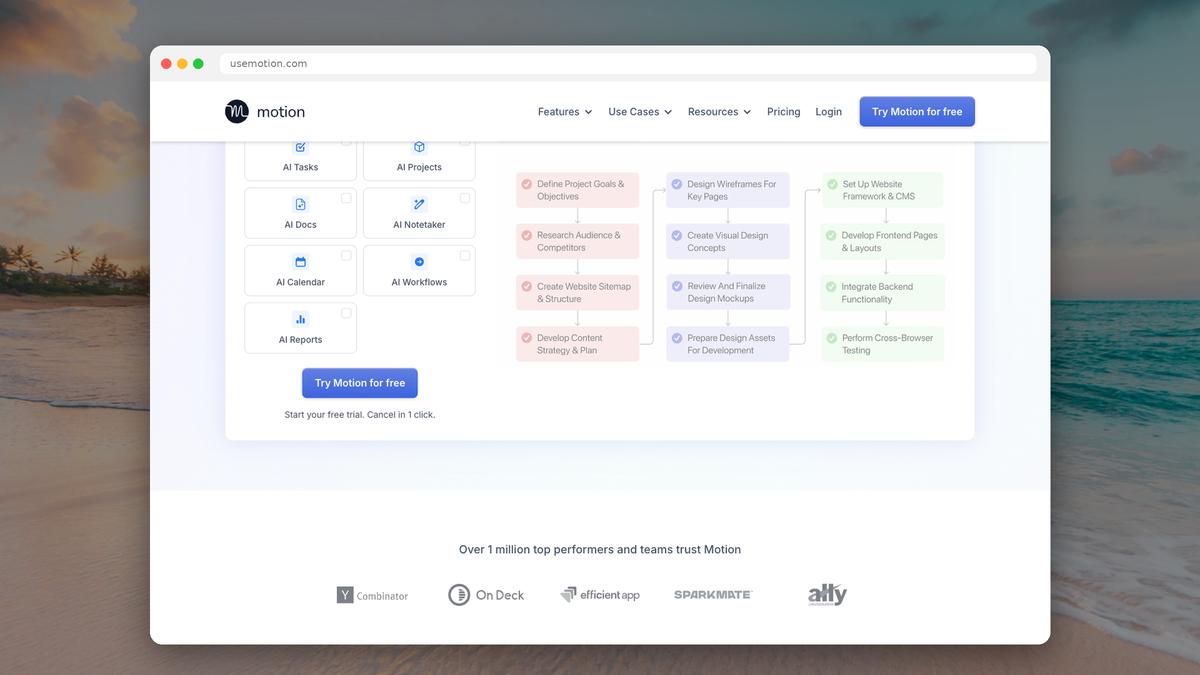
Motion doesn’t just block focus time — it schedules your actual tasks. Tell it “Write Q1 report, 3 hours, due Friday” and it finds the optimal slots in your week, splitting the work across multiple sessions if needed. When a meeting gets added, it automatically reshuffles. For people who want a fully automated schedule, Motion goes further than Reclaim.
Project management
Motion includes project boards, timelines, and team task management. If you need both a daily scheduler and a project management tool, Motion combines both. Reclaim is purely a calendar optimization tool — it doesn’t manage projects.
Deadline awareness
Motion understands deadlines in a way Reclaim doesn’t. It knows that a task due Friday with 4 hours of work needs to be started by Wednesday at the latest, and it schedules accordingly. Reclaim blocks time for tasks but doesn’t reason about deadlines the same way.
Where Reclaim.ai wins
Price (by a mile)
This is Reclaim’s biggest advantage. The Lite plan is completely free for individual users. The Starter plan is $8/month — roughly a sixth of Motion’s solo monthly price. Even at the Business tier ($12/user/month), Reclaim is dramatically cheaper than Motion.
Habit scheduling
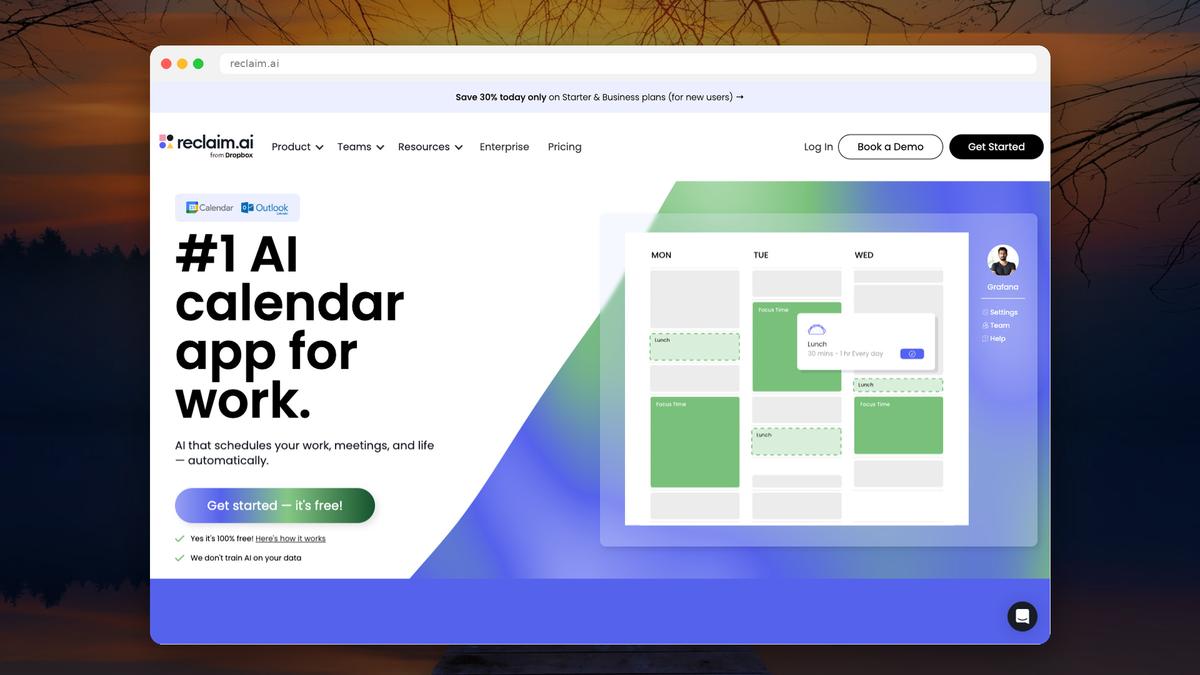
Reclaim’s habit scheduling is a standout feature. You can set recurring blocks for exercise, lunch, deep work, learning, or anything else — and Reclaim automatically finds time for them around your meetings. These blocks are “flexible” by default, meaning they’ll move when conflicts arise but always find a new slot. Motion has no equivalent.
Smart meeting scheduling
Reclaim includes built-in scheduling links (like Calendly) and smart 1:1 meeting management that automatically finds optimal times for recurring meetings based on both parties’ availability. Motion doesn’t have native meeting scheduling.
Works with your existing calendar
Reclaim sits on top of Google Calendar. Your calendar still looks and works the same — Reclaim just adds smart blocks that protect your time. Motion requires you to work inside its own interface, which means adopting a new tool and workflow. For people who live in Google Calendar, Reclaim is far less disruptive.
Buffer time automation
Reclaim can automatically add buffer time before and after meetings — customizable by meeting type. If you need 15 minutes to decompress after a long meeting or 10 minutes to prepare before a client call, Reclaim handles it. This sounds small but makes a big difference for people with meeting-heavy days.
Gentler AI
Reclaim’s approach is less aggressive than Motion’s. Its time blocks are “flexible” by default, meaning they’re suggestions rather than rigid commitments. When something gets bumped, it quietly finds a new slot. Motion’s approach is more prescriptive — it builds your whole schedule and can feel controlling if you prefer making decisions yourself.
Where both fall short
Daily planning workflow
Neither Motion nor Reclaim is great at the morning question of “What are my priorities today?” Motion auto-schedules everything, which means it decides your priorities for you. Reclaim protects time blocks but doesn’t help you think through what’s most important.
For people who value an intentional morning planning practice — deciding what matters today and committing to it — both tools skip this step.
Over-reliance on AI
Both tools can create a sense of learned helplessness around scheduling. When the AI makes all the decisions, you stop developing your own sense of how long things take, how to prioritize, and how to structure your day. If the tool ever goes down or you switch away, you’ve lost those muscles.

Motion annual pricing shown on the Teams tab: Pro AI US$19 and Business AI US$29 per seat per month. Captured September 19, 2026. Source.
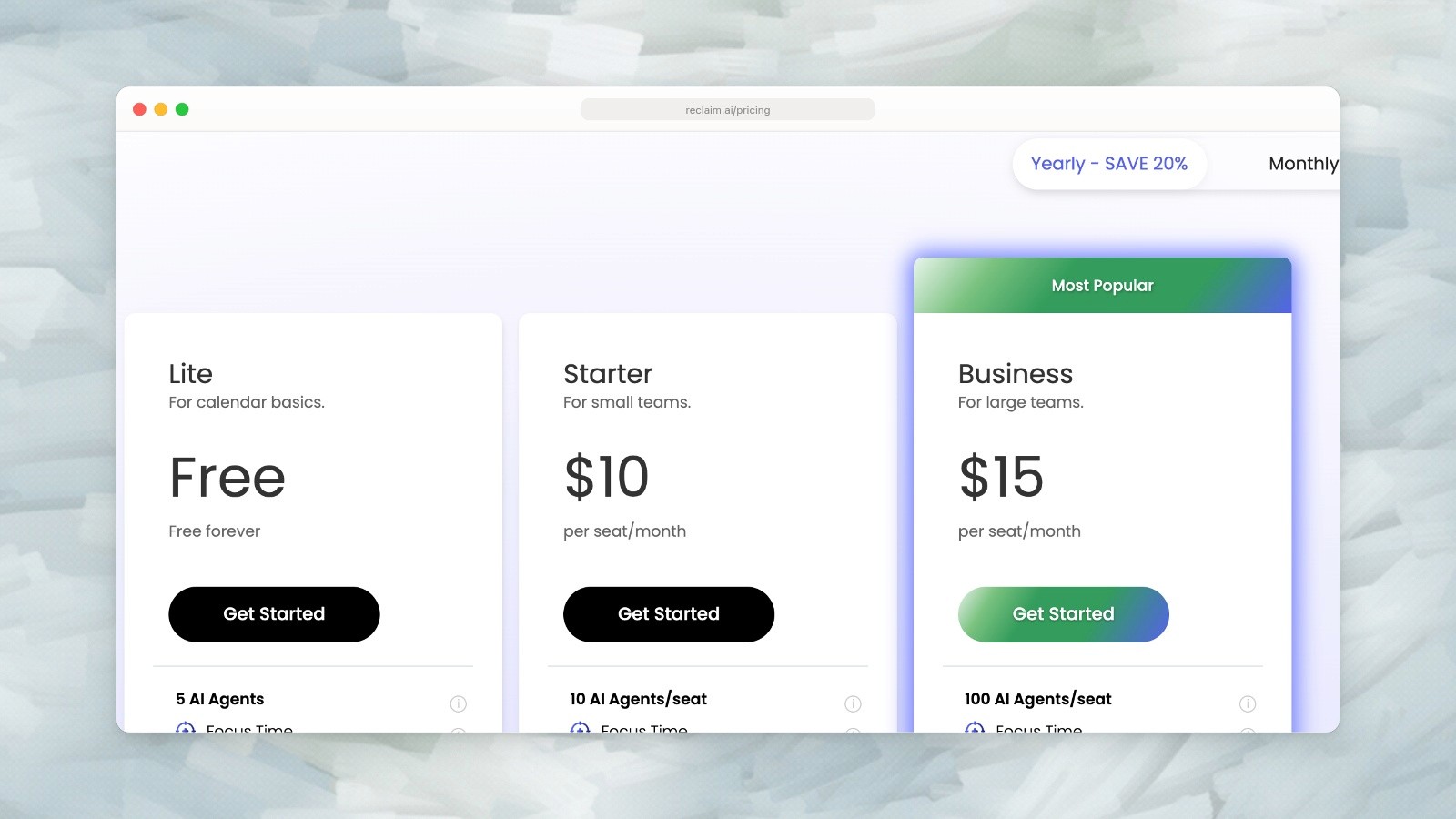
Reclaim annual pricing: Lite is free; Starter is US$10 and Business US$15 per seat per month. Captured September 19, 2026. Source.
Pricing comparison (2026)
Motion | Reclaim.ai | |
|---|---|---|
Free | No | Yes (Lite — single user) |
Entry paid | $49/mo or $29/mo annual | $8/mo or ~$5.68/mo annual |
Business | $69/mo or $39/mo annual | $12/user/mo |
Team (3+ users) | $29/seat/mo annual | $12/user/mo |
Free trial | 7 days | N/A (free plan available) |
Student discount | 25% off | 50% off (12 months) |
The price gap is significant. A solo user on annual billing pays $348/year for Motion vs $68/year for Reclaim Starter. That’s a $280/year difference.
Who should choose what
Choose Motion if you: Want full AI automation of your daily schedule. Need project management features (boards, timelines). Work on a team that needs AI task distribution. Have deadlines-driven work where auto-scheduling helps. Are willing to pay premium prices for maximum automation. Want to work primarily inside one tool (not Google Calendar).
Choose Reclaim.ai if you: Want to keep using Google Calendar as your primary interface. Need habit scheduling and focus time protection. Are budget-conscious (free plan or $8/mo vs $29-49/mo). Need smart meeting scheduling (built-in scheduling links). Prefer a gentler AI that suggests rather than dictates. Want buffer time automation between meetings.
A simpler option for daily planning
If you’re looking at Motion and Reclaim because you want a better way to plan your day — but the AI complexity (or price) feels like overkill —
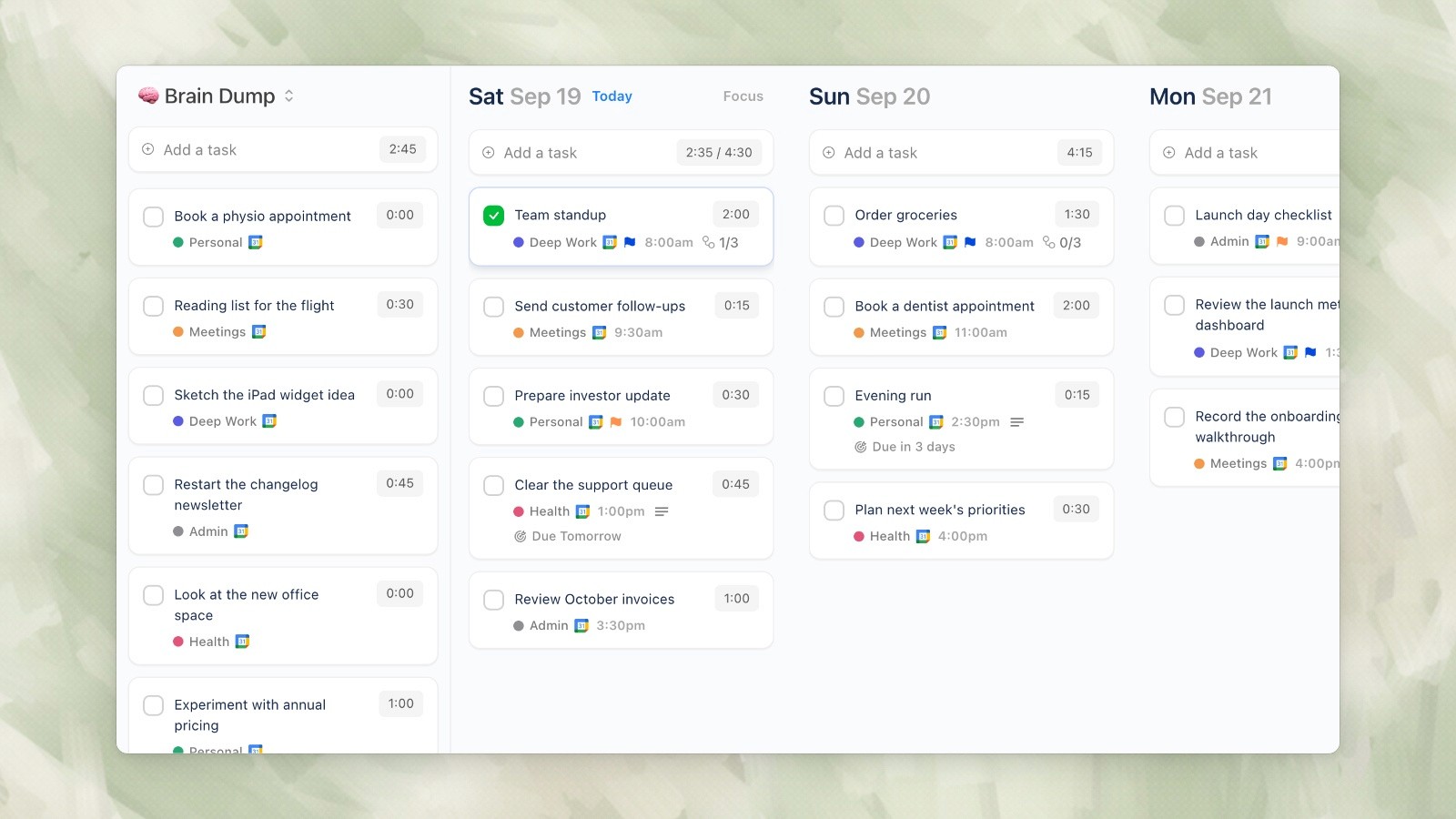
Ellie desktop demo data, captured September 19, 2026.
Ellie offers a more straightforward approach.
Ellie is a daily planner built around a simple workflow: brain dump your tasks, drag them to days on a kanban board, and timebox them onto your calendar. No AI autopilot, no algorithm deciding your priorities — just a visual tool that makes it easy to turn a messy task list into a structured day.
It integrates with Google, Apple, and Outlook calendars, has automatic task rollover, and is free to start ($9.99/mo for full features, $4.99/mo with an education discount). For people who want control over their daily plan without building spreadsheets or fighting algorithms, it’s worth a look.
Motion and Reclaim.ai both promise to use AI to take the pain out of calendar management. But they approach the problem from different angles — Motion wants to be your AI-powered task manager and scheduler, while Reclaim.ai focuses specifically on protecting your time on a calendar you already use.
The philosophical difference
Motion replaces your planning process. You feed it tasks with deadlines and estimates, and it builds your entire schedule. It’s assertive — the AI decides when you work on what, and reshuffles everything when your calendar changes.
Reclaim.ai augments your existing calendar. It automatically blocks time for your habits, tasks, and focus time around your real meetings. It’s gentler — it works with Google Calendar (or Outlook) rather than replacing your workflow, and its blocks are “flexible” by default so they move when meetings are added.
Feature comparison
Feature | Motion | Reclaim.ai |
|---|---|---|
Monthly price (solo) | $49/mo | Free (Lite), $8/mo (Starter) |
Annual price (solo) | $29/mo | Free (Lite), ~$5.68/mo (Starter) |
Free plan | No (7-day trial) | Yes (Lite — single user) |
AI scheduling | Full auto-scheduling of tasks | Smart time blocking around meetings |
Calendar integration | Google, Outlook | Google Calendar (primary), Outlook |
Task management | Yes (built-in) | Yes (basic, or via integrations) |
Project management | Yes (boards, timelines) | No |
Habit scheduling | No | Yes (recurring time blocks) |
Smart meetings | No | Yes (AI-powered meeting scheduling) |
Focus time protection | Via task scheduling | Yes (dedicated feature) |
Buffer time | Manual | Automatic (between meetings) |
Team features | AI team scheduling | Team analytics, scheduling links |
Integrations | Linear, Asana, Jira, Todoist | Todoist, Asana, Jira, ClickUp, Linear, Slack, Zoom |
Mobile app | Yes | Yes |
Where Motion wins
Full task-to-calendar automation
Motion doesn’t just block focus time — it schedules your actual tasks. Tell it “Write Q1 report, 3 hours, due Friday” and it finds the optimal slots in your week, splitting the work across multiple sessions if needed. When a meeting gets added, it automatically reshuffles. For people who want a fully automated schedule, Motion goes further than Reclaim.
Project management
Motion includes project boards, timelines, and team task management. If you need both a daily scheduler and a project management tool, Motion combines both. Reclaim is purely a calendar optimization tool — it doesn’t manage projects.
Deadline awareness
Motion understands deadlines in a way Reclaim doesn’t. It knows that a task due Friday with 4 hours of work needs to be started by Wednesday at the latest, and it schedules accordingly. Reclaim blocks time for tasks but doesn’t reason about deadlines the same way.
Where Reclaim.ai wins
Price (by a mile)
This is Reclaim’s biggest advantage. The Lite plan is completely free for individual users. The Starter plan is $8/month — roughly a sixth of Motion’s solo monthly price. Even at the Business tier ($12/user/month), Reclaim is dramatically cheaper than Motion.
Habit scheduling
Reclaim’s habit scheduling is a standout feature. You can set recurring blocks for exercise, lunch, deep work, learning, or anything else — and Reclaim automatically finds time for them around your meetings. These blocks are “flexible” by default, meaning they’ll move when conflicts arise but always find a new slot. Motion has no equivalent.
Smart meeting scheduling
Reclaim includes built-in scheduling links (like Calendly) and smart 1:1 meeting management that automatically finds optimal times for recurring meetings based on both parties’ availability. Motion doesn’t have native meeting scheduling.
Works with your existing calendar
Reclaim sits on top of Google Calendar. Your calendar still looks and works the same — Reclaim just adds smart blocks that protect your time. Motion requires you to work inside its own interface, which means adopting a new tool and workflow. For people who live in Google Calendar, Reclaim is far less disruptive.
Buffer time automation
Reclaim can automatically add buffer time before and after meetings — customizable by meeting type. If you need 15 minutes to decompress after a long meeting or 10 minutes to prepare before a client call, Reclaim handles it. This sounds small but makes a big difference for people with meeting-heavy days.
Gentler AI
Reclaim’s approach is less aggressive than Motion’s. Its time blocks are “flexible” by default, meaning they’re suggestions rather than rigid commitments. When something gets bumped, it quietly finds a new slot. Motion’s approach is more prescriptive — it builds your whole schedule and can feel controlling if you prefer making decisions yourself.
Where both fall short
Daily planning workflow
Neither Motion nor Reclaim is great at the morning question of “What are my priorities today?” Motion auto-schedules everything, which means it decides your priorities for you. Reclaim protects time blocks but doesn’t help you think through what’s most important.
For people who value an intentional morning planning practice — deciding what matters today and committing to it — both tools skip this step.
Over-reliance on AI
Both tools can create a sense of learned helplessness around scheduling. When the AI makes all the decisions, you stop developing your own sense of how long things take, how to prioritize, and how to structure your day. If the tool ever goes down or you switch away, you’ve lost those muscles.
Motion annual pricing shown on the Teams tab: Pro AI US$19 and Business AI US$29 per seat per month. Captured September 19, 2026. Source.
Reclaim annual pricing: Lite is free; Starter is US$10 and Business US$15 per seat per month. Captured September 19, 2026. Source.
Pricing comparison (2026)
Motion | Reclaim.ai | |
|---|---|---|
Free | No | Yes (Lite — single user) |
Entry paid | $49/mo or $29/mo annual | $8/mo or ~$5.68/mo annual |
Business | $69/mo or $39/mo annual | $12/user/mo |
Team (3+ users) | $29/seat/mo annual | $12/user/mo |
Free trial | 7 days | N/A (free plan available) |
Student discount | 25% off | 50% off (12 months) |
The price gap is significant. A solo user on annual billing pays $348/year for Motion vs $68/year for Reclaim Starter. That’s a $280/year difference.
Who should choose what
Choose Motion if you: Want full AI automation of your daily schedule. Need project management features (boards, timelines). Work on a team that needs AI task distribution. Have deadlines-driven work where auto-scheduling helps. Are willing to pay premium prices for maximum automation. Want to work primarily inside one tool (not Google Calendar).
Choose Reclaim.ai if you: Want to keep using Google Calendar as your primary interface. Need habit scheduling and focus time protection. Are budget-conscious (free plan or $8/mo vs $29-49/mo). Need smart meeting scheduling (built-in scheduling links). Prefer a gentler AI that suggests rather than dictates. Want buffer time automation between meetings.
A simpler option for daily planning
If you’re looking at Motion and Reclaim because you want a better way to plan your day — but the AI complexity (or price) feels like overkill —
Ellie desktop demo data, captured September 19, 2026.
Ellie offers a more straightforward approach.
Ellie is a daily planner built around a simple workflow: brain dump your tasks, drag them to days on a kanban board, and timebox them onto your calendar. No AI autopilot, no algorithm deciding your priorities — just a visual tool that makes it easy to turn a messy task list into a structured day.
It integrates with Google, Apple, and Outlook calendars, has automatic task rollover, and is free to start ($9.99/mo for full features, $4.99/mo with an education discount). For people who want control over their daily plan without building spreadsheets or fighting algorithms, it’s worth a look.
Give your brain the night off
Dump everything into Ellie, give tomorrow a plan, and close the laptop.
Try Ellie free
Web, Mac, Windows, iPhone and iPad. No credit card required.
