Motion App Review (2026): Is Automatic Scheduling Worth It?

Chris Raroque

Motion schedules tasks around deadlines, working hours, and calendar events. The practical question is whether that automation saves you more planning work than it creates. This review compares Motion’s published features and current pricing; it is not a report of a hands-on benchmark.
What is Motion?
Motion is an AI-powered scheduling assistant that sits between your task list and your calendar. Unlike traditional task managers that require you to manually schedule work, Motion’s intelligent algorithms automatically analyze your tasks, deadlines, and existing commitments, then intelligently places work into your calendar. When your schedule changes—a meeting gets added or moved—Motion dynamically reshuffles your task assignments to keep everything on track.
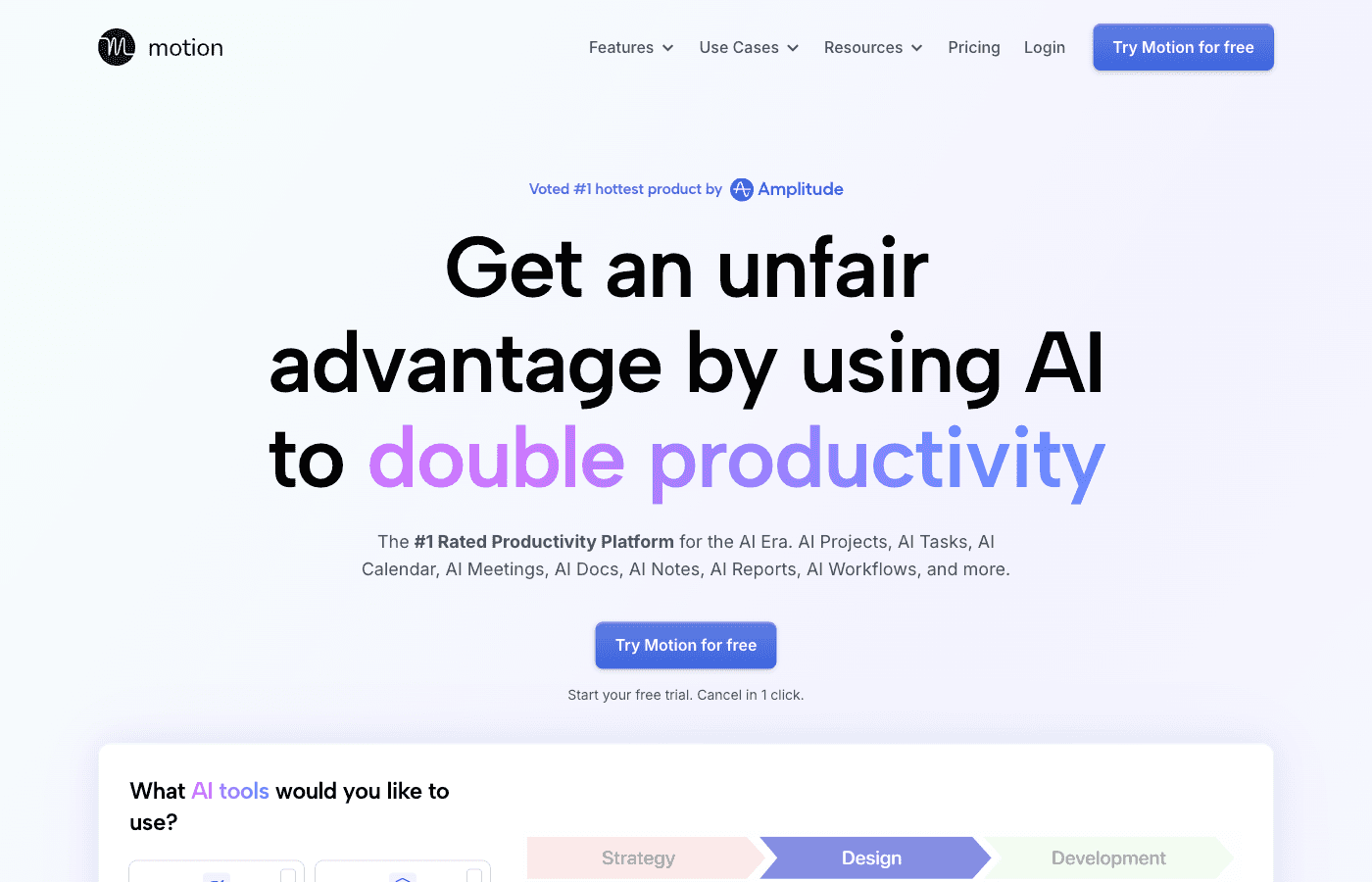
Available at usemotion.com, Motion combines three core functions: automatic task scheduling, project management with multiple views, and intelligent deadline awareness. It’s designed for professionals who want to stop manually planning their days and let AI handle the cognitive load of deciding when work gets done.
Motion offers a 7-day trial that requires a payment card. There is no permanent free plan. Check the renewal date during signup and cancel before the trial ends if you do not want a paid subscription.
Motion’s Core Features Explained
AI-Powered Automatic Scheduling
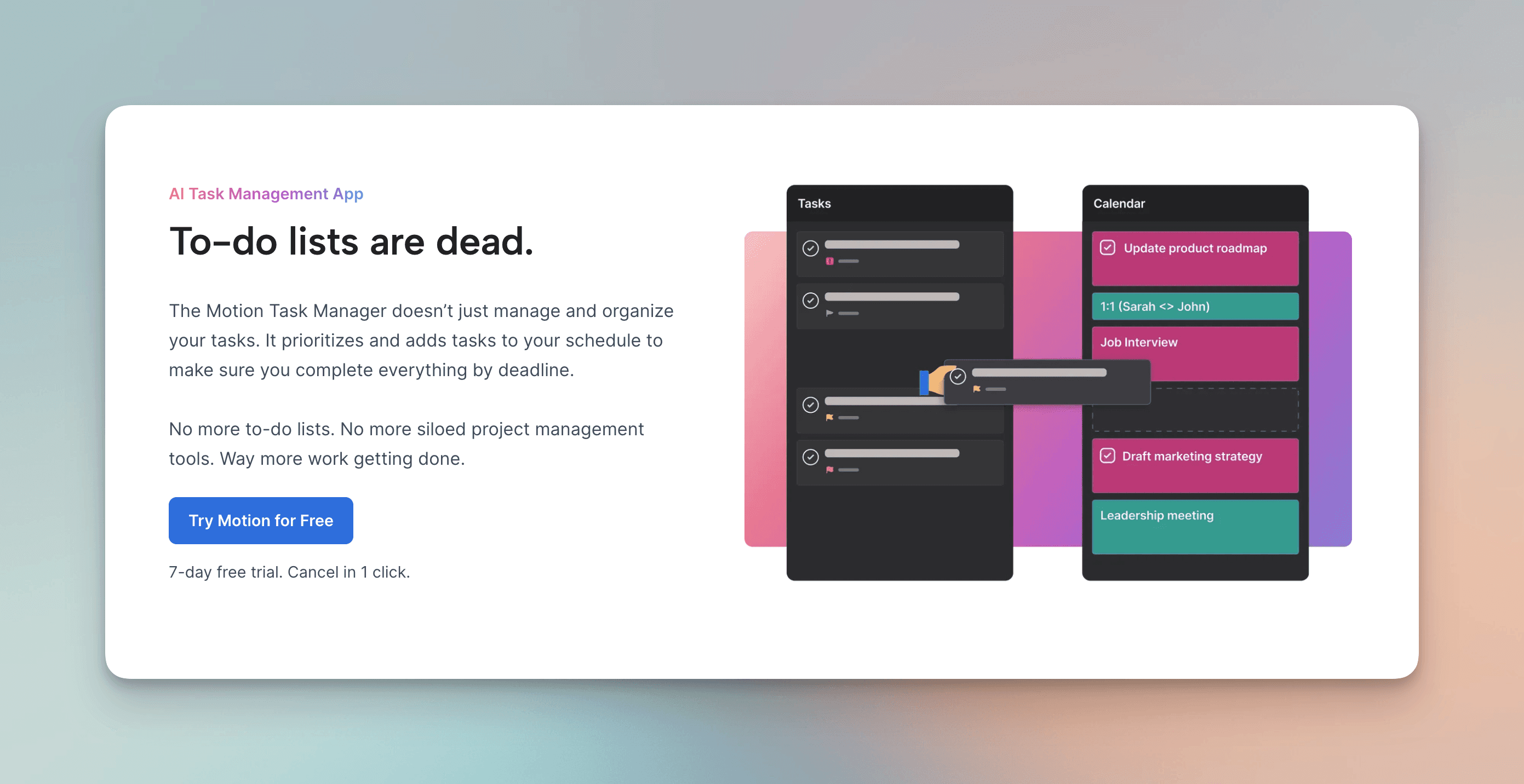
The heart of Motion is its scheduling engine. You add tasks with deadlines and time estimates, and Motion automatically places them into calendar blocks. The algorithm considers your existing meetings, working hours, and priorities to find optimal placement. When you add a meeting to your calendar, Motion automatically reschedules conflicting tasks to other available time slots. This removes the manual task of “when should I do this?” from your workflow.
Project Management Hub
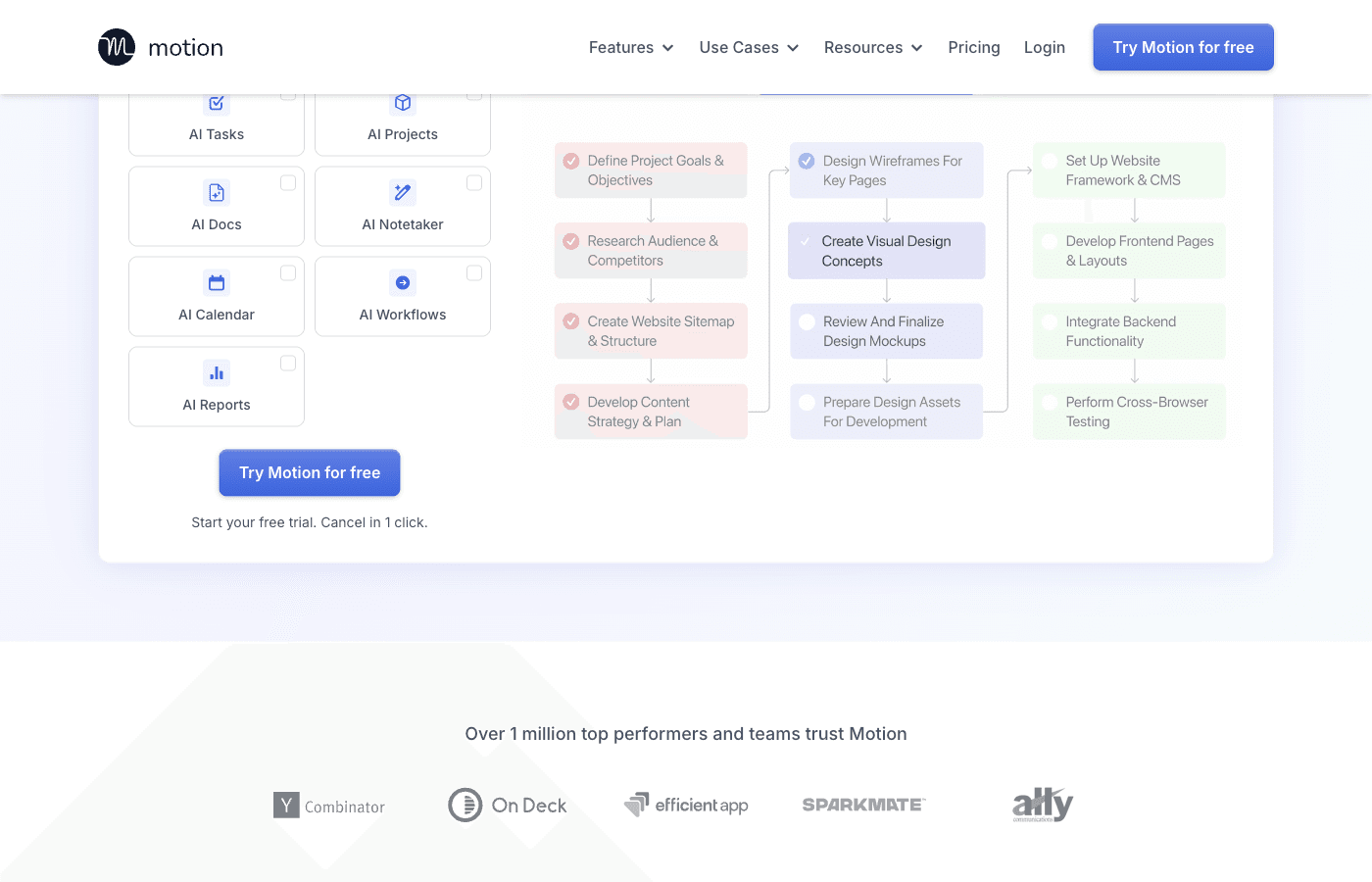
Motion isn’t just a scheduler—it’s a full project management tool. You can view work in multiple formats: list view for simple task management, board view for kanban-style organization, timeline view for sequential project visualization, and Gantt charts for complex project dependencies. This versatility allows teams to work with the interface that matches their mental model.
Deadline Intelligence
Motion understands deadlines deeply. The system works backward from your deadline to schedule work in appropriate chunks, respecting your availability and working hours. If you’re heading toward a missed deadline, Motion alerts you and suggests adjustments. This deadline-aware approach prevents the common problem of task managers that treat all tasks equally regardless of urgency.
Team Scheduling Capabilities
Motion supports team collaboration with shared projects, assigned tasks, and team member availability consideration. When scheduling work on team projects, the algorithm can account for multiple people’s calendars and working hours, making it valuable for distributed teams that struggle with timezone coordination.
Integrations and Calendar Sync
Motion connects with Google Calendar and Outlook Calendar for real-time sync. Task integrations include connections to other platforms, though Motion has fewer integration options compared to some competitors. The calendar integration is deep—Motion can read and write to your calendar to automatically schedule tasks without requiring manual action.
Motion Features at a Glance
Feature | Details |
|---|---|
AI Auto-Scheduling | Automatically places tasks into calendar based on deadlines and availability |
Calendar Integration | Syncs with Google Calendar and Outlook; respects existing meetings |
Project Views | List, board (kanban), timeline, and Gantt chart options |
Deadline Management | Works backward from deadlines to schedule work; alerts for at-risk tasks |
Team Collaboration | Shared projects, task assignment, team member availability |
Mobile App | iOS and Android apps for task management on the go |
Time Blocking | Creates calendar blocks for focused work periods |
Recurring Tasks | Handles repeating tasks with intelligent rescheduling |
What Motion Does Well
Complete Task-to-Calendar Automation
Motion’s strongest selling point is eliminating the decision fatigue of scheduling your own work. Instead of asking “when should I do this?” you simply add it to Motion and let the algorithm decide. For knowledge workers and professionals managing dozens of tasks, this automation alone justifies exploring the platform. The calendar integration means your scheduled work actually appears on your calendar as time blocks, creating a unified view of everything you need to do.
True Deadline Awareness
Many task managers have due dates; Motion has deadline intelligence. It doesn’t just flag tasks as overdue—it proactively prevents overdue situations by scheduling work with enough time to complete before the deadline. This backward-planning approach is rare in task management software and genuinely useful for deadline-driven work like project management, content creation, and client deliverables.
Multiple Project Views for Different Workflows
Different projects need different perspectives. Motion’s support for lists, boards, timelines, and Gantt charts means you can switch between views based on what makes sense for your current project. Agile teams might prefer the board view, while project managers working with dependencies benefit from Gantt visualization. This flexibility is significantly better than single-view tools.
Smart Meeting-Based Rescheduling
When your calendar changes, Motion automatically adjusts your scheduled tasks. Add an unexpected meeting at 2pm? Motion finds the next available slot for your 3pm task block without requiring manual intervention. This responsiveness to calendar changes is what separates Motion from static schedulers that become outdated the moment reality deviates from the plan.
Where Motion Falls Short
Steep Pricing for Solo Users
Motion Pro AI costs $27 per seat monthly or $228 per seat yearly ($19 per month). Business AI costs $45 monthly or $348 yearly ($29 per month). Compare the tier and billing commitment you actually need. A general student discount was not advertised on the current main pricing page.
Aggressive AI Can Feel Controlling
Motion’s strength becomes a weakness for users who want more control. The AI makes autonomous scheduling decisions based on its algorithms, and while usually sensible, it sometimes schedules work in ways that feel suboptimal to the human in the loop. You might want to work on a task at 9am, but Motion schedules it for 3pm because it detected a pattern in your calendar. These situations generate friction, especially for users who already have strong preferences about how their days flow.
Limited Integration Ecosystem
Motion focuses deeply on calendar integration but doesn’t connect with many other tools. If your workflow relies on integrations with Slack, email clients, project management platforms, or other applications, Motion offers fewer bridges than competitors. You might find yourself copying information between Motion and your other tools, which defeats some of the automation value.
Steep Learning Curve and Occasional Odd Scheduling
Motion isn’t intuitive for new users. It requires understanding how to structure tasks, set time estimates, define your working hours, and interpret the algorithm’s scheduling decisions. Additionally, despite being intelligent, the AI occasionally makes weird scheduling choices—batching work in ways that don’t make practical sense, or failing to consider context that a human would obviously factor in. These edge cases require manual adjustment, adding friction to the system.
Motion Pricing Breakdown

Motion annual pricing shown on the Teams tab: Pro AI US$19 and Business AI US$29 per seat per month. Captured September 19, 2026. Source.
The 7-day trial requires a card and converts to a paid subscription unless canceled. The screenshot shows the annual Teams view; its $19 and $29 figures are per-seat monthly equivalents, with annual payment. Check the final plan, seats, and renewal amount before subscribing.
Who Is Motion Best For?
Motion is ideal for deadline-driven professionals who juggle multiple projects and struggle with time management. If you’re a project manager, consultant, content creator, or executive managing complex schedules, Motion’s automatic scheduling removes significant cognitive load. It’s particularly valuable for people who constantly battle calendar conflicts and feel like they never have time for deep work.
Teams benefit significantly from Motion’s shared projects and multi-person scheduling. If your team spends time coordinating who works on what and when, Motion’s team features can improve coordination and prevent bottlenecks. Distributed teams dealing with timezone challenges may find Motion’s availability-aware scheduling especially useful.
The platform also suits people who hate manual planning and would gladly trade some autonomy for the convenience of letting an algorithm handle scheduling. If you’ve ever found yourself spending 30 minutes trying to decide when to do something, Motion is designed for you.
Who Should Skip Motion?
If you prefer complete control over your schedule and already have a system that works well, Motion adds unnecessary complexity. People with highly unpredictable schedules—where even an hour’s notice might change everything—may find Motion’s scheduling unhelpful since it becomes outdated quickly.
For basic task capture, a free task manager may be enough. Motion Pro AI costs $324 over twelve monthly payments or $228 on annual billing, so its scheduling automation should solve a recurring problem to justify the subscription.
Those heavily invested in other productivity ecosystems might find Motion’s limited integrations frustrating. If you rely on Slack notifications, email management, or other platform-specific workflows, Motion’s minimal integration approach means you’ll still be doing some manual work between tools.
Finally, users who want immediate productivity without a learning curve should start elsewhere. Motion requires setup time, understanding how to configure working hours and task parameters, and patience as the algorithm learns your preferences. The onboarding investment is real.
Motion vs. Competitors
Consider Reclaim for automatic calendar scheduling, Sunsama for a guided daily-planning workflow, and Akiflow for combining tasks and calendars from several services. Their current pricing pages are better guides than older comparisons that quote promotional or different billing tiers.
Choose by workflow: how much scheduling you want the app to do, which integrations you need, and how often you expect to revise the plan. Compare the same billing period and try the relevant features before deciding.
The Bottom Line: Is Motion Worth It?
Motion is a genuinely innovative tool that delivers on its core promise of automatic task scheduling. If you’re a deadline-driven professional who struggles with time management, Motion can save significant time and mental energy by automating the scheduling decision. The multiple project views, deadline intelligence, and team collaboration features add value beyond basic scheduling.
However, the high price point, steep learning curve, occasional odd scheduling decisions, and aggressive autonomy make Motion not right for everyone. The tool works best for users who can afford the investment, have complex scheduling needs, and are willing to invest time in learning the system.
Start with the 7-day free trial to see if Motion’s philosophy aligns with yours. If you find yourself constantly moving tasks around or feeling controlled by the algorithm, you’ll know it’s not the right fit. But if you love the idea of an AI assistant handling scheduling logistics, Motion delivers.
Looking for a Better Planning Experience?
If you prefer to arrange your day yourself, Ellie is another approach to daily planning. It keeps a task backlog, daily columns, and Timebox close together so you can decide what fits.
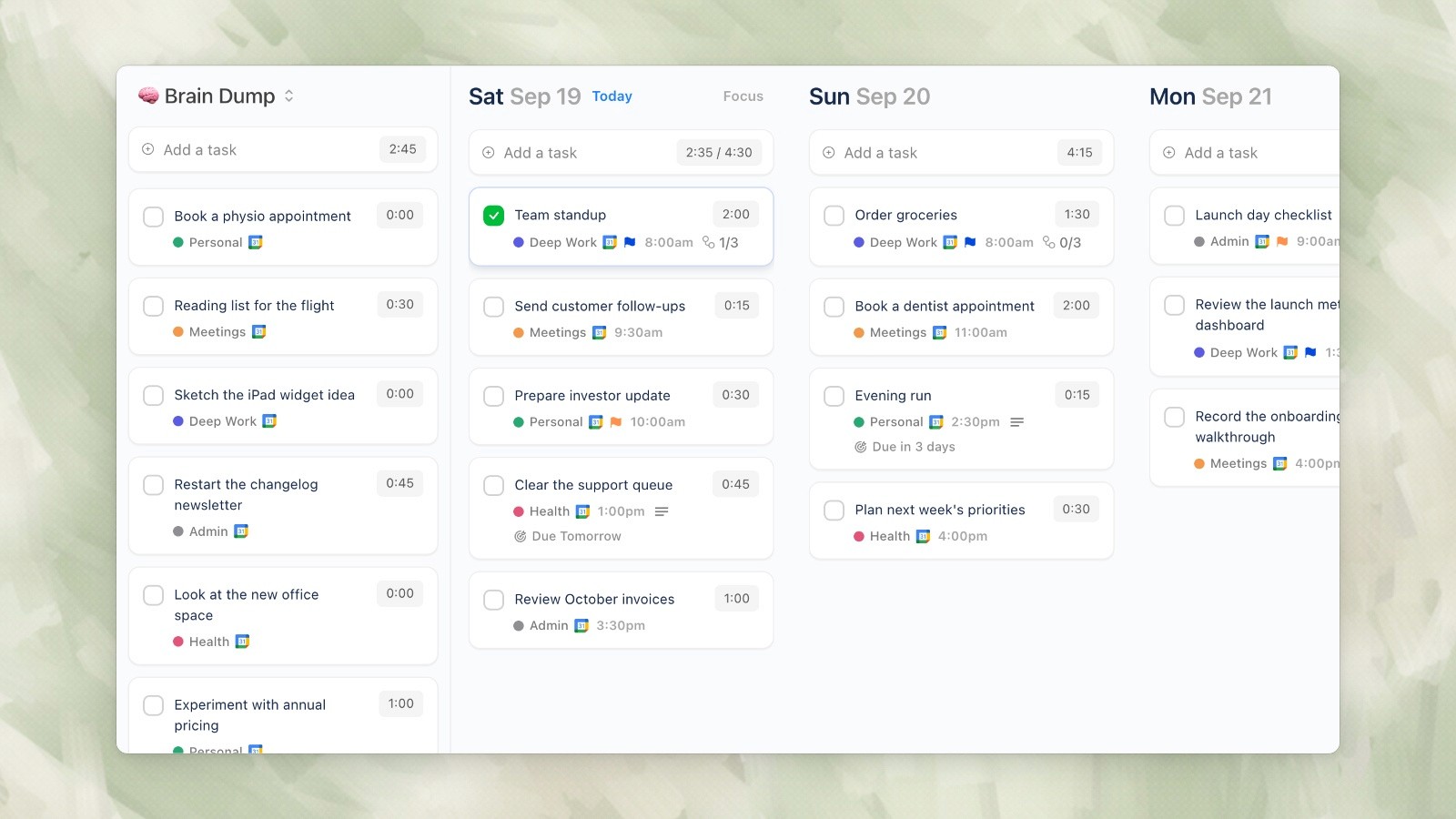
Ellie desktop demo data, captured September 19, 2026.
Ellie lets you choose tasks for a day and arrange their time blocks alongside calendar events. Its Pro plan also includes an AI Assistant. That is a different workflow from relying on Motion to continuously schedule and reschedule tasks.
Ellie includes Brain Dump, Timebox and calendar integrations at $9.99 per month or $99.99 per year, with a 7-day free trial; Lifetime is $299.99. Ellie is available on desktop, the web, iPhone, and iPad, with no native Android app currently.
Ellie is our product. Compare it with Motion using the same real workday: add a few tasks, account for meetings, then change a deadline and see which planning process you prefer. Visit Ellie to explore a different take on AI-powered planning
Final Thoughts
Motion represents the cutting edge of AI-powered task management in 2026. Its automatic scheduling, deadline intelligence, and project management features are genuinely impressive and solve real problems for deadline-driven professionals. The tool proves that AI can meaningfully improve productivity when applied thoughtfully to scheduling challenges.
That said, Motion isn’t a universal solution. The price is high, the learning curve is steep, and the AI’s decision-making isn’t always intuitive. Before committing, take advantage of the free trial to verify that Motion’s approach to automation aligns with how you want to work. For the right user—someone who values automation over autonomy and can afford the investment—Motion is worth serious consideration. For everyone else, the rapidly growing market of alternatives may offer better value.
Motion schedules tasks around deadlines, working hours, and calendar events. The practical question is whether that automation saves you more planning work than it creates. This review compares Motion’s published features and current pricing; it is not a report of a hands-on benchmark.
What is Motion?
Motion is an AI-powered scheduling assistant that sits between your task list and your calendar. Unlike traditional task managers that require you to manually schedule work, Motion’s intelligent algorithms automatically analyze your tasks, deadlines, and existing commitments, then intelligently places work into your calendar. When your schedule changes—a meeting gets added or moved—Motion dynamically reshuffles your task assignments to keep everything on track.
Available at usemotion.com, Motion combines three core functions: automatic task scheduling, project management with multiple views, and intelligent deadline awareness. It’s designed for professionals who want to stop manually planning their days and let AI handle the cognitive load of deciding when work gets done.
Motion offers a 7-day trial that requires a payment card. There is no permanent free plan. Check the renewal date during signup and cancel before the trial ends if you do not want a paid subscription.
Motion’s Core Features Explained
AI-Powered Automatic Scheduling
The heart of Motion is its scheduling engine. You add tasks with deadlines and time estimates, and Motion automatically places them into calendar blocks. The algorithm considers your existing meetings, working hours, and priorities to find optimal placement. When you add a meeting to your calendar, Motion automatically reschedules conflicting tasks to other available time slots. This removes the manual task of “when should I do this?” from your workflow.
Project Management Hub
Motion isn’t just a scheduler—it’s a full project management tool. You can view work in multiple formats: list view for simple task management, board view for kanban-style organization, timeline view for sequential project visualization, and Gantt charts for complex project dependencies. This versatility allows teams to work with the interface that matches their mental model.
Deadline Intelligence
Motion understands deadlines deeply. The system works backward from your deadline to schedule work in appropriate chunks, respecting your availability and working hours. If you’re heading toward a missed deadline, Motion alerts you and suggests adjustments. This deadline-aware approach prevents the common problem of task managers that treat all tasks equally regardless of urgency.
Team Scheduling Capabilities
Motion supports team collaboration with shared projects, assigned tasks, and team member availability consideration. When scheduling work on team projects, the algorithm can account for multiple people’s calendars and working hours, making it valuable for distributed teams that struggle with timezone coordination.
Integrations and Calendar Sync
Motion connects with Google Calendar and Outlook Calendar for real-time sync. Task integrations include connections to other platforms, though Motion has fewer integration options compared to some competitors. The calendar integration is deep—Motion can read and write to your calendar to automatically schedule tasks without requiring manual action.
Motion Features at a Glance
Feature | Details |
|---|---|
AI Auto-Scheduling | Automatically places tasks into calendar based on deadlines and availability |
Calendar Integration | Syncs with Google Calendar and Outlook; respects existing meetings |
Project Views | List, board (kanban), timeline, and Gantt chart options |
Deadline Management | Works backward from deadlines to schedule work; alerts for at-risk tasks |
Team Collaboration | Shared projects, task assignment, team member availability |
Mobile App | iOS and Android apps for task management on the go |
Time Blocking | Creates calendar blocks for focused work periods |
Recurring Tasks | Handles repeating tasks with intelligent rescheduling |
What Motion Does Well
Complete Task-to-Calendar Automation
Motion’s strongest selling point is eliminating the decision fatigue of scheduling your own work. Instead of asking “when should I do this?” you simply add it to Motion and let the algorithm decide. For knowledge workers and professionals managing dozens of tasks, this automation alone justifies exploring the platform. The calendar integration means your scheduled work actually appears on your calendar as time blocks, creating a unified view of everything you need to do.
True Deadline Awareness
Many task managers have due dates; Motion has deadline intelligence. It doesn’t just flag tasks as overdue—it proactively prevents overdue situations by scheduling work with enough time to complete before the deadline. This backward-planning approach is rare in task management software and genuinely useful for deadline-driven work like project management, content creation, and client deliverables.
Multiple Project Views for Different Workflows
Different projects need different perspectives. Motion’s support for lists, boards, timelines, and Gantt charts means you can switch between views based on what makes sense for your current project. Agile teams might prefer the board view, while project managers working with dependencies benefit from Gantt visualization. This flexibility is significantly better than single-view tools.
Smart Meeting-Based Rescheduling
When your calendar changes, Motion automatically adjusts your scheduled tasks. Add an unexpected meeting at 2pm? Motion finds the next available slot for your 3pm task block without requiring manual intervention. This responsiveness to calendar changes is what separates Motion from static schedulers that become outdated the moment reality deviates from the plan.
Where Motion Falls Short
Steep Pricing for Solo Users
Motion Pro AI costs $27 per seat monthly or $228 per seat yearly ($19 per month). Business AI costs $45 monthly or $348 yearly ($29 per month). Compare the tier and billing commitment you actually need. A general student discount was not advertised on the current main pricing page.
Aggressive AI Can Feel Controlling
Motion’s strength becomes a weakness for users who want more control. The AI makes autonomous scheduling decisions based on its algorithms, and while usually sensible, it sometimes schedules work in ways that feel suboptimal to the human in the loop. You might want to work on a task at 9am, but Motion schedules it for 3pm because it detected a pattern in your calendar. These situations generate friction, especially for users who already have strong preferences about how their days flow.
Limited Integration Ecosystem
Motion focuses deeply on calendar integration but doesn’t connect with many other tools. If your workflow relies on integrations with Slack, email clients, project management platforms, or other applications, Motion offers fewer bridges than competitors. You might find yourself copying information between Motion and your other tools, which defeats some of the automation value.
Steep Learning Curve and Occasional Odd Scheduling
Motion isn’t intuitive for new users. It requires understanding how to structure tasks, set time estimates, define your working hours, and interpret the algorithm’s scheduling decisions. Additionally, despite being intelligent, the AI occasionally makes weird scheduling choices—batching work in ways that don’t make practical sense, or failing to consider context that a human would obviously factor in. These edge cases require manual adjustment, adding friction to the system.
Motion Pricing Breakdown
Motion annual pricing shown on the Teams tab: Pro AI US$19 and Business AI US$29 per seat per month. Captured September 19, 2026. Source.
The 7-day trial requires a card and converts to a paid subscription unless canceled. The screenshot shows the annual Teams view; its $19 and $29 figures are per-seat monthly equivalents, with annual payment. Check the final plan, seats, and renewal amount before subscribing.
Who Is Motion Best For?
Motion is ideal for deadline-driven professionals who juggle multiple projects and struggle with time management. If you’re a project manager, consultant, content creator, or executive managing complex schedules, Motion’s automatic scheduling removes significant cognitive load. It’s particularly valuable for people who constantly battle calendar conflicts and feel like they never have time for deep work.
Teams benefit significantly from Motion’s shared projects and multi-person scheduling. If your team spends time coordinating who works on what and when, Motion’s team features can improve coordination and prevent bottlenecks. Distributed teams dealing with timezone challenges may find Motion’s availability-aware scheduling especially useful.
The platform also suits people who hate manual planning and would gladly trade some autonomy for the convenience of letting an algorithm handle scheduling. If you’ve ever found yourself spending 30 minutes trying to decide when to do something, Motion is designed for you.
Who Should Skip Motion?
If you prefer complete control over your schedule and already have a system that works well, Motion adds unnecessary complexity. People with highly unpredictable schedules—where even an hour’s notice might change everything—may find Motion’s scheduling unhelpful since it becomes outdated quickly.
For basic task capture, a free task manager may be enough. Motion Pro AI costs $324 over twelve monthly payments or $228 on annual billing, so its scheduling automation should solve a recurring problem to justify the subscription.
Those heavily invested in other productivity ecosystems might find Motion’s limited integrations frustrating. If you rely on Slack notifications, email management, or other platform-specific workflows, Motion’s minimal integration approach means you’ll still be doing some manual work between tools.
Finally, users who want immediate productivity without a learning curve should start elsewhere. Motion requires setup time, understanding how to configure working hours and task parameters, and patience as the algorithm learns your preferences. The onboarding investment is real.
Motion vs. Competitors
Consider Reclaim for automatic calendar scheduling, Sunsama for a guided daily-planning workflow, and Akiflow for combining tasks and calendars from several services. Their current pricing pages are better guides than older comparisons that quote promotional or different billing tiers.
Choose by workflow: how much scheduling you want the app to do, which integrations you need, and how often you expect to revise the plan. Compare the same billing period and try the relevant features before deciding.
The Bottom Line: Is Motion Worth It?
Motion is a genuinely innovative tool that delivers on its core promise of automatic task scheduling. If you’re a deadline-driven professional who struggles with time management, Motion can save significant time and mental energy by automating the scheduling decision. The multiple project views, deadline intelligence, and team collaboration features add value beyond basic scheduling.
However, the high price point, steep learning curve, occasional odd scheduling decisions, and aggressive autonomy make Motion not right for everyone. The tool works best for users who can afford the investment, have complex scheduling needs, and are willing to invest time in learning the system.
Start with the 7-day free trial to see if Motion’s philosophy aligns with yours. If you find yourself constantly moving tasks around or feeling controlled by the algorithm, you’ll know it’s not the right fit. But if you love the idea of an AI assistant handling scheduling logistics, Motion delivers.
Looking for a Better Planning Experience?
If you prefer to arrange your day yourself, Ellie is another approach to daily planning. It keeps a task backlog, daily columns, and Timebox close together so you can decide what fits.
Ellie desktop demo data, captured September 19, 2026.
Ellie lets you choose tasks for a day and arrange their time blocks alongside calendar events. Its Pro plan also includes an AI Assistant. That is a different workflow from relying on Motion to continuously schedule and reschedule tasks.
Ellie includes Brain Dump, Timebox and calendar integrations at $9.99 per month or $99.99 per year, with a 7-day free trial; Lifetime is $299.99. Ellie is available on desktop, the web, iPhone, and iPad, with no native Android app currently.
Ellie is our product. Compare it with Motion using the same real workday: add a few tasks, account for meetings, then change a deadline and see which planning process you prefer. Visit Ellie to explore a different take on AI-powered planning
Final Thoughts
Motion represents the cutting edge of AI-powered task management in 2026. Its automatic scheduling, deadline intelligence, and project management features are genuinely impressive and solve real problems for deadline-driven professionals. The tool proves that AI can meaningfully improve productivity when applied thoughtfully to scheduling challenges.
That said, Motion isn’t a universal solution. The price is high, the learning curve is steep, and the AI’s decision-making isn’t always intuitive. Before committing, take advantage of the free trial to verify that Motion’s approach to automation aligns with how you want to work. For the right user—someone who values automation over autonomy and can afford the investment—Motion is worth serious consideration. For everyone else, the rapidly growing market of alternatives may offer better value.
Give your brain the night off
Dump everything into Ellie, give tomorrow a plan, and close the laptop.
Try Ellie free
Web, Mac, Windows, iPhone and iPad. 7-day free trial, cancel anytime.
