Amie Calendar Review (2026): The Beautiful Calendar That Wants to Replace Everything

Chris Raroque

In 2026, the calendar app landscape is more competitive than ever, with dozens of tools vying for your attention. But Amie stands out—not because it’s the most feature-rich, but because it’s genuinely beautiful. The app has quietly become one of the most elegant calendar solutions on the market, and recently, it’s undergone a significant pivot. What started as a stunning calendar and task management tool has evolved to include AI-powered meeting recording and note-taking capabilities, positioning it as a direct competitor to apps like Granola.
This review explores whether Amie’s beauty and AI meeting features are worth the investment, or if you’d be better served by alternative solutions. We’ll dive deep into pricing, features, strengths, weaknesses, and who should actually use this app.
What is Amie?
Amie is a calendar application that has evolved significantly since its initial launch. At its core, it’s a beautifully designed calendar app with integrated task management and email functionality (on mobile). But the most recent update added a compelling feature: AI-powered meeting recording and note-taking that doesn’t require a bot to join your calls.
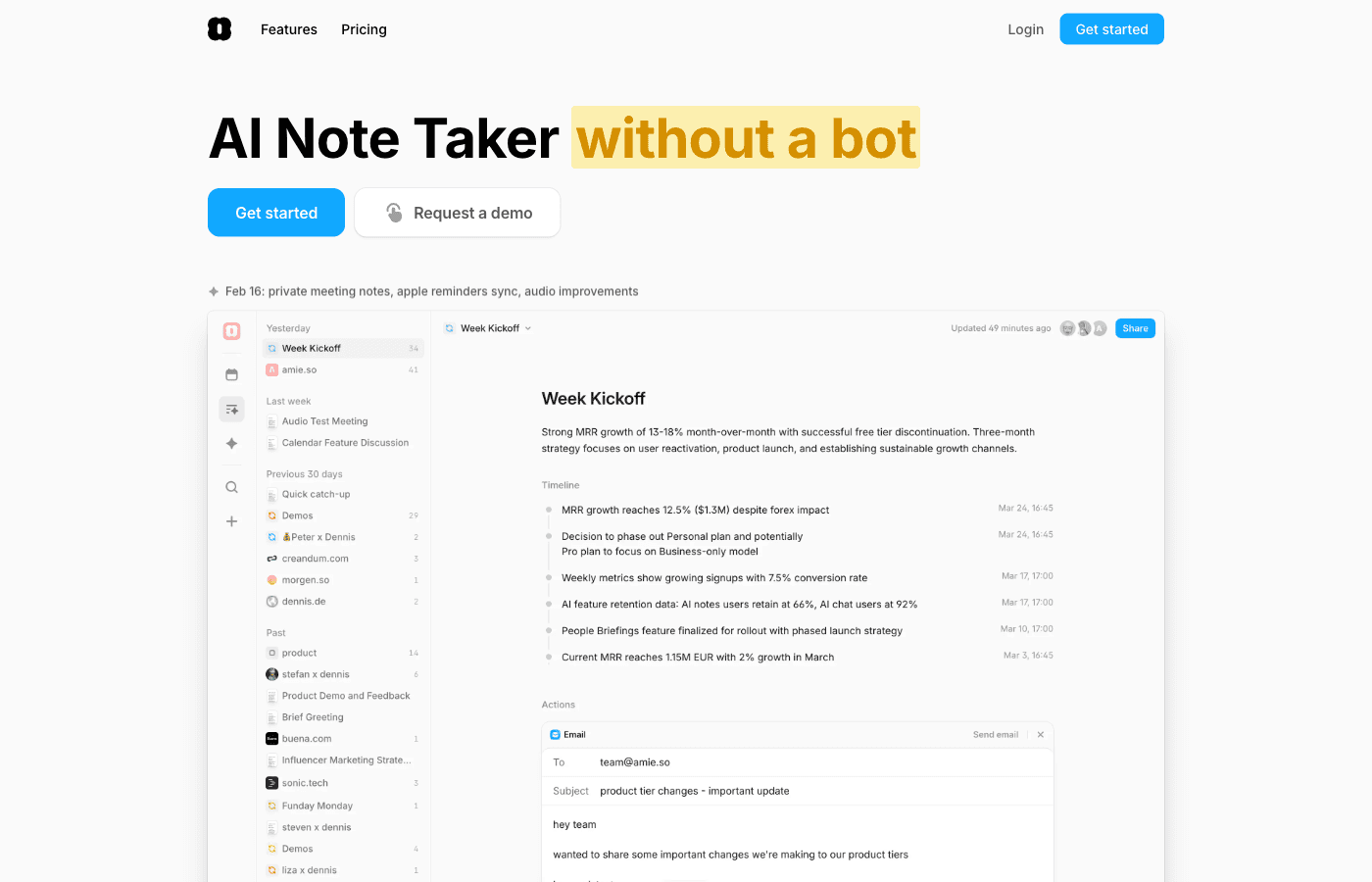
Founded by a team that prioritizes design excellence, Amie approaches calendar management as both a productivity tool and a creative experience. The app runs on Mac and iOS, with no Android version currently available. Unlike many competitors, Amie chose not to offer a free tier, betting instead on a premium experience that justifies its pricing.
The core appeal of Amie is straightforward: it looks better than almost every other calendar app on the market. But that beauty is backed up by solid functionality, including natural language event creation, AI-assisted scheduling, and now, meeting intelligence features that rival specialized recording apps.
Key Features Overview
Natural Language Event Creation
Amie lets you create events by typing or dictating natural language instructions. Say something like “Coffee with Sarah next Tuesday at 2pm,” and Amie parses it into a scheduled event. This feature makes quick event entry incredibly fast and intuitive, reducing friction in calendar management.
AI Meeting Notes and Recordings
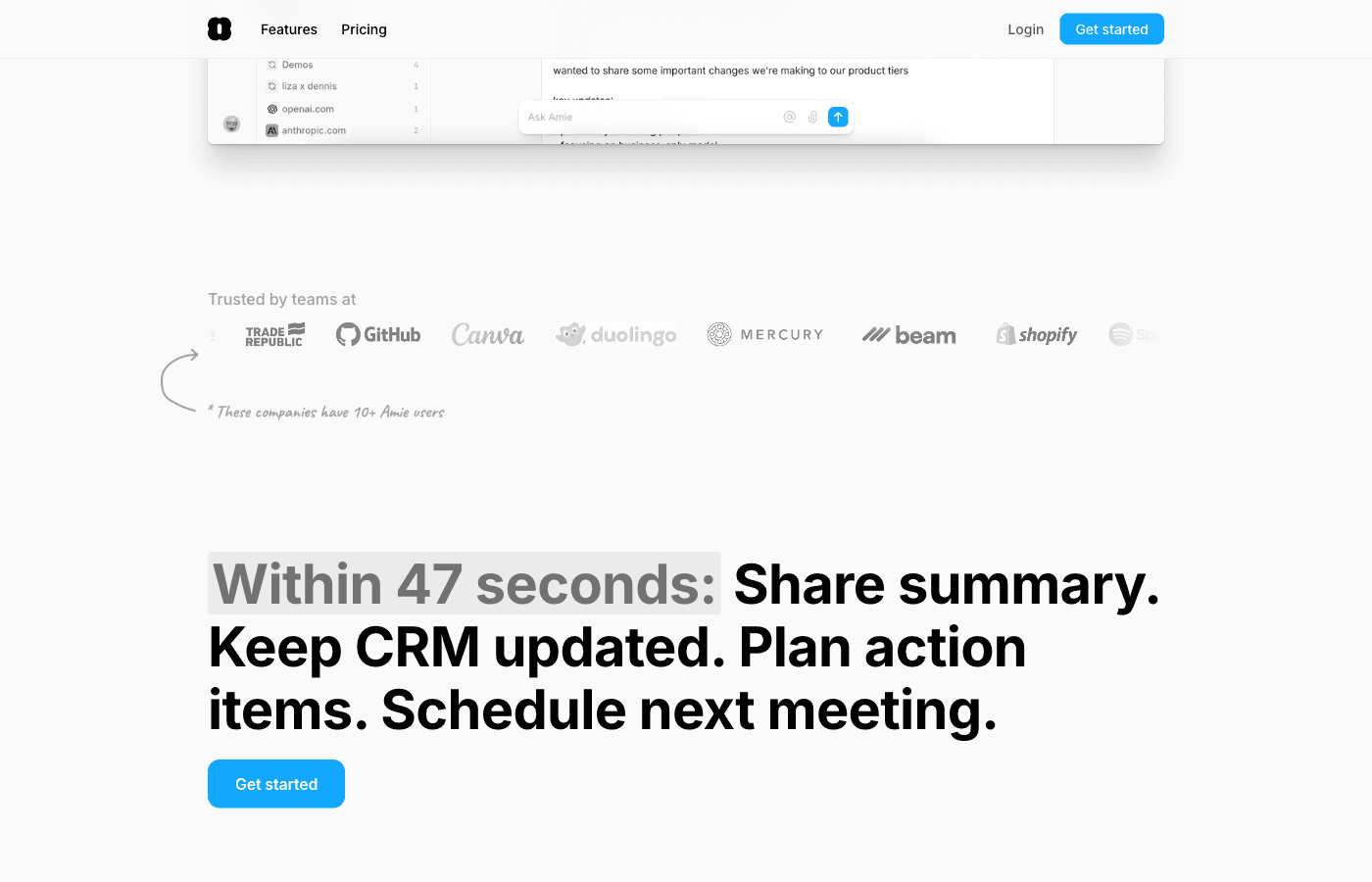
Amie records and transcribes your meetings directly from your device—no bot required. The app uses AI to generate summaries and action items, making it a genuine alternative to dedicated meeting recording platforms. This is a game-changer for anyone who’s tired of inviting bots to meetings or dealing with privacy concerns around third-party recording services.
Calendar + Tasks + Email Integration
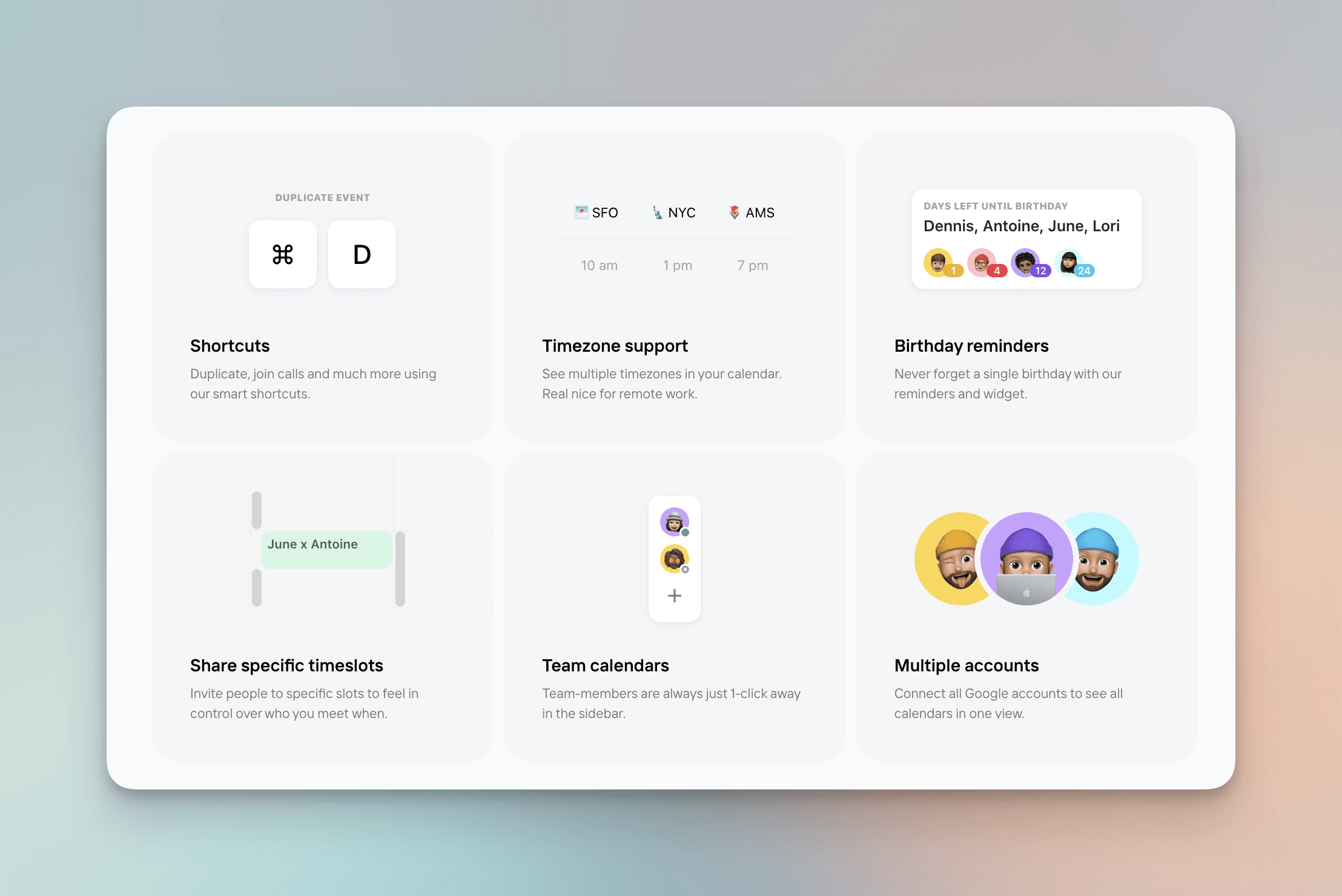
Unlike single-purpose calendar apps, Amie integrates task management and email functionality (on iOS and Android mobile versions). This creates a more unified productivity experience where you can see your calendar, tasks, and emails in one place.
AI Chat for Scheduling
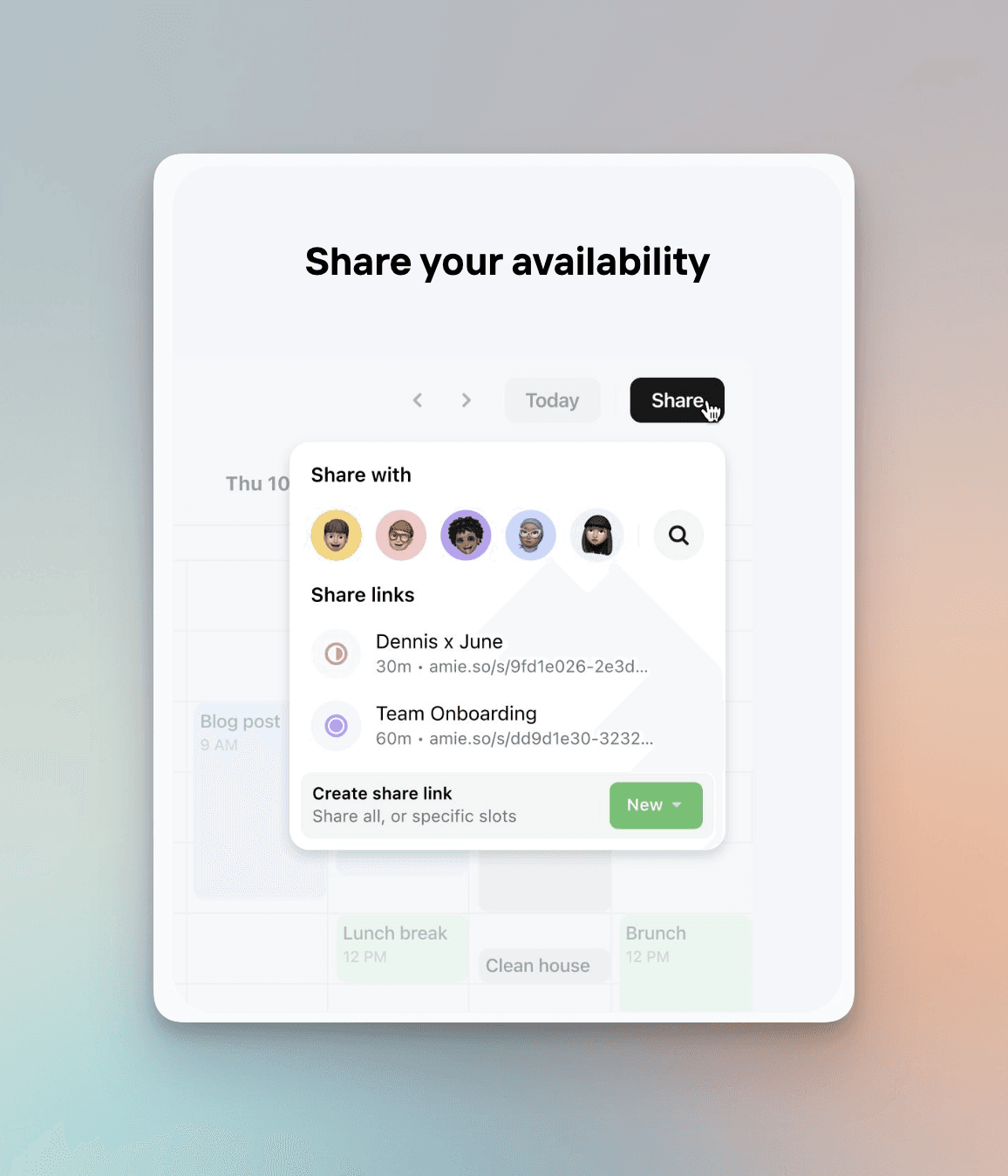
Amie includes an AI assistant that helps with scheduling conflicts and meeting coordination. Instead of manually finding time slots, you can use natural language to ask Amie to find available time and suggest meeting times to attendees.
Color-Coding and Visual Organization
The app offers extensive color-coding options for calendars, events, and categories. This visual approach to organization is particularly appealing to users who think in colors and rely on visual scanning to understand their schedule at a glance.
Time-Blocking and Focus Management
Amie supports time-blocking, allowing you to designate specific periods for focused work, meetings, or other activities. The visual representation of your time blocks makes it easy to see whether your day is overloaded or has breathing room.
Mind Maps for Planning
The app includes mind mapping functionality, allowing you to visually brainstorm and organize ideas connected to your calendar and tasks. This is particularly useful for project planning and complex scheduling scenarios.
Follow-up Emails
After meetings, Amie can automatically draft follow-up emails based on your meeting notes, saving you time on administrative tasks while ensuring you don’t forget to close the loop with attendees.
Split-View Calendar
For users managing multiple calendars or coordinating across different projects, Amie’s split-view feature lets you see multiple calendars side-by-side, making it easier to spot conflicts and find optimal meeting times.
Feature | Included | Plan |
|---|---|---|
Calendar Management | ✓ | All plans |
Natural Language Event Creation | ✓ | All plans |
Task Management | ✓ | All plans |
AI Meeting Recording | ✓ | All plans |
AI Summaries | ✓ | All plans |
AI Chat for Scheduling | ✓ | Personal+ |
Email Integration (Mobile) | ✓ | Personal+ |
Mind Maps | ✓ | Pro+ |
Priority Support | ✓ | Business |
What Amie Does Well
Exceptional Visual Design
Amie is hands-down one of the most beautiful calendar applications ever created. The design is clean, intuitive, and delightful—from the way events are displayed to the color palette and typography. If you spend hours a day looking at your calendar, having an app that’s genuinely pleasant to use is a real quality-of-life improvement. Many users report that switching to Amie actually makes them more excited to plan their day, which sounds superficial but genuinely impacts productivity for design-conscious users.
AI Meeting Recording Without Privacy Concerns
The biggest advantage Amie has over competitors like Granola is that it records meetings locally without requiring a bot to join. This means no privacy concerns, no weird video feeds, and no need to explain to meeting participants why there’s a third-party service recording. For corporate users with strict security policies, this is invaluable. The AI transcription and summary features work just as well as dedicated recording apps, but with better integration into your calendar and task management workflow.
Unified Productivity Experience
By combining calendar, tasks, email, and meeting notes in one interface, Amie creates a more cohesive productivity experience than using separate apps. You’re not jumping between a calendar app, a task manager, an email client, and a note-taking app—everything lives together, and the integration is thoughtful.
Delightful User Experience
Beyond aesthetics, Amie genuinely enjoys being used. Interactions are smooth, animations are purposeful, and the overall experience feels premium. Features like natural language event creation, AI-assisted scheduling, and automatic follow-up email generation all contribute to an experience that feels less like tool-use and more like working with an intelligent assistant. This matters more than you’d think—when a tool is genuinely enjoyable to use, you’re more likely to use it consistently and effectively.
Where Amie Falls Short
No Android Support
Amie is exclusively Mac and iOS. If you use Android devices—whether as your primary phone or as a secondary device—you’re out of luck. In 2026, this is a significant limitation, especially for power users who want a seamless experience across all their devices. For team members with mixed device ecosystems, this fragmentation creates friction.
External Calendar Sync Issues
Multiple users report bugs and sync issues when integrating Amie with external calendar sources like Google Calendar or Outlook. If you rely on calendar data syncing reliably across multiple platforms, Amie has had stability problems. While the team is presumably working on these issues, they’re notable enough that they should factor into your decision.
Expensive for a Calendar App
At $10-$30 per month depending on plan, Amie is positioned at a premium price point. If you’re primarily looking for a beautiful calendar with basic task management, there are cheaper alternatives. Compared to Motion (which offers similar AI meeting integration and task management at a similar price point), Amie’s value proposition becomes less clear for users who don’t prioritize design aesthetics. You’re paying a premium for beauty—that’s not bad, but it’s worth being explicit about.
Not a Dedicated Daily Planner
While Amie includes task management, it’s secondary to the calendar experience. If you’re looking for a comprehensive daily planning system with habit tracking, goal-setting, and detailed task management, tools like Notion, Things 3, or Todoist offer more depth. Amie is a calendar-first tool that happens to include tasks—not a daily planner that includes calendar features.
Amie Pricing
Amie doesn’t offer a free plan. Instead, they provide a 7-day free trial, which gives you limited time to evaluate whether the app is worth the investment.
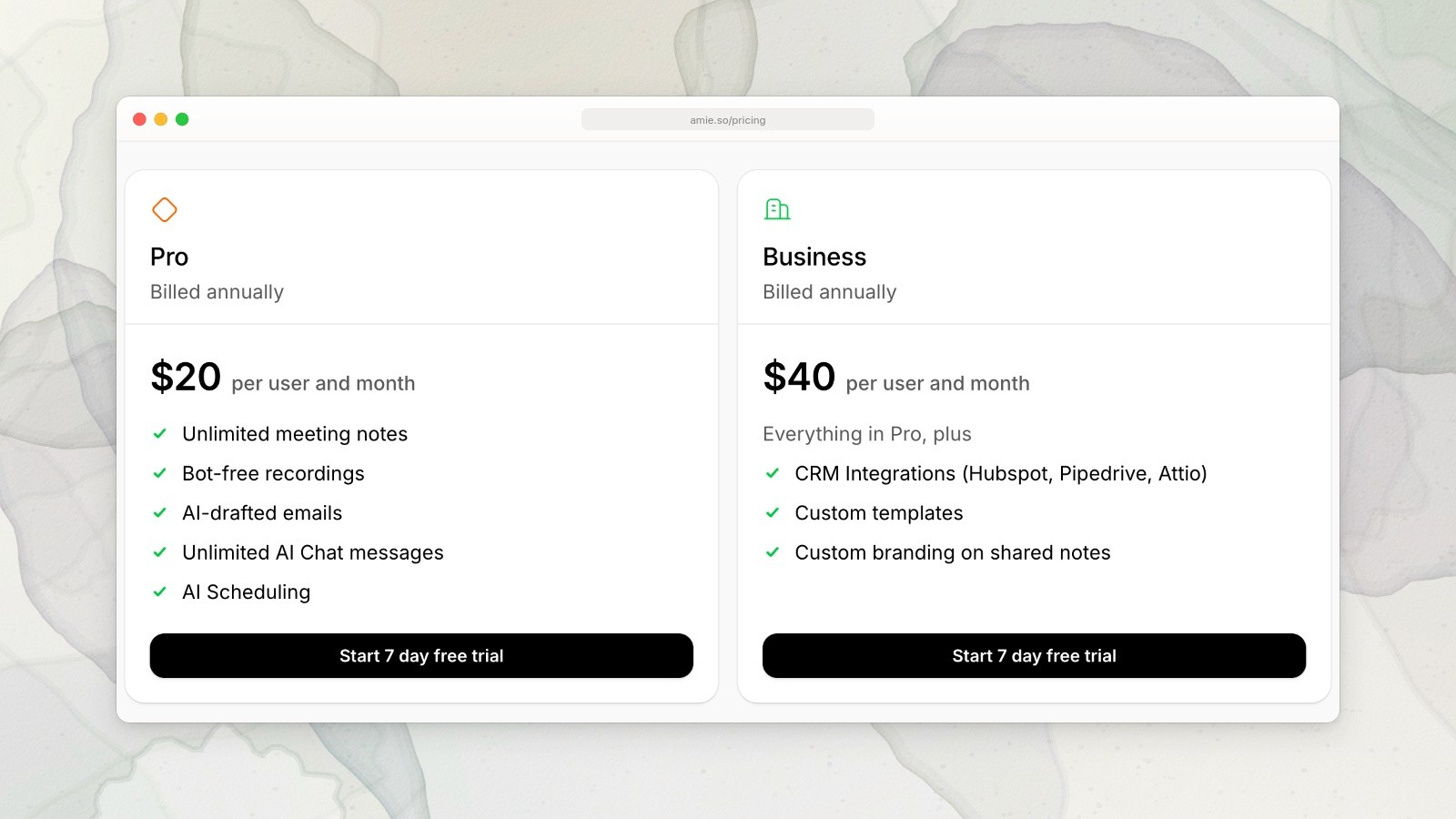
Amie annual plans: Pro US$20 and Business US$40 per user per month. Captured September 19, 2026. Source.
Plan | Monthly | Annual | Key Features |
|---|---|---|---|
Personal | $10/month | $6/month ($72/year) | Calendar, Tasks, Event Creation, Basic AI Features |
Pro | $20/month | $15/month ($180/year) | Everything in Personal + Email Integration, Mind Maps, Advanced AI Scheduling |
Business | $30/month | $21/month ($252/year) | Everything in Pro + Priority Support, Team Features |
The annual pricing offers meaningful discounts—roughly 40% off the monthly rate. If you’re serious about using Amie long-term, paying annually is clearly the better value. The jump from Personal to Pro ($120 difference annually) is substantial, so the decision between these tiers should be based on whether you genuinely need email integration and mind mapping for your workflow.
Who Is Amie Best For?
Amie is the right choice if you fit into one or more of these categories:
Mac and iOS users who value design and aesthetics in their tools
People who attend multiple meetings daily and want AI-powered meeting notes without security concerns
Users who want a unified calendar, task, and email experience in one app
Professionals who appreciate thoughtful UX and don’t mind paying a premium for it
Anyone concerned about privacy around meeting recording and wants a local, bot-free solution
Visual thinkers who leverage color-coding and mind mapping for planning
Who Should Skip Amie
Amie is probably not the right tool if you fall into these categories:
Android users who need a cross-device calendar solution
Budget-conscious users looking to minimize subscription costs
People who need heavy task management with goal tracking, habit formation, and complex project planning
Users who rely extensively on external calendar integrations (Google Calendar, Outlook) and need rock-solid sync reliability
Teams that require Android support or cross-platform device support
Anyone who wants a free calendar option—Amie doesn’t offer one, even with limited functionality
The Verdict
Amie is a genuinely excellent calendar and meeting management application that combines beauty with functionality. The addition of AI meeting recording without requiring a bot is a significant advantage over competitors, and the overall user experience is delightful for Mac and iOS users. If you spend significant time in calendar management and attend regular meetings, Amie justifies its price through a combination of aesthetic pleasure and practical features.
However, Amie isn’t perfect. The lack of Android support, occasional sync issues with external calendars, and premium pricing make it less accessible to broader audiences. It’s a tool for users who prioritize design and appreciate the premium experience enough to pay for it. For purely functional calendar and task management, cheaper alternatives exist.
The real question is whether you value beauty and a cohesive experience enough to justify the cost. If you do—and if you’re on Mac and iOS—Amie is worth serious consideration. If you need Android support or are looking for the cheapest possible option, look elsewhere.
Discover a Better Daily Planning Experience
While Amie excels at calendar management and meeting notes, if you’re looking for a comprehensive daily planning tool that combines your calendar, tasks, and personal goals into one unified system, consider Ellie.
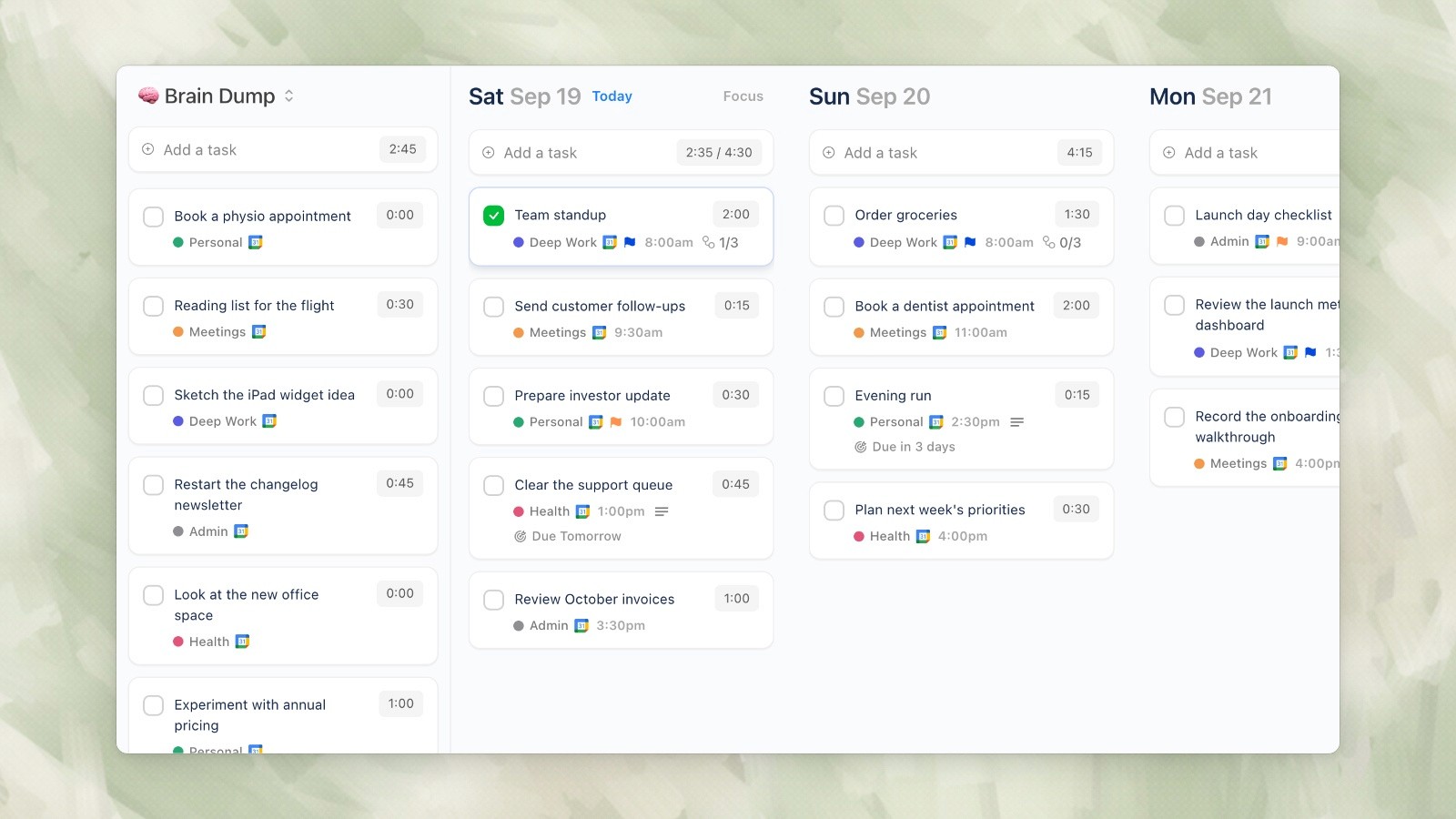
Ellie desktop demo data, captured September 19, 2026.
Ellie brings together calendar integration, task management, time blocking, and intelligent scheduling suggestions into a beautifully designed daily planner. Whether you’re looking to optimize your schedule, manage your tasks more effectively, or simply have a more intentional planning experience, Ellie offers a comprehensive solution designed for modern productivity.
Learn more and start your free trial at ellieplanner.com.
Related planning and app guides
Compare Amie with five other daily planner apps for iPhone, then check the current Amie pricing before deciding.
In 2026, the calendar app landscape is more competitive than ever, with dozens of tools vying for your attention. But Amie stands out—not because it’s the most feature-rich, but because it’s genuinely beautiful. The app has quietly become one of the most elegant calendar solutions on the market, and recently, it’s undergone a significant pivot. What started as a stunning calendar and task management tool has evolved to include AI-powered meeting recording and note-taking capabilities, positioning it as a direct competitor to apps like Granola.
This review explores whether Amie’s beauty and AI meeting features are worth the investment, or if you’d be better served by alternative solutions. We’ll dive deep into pricing, features, strengths, weaknesses, and who should actually use this app.
What is Amie?
Amie is a calendar application that has evolved significantly since its initial launch. At its core, it’s a beautifully designed calendar app with integrated task management and email functionality (on mobile). But the most recent update added a compelling feature: AI-powered meeting recording and note-taking that doesn’t require a bot to join your calls.
Founded by a team that prioritizes design excellence, Amie approaches calendar management as both a productivity tool and a creative experience. The app runs on Mac and iOS, with no Android version currently available. Unlike many competitors, Amie chose not to offer a free tier, betting instead on a premium experience that justifies its pricing.
The core appeal of Amie is straightforward: it looks better than almost every other calendar app on the market. But that beauty is backed up by solid functionality, including natural language event creation, AI-assisted scheduling, and now, meeting intelligence features that rival specialized recording apps.
Key Features Overview
Natural Language Event Creation
Amie lets you create events by typing or dictating natural language instructions. Say something like “Coffee with Sarah next Tuesday at 2pm,” and Amie parses it into a scheduled event. This feature makes quick event entry incredibly fast and intuitive, reducing friction in calendar management.
AI Meeting Notes and Recordings
Amie records and transcribes your meetings directly from your device—no bot required. The app uses AI to generate summaries and action items, making it a genuine alternative to dedicated meeting recording platforms. This is a game-changer for anyone who’s tired of inviting bots to meetings or dealing with privacy concerns around third-party recording services.
Calendar + Tasks + Email Integration
Unlike single-purpose calendar apps, Amie integrates task management and email functionality (on iOS and Android mobile versions). This creates a more unified productivity experience where you can see your calendar, tasks, and emails in one place.
AI Chat for Scheduling
Amie includes an AI assistant that helps with scheduling conflicts and meeting coordination. Instead of manually finding time slots, you can use natural language to ask Amie to find available time and suggest meeting times to attendees.
Color-Coding and Visual Organization
The app offers extensive color-coding options for calendars, events, and categories. This visual approach to organization is particularly appealing to users who think in colors and rely on visual scanning to understand their schedule at a glance.
Time-Blocking and Focus Management
Amie supports time-blocking, allowing you to designate specific periods for focused work, meetings, or other activities. The visual representation of your time blocks makes it easy to see whether your day is overloaded or has breathing room.
Mind Maps for Planning
The app includes mind mapping functionality, allowing you to visually brainstorm and organize ideas connected to your calendar and tasks. This is particularly useful for project planning and complex scheduling scenarios.
Follow-up Emails
After meetings, Amie can automatically draft follow-up emails based on your meeting notes, saving you time on administrative tasks while ensuring you don’t forget to close the loop with attendees.
Split-View Calendar
For users managing multiple calendars or coordinating across different projects, Amie’s split-view feature lets you see multiple calendars side-by-side, making it easier to spot conflicts and find optimal meeting times.
Feature | Included | Plan |
|---|---|---|
Calendar Management | ✓ | All plans |
Natural Language Event Creation | ✓ | All plans |
Task Management | ✓ | All plans |
AI Meeting Recording | ✓ | All plans |
AI Summaries | ✓ | All plans |
AI Chat for Scheduling | ✓ | Personal+ |
Email Integration (Mobile) | ✓ | Personal+ |
Mind Maps | ✓ | Pro+ |
Priority Support | ✓ | Business |
What Amie Does Well
Exceptional Visual Design
Amie is hands-down one of the most beautiful calendar applications ever created. The design is clean, intuitive, and delightful—from the way events are displayed to the color palette and typography. If you spend hours a day looking at your calendar, having an app that’s genuinely pleasant to use is a real quality-of-life improvement. Many users report that switching to Amie actually makes them more excited to plan their day, which sounds superficial but genuinely impacts productivity for design-conscious users.
AI Meeting Recording Without Privacy Concerns
The biggest advantage Amie has over competitors like Granola is that it records meetings locally without requiring a bot to join. This means no privacy concerns, no weird video feeds, and no need to explain to meeting participants why there’s a third-party service recording. For corporate users with strict security policies, this is invaluable. The AI transcription and summary features work just as well as dedicated recording apps, but with better integration into your calendar and task management workflow.
Unified Productivity Experience
By combining calendar, tasks, email, and meeting notes in one interface, Amie creates a more cohesive productivity experience than using separate apps. You’re not jumping between a calendar app, a task manager, an email client, and a note-taking app—everything lives together, and the integration is thoughtful.
Delightful User Experience
Beyond aesthetics, Amie genuinely enjoys being used. Interactions are smooth, animations are purposeful, and the overall experience feels premium. Features like natural language event creation, AI-assisted scheduling, and automatic follow-up email generation all contribute to an experience that feels less like tool-use and more like working with an intelligent assistant. This matters more than you’d think—when a tool is genuinely enjoyable to use, you’re more likely to use it consistently and effectively.
Where Amie Falls Short
No Android Support
Amie is exclusively Mac and iOS. If you use Android devices—whether as your primary phone or as a secondary device—you’re out of luck. In 2026, this is a significant limitation, especially for power users who want a seamless experience across all their devices. For team members with mixed device ecosystems, this fragmentation creates friction.
External Calendar Sync Issues
Multiple users report bugs and sync issues when integrating Amie with external calendar sources like Google Calendar or Outlook. If you rely on calendar data syncing reliably across multiple platforms, Amie has had stability problems. While the team is presumably working on these issues, they’re notable enough that they should factor into your decision.
Expensive for a Calendar App
At $10-$30 per month depending on plan, Amie is positioned at a premium price point. If you’re primarily looking for a beautiful calendar with basic task management, there are cheaper alternatives. Compared to Motion (which offers similar AI meeting integration and task management at a similar price point), Amie’s value proposition becomes less clear for users who don’t prioritize design aesthetics. You’re paying a premium for beauty—that’s not bad, but it’s worth being explicit about.
Not a Dedicated Daily Planner
While Amie includes task management, it’s secondary to the calendar experience. If you’re looking for a comprehensive daily planning system with habit tracking, goal-setting, and detailed task management, tools like Notion, Things 3, or Todoist offer more depth. Amie is a calendar-first tool that happens to include tasks—not a daily planner that includes calendar features.
Amie Pricing
Amie doesn’t offer a free plan. Instead, they provide a 7-day free trial, which gives you limited time to evaluate whether the app is worth the investment.
Amie annual plans: Pro US$20 and Business US$40 per user per month. Captured September 19, 2026. Source.
Plan | Monthly | Annual | Key Features |
|---|---|---|---|
Personal | $10/month | $6/month ($72/year) | Calendar, Tasks, Event Creation, Basic AI Features |
Pro | $20/month | $15/month ($180/year) | Everything in Personal + Email Integration, Mind Maps, Advanced AI Scheduling |
Business | $30/month | $21/month ($252/year) | Everything in Pro + Priority Support, Team Features |
The annual pricing offers meaningful discounts—roughly 40% off the monthly rate. If you’re serious about using Amie long-term, paying annually is clearly the better value. The jump from Personal to Pro ($120 difference annually) is substantial, so the decision between these tiers should be based on whether you genuinely need email integration and mind mapping for your workflow.
Who Is Amie Best For?
Amie is the right choice if you fit into one or more of these categories:
Mac and iOS users who value design and aesthetics in their tools
People who attend multiple meetings daily and want AI-powered meeting notes without security concerns
Users who want a unified calendar, task, and email experience in one app
Professionals who appreciate thoughtful UX and don’t mind paying a premium for it
Anyone concerned about privacy around meeting recording and wants a local, bot-free solution
Visual thinkers who leverage color-coding and mind mapping for planning
Who Should Skip Amie
Amie is probably not the right tool if you fall into these categories:
Android users who need a cross-device calendar solution
Budget-conscious users looking to minimize subscription costs
People who need heavy task management with goal tracking, habit formation, and complex project planning
Users who rely extensively on external calendar integrations (Google Calendar, Outlook) and need rock-solid sync reliability
Teams that require Android support or cross-platform device support
Anyone who wants a free calendar option—Amie doesn’t offer one, even with limited functionality
The Verdict
Amie is a genuinely excellent calendar and meeting management application that combines beauty with functionality. The addition of AI meeting recording without requiring a bot is a significant advantage over competitors, and the overall user experience is delightful for Mac and iOS users. If you spend significant time in calendar management and attend regular meetings, Amie justifies its price through a combination of aesthetic pleasure and practical features.
However, Amie isn’t perfect. The lack of Android support, occasional sync issues with external calendars, and premium pricing make it less accessible to broader audiences. It’s a tool for users who prioritize design and appreciate the premium experience enough to pay for it. For purely functional calendar and task management, cheaper alternatives exist.
The real question is whether you value beauty and a cohesive experience enough to justify the cost. If you do—and if you’re on Mac and iOS—Amie is worth serious consideration. If you need Android support or are looking for the cheapest possible option, look elsewhere.
Discover a Better Daily Planning Experience
While Amie excels at calendar management and meeting notes, if you’re looking for a comprehensive daily planning tool that combines your calendar, tasks, and personal goals into one unified system, consider Ellie.
Ellie desktop demo data, captured September 19, 2026.
Ellie brings together calendar integration, task management, time blocking, and intelligent scheduling suggestions into a beautifully designed daily planner. Whether you’re looking to optimize your schedule, manage your tasks more effectively, or simply have a more intentional planning experience, Ellie offers a comprehensive solution designed for modern productivity.
Learn more and start your free trial at ellieplanner.com.
Related planning and app guides
Compare Amie with five other daily planner apps for iPhone, then check the current Amie pricing before deciding.
Give your brain the night off
Dump everything into Ellie, give tomorrow a plan, and close the laptop.
Try Ellie free
Web, Mac, Windows, iPhone and iPad. No credit card required.
