Akiflow vs Routine (2026): Which Daily Planner Fits Your Workflow?

Chris Raroque

The productivity tool landscape has expanded dramatically in recent years, with each new product promising to be the “one tool to rule them all.” Yet most people find themselves juggling multiple apps—task managers, calendar apps, note-taking tools, and email clients. Two products take fundamentally different approaches to solving this fragmentation: Akiflow and Routine.
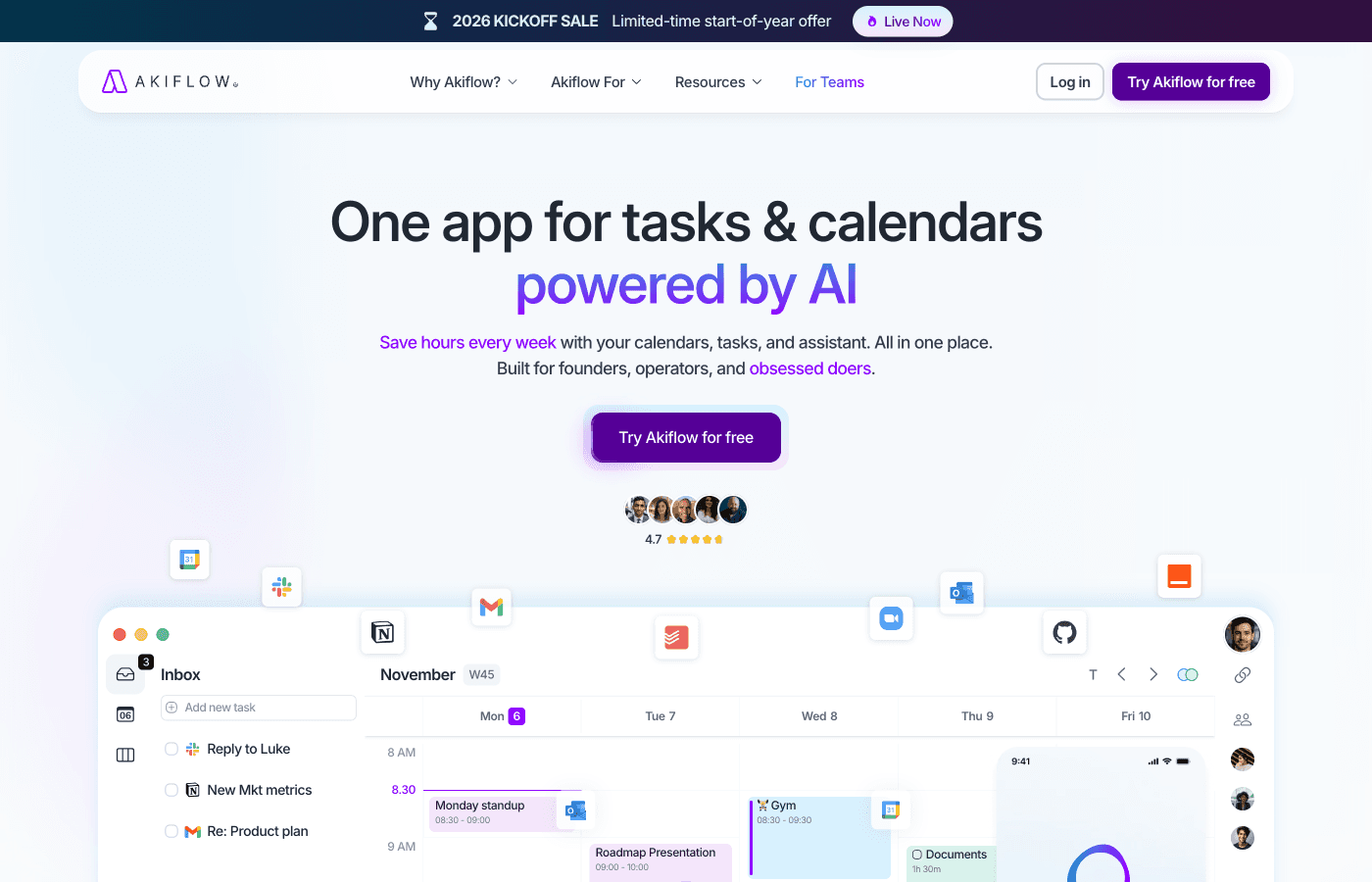
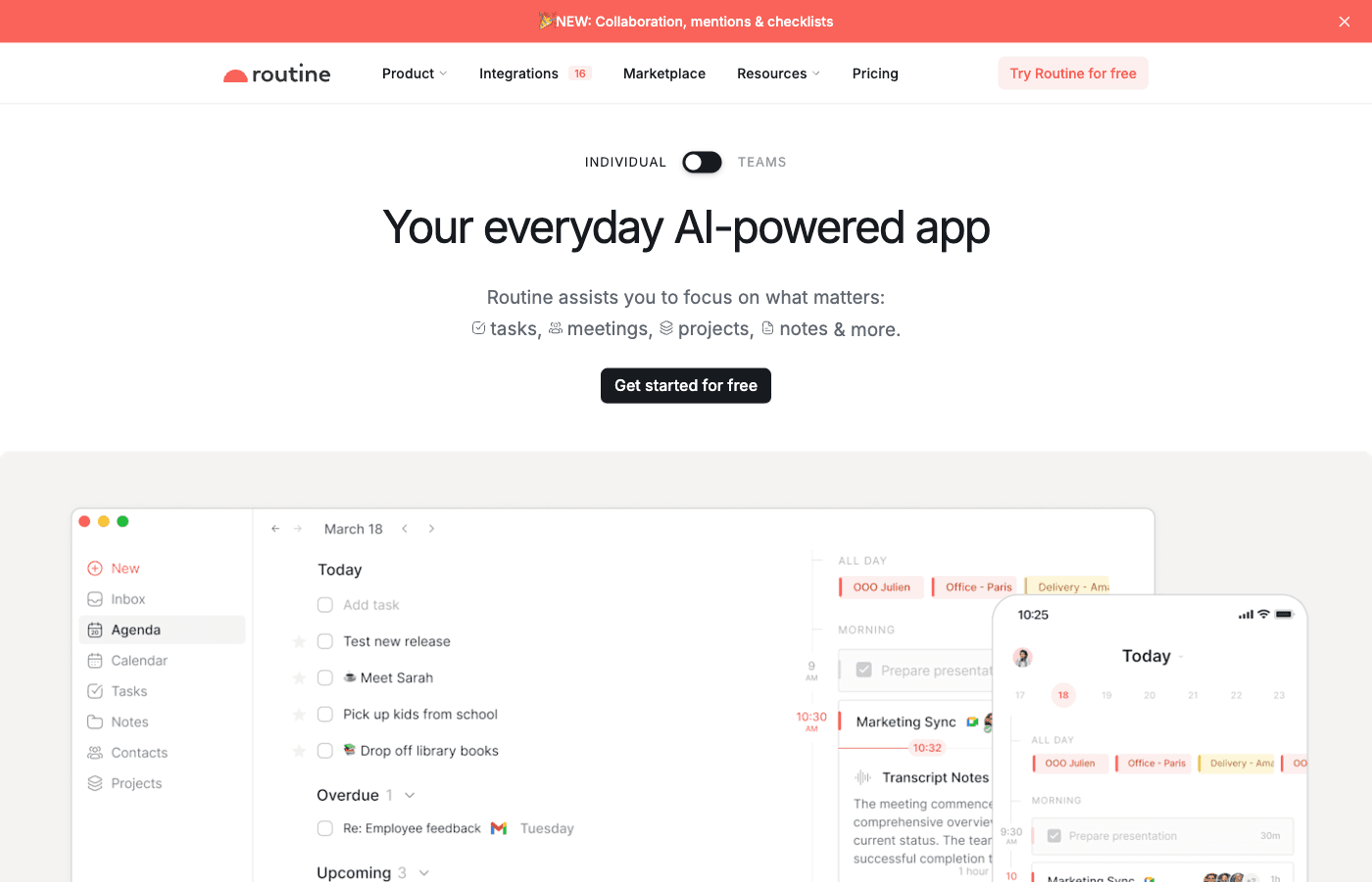
Akiflow positions itself as a command center for your digital life, pulling together tasks and information from over 80 different applications through Zapier integrations. It embraces a keyboard-first, power-user philosophy with an emphasis on speed and consolidation. Routine, on the other hand, takes a minimalist stance with a beautifully designed daily planner that combines tasks, calendar, and notes into a clean, focused interface. Rather than trying to integrate everything, Routine focuses on doing the essentials extraordinarily well.
Both tools address real pain points in productivity workflows, but they appeal to different types of users. In this comprehensive comparison, we’ll examine their features, pricing, strengths, and weaknesses to help you determine which one aligns better with your workflow and preferences.
Feature Comparison: Head-to-Head
Let’s break down how these two tools stack up across the key features that matter most to productivity-focused users:
Feature | Akiflow | Routine |
|---|---|---|
Integrations | 80+ apps via Zapier | Limited (Google Calendar primary) |
Task Management | Consolidated from multiple sources | Native tasks with clean interface |
Calendar Integration | Google, Outlook and iCloud | Built-in with Google Calendar sync |
Notes/Journaling | Limited | Strong with Notes feature |
Keyboard Shortcuts | Extensive, command-bar focused | Basic |
Mobile App | iPhone and Android | No |
Free Plan | No | Yes |
Design Philosophy | Power-user, feature-rich | Minimalist, beautiful |
Team Features | Team calendars and booking links | No |
Pricing (Monthly) | $34/mo Pro | $15/mo Pro |
Pricing (Annual) | $228/year ($19/mo) | $120/year ($10/mo) |
Trial Available | 7-day trial | Free plan (limited features) |
Where Akiflow Wins
Akiflow excels at being the ultimate task consolidation hub. If your workflows span multiple apps and tools, here’s what makes Akiflow stand out:
1. Unmatched Integration Ecosystem (80+ Apps)
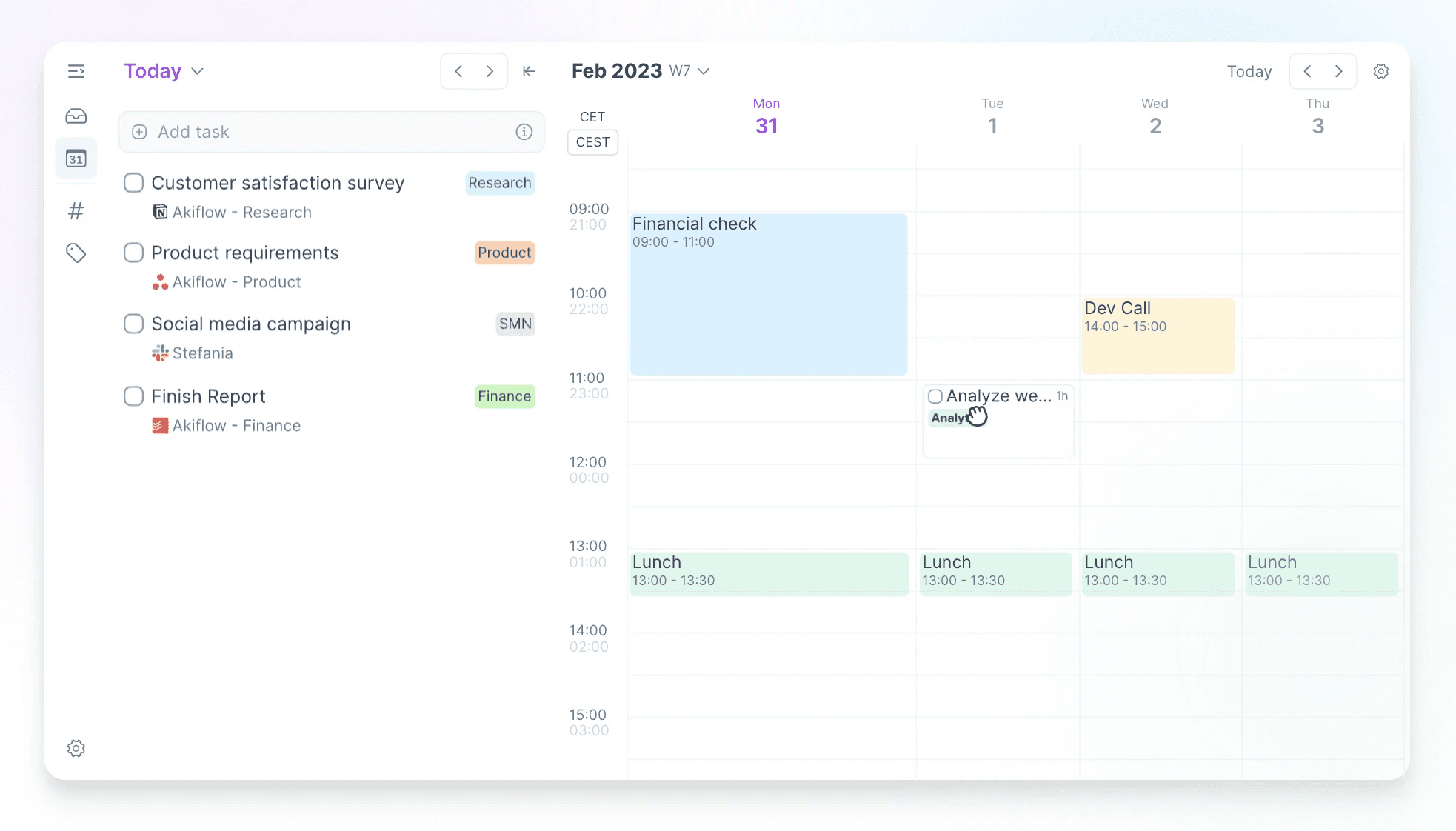
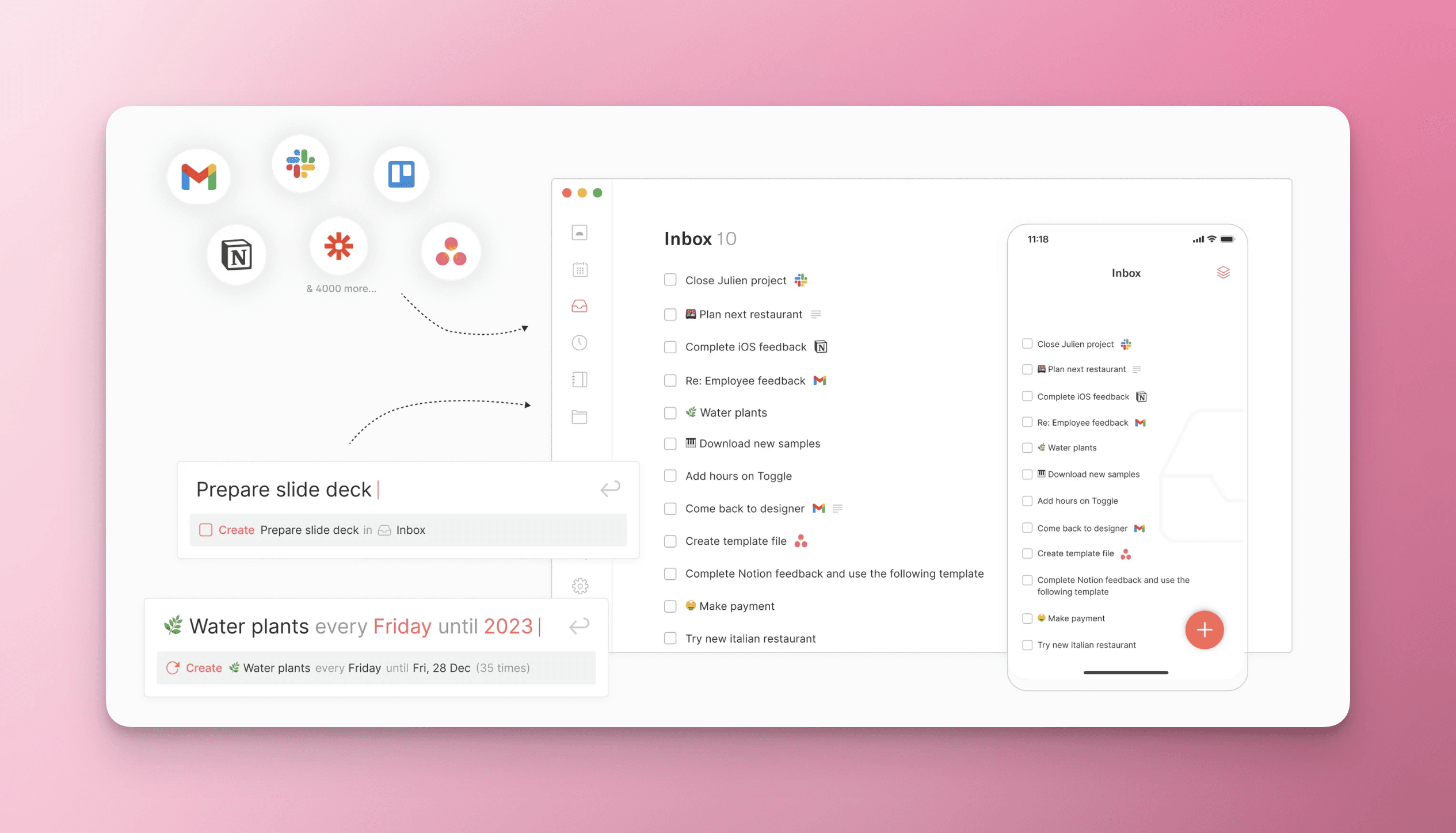
Akiflow’s biggest strength is its ability to pull tasks and information from over 80 different applications. Through Zapier integrations, you can consolidate tasks from Todoist, Asana, Monday.com, Notion, GitHub, Jira, Slack, email, and countless other tools into a single command center. This is particularly valuable for users who work across a fragmented toolstack and want a unified view of all their work. Instead of checking multiple apps throughout the day, everything flows into Akiflow where you can review and prioritize from one location.
2. Keyboard-First Power User Experience
Akiflow is built for keyboard warriors. The extensive keyboard shortcut system and command bar allow you to navigate, create, and manage tasks without touching your mouse. This focus on keyboard efficiency appeals to developers, writers, and other power users who spend their days typing and want to minimize context-switching. The command-center aesthetic makes it feel more like a developer tool than a traditional task manager, which resonates with technical professionals.
3. Task Consolidation and Deduplication
When you have tasks in multiple systems, Akiflow intelligently consolidates them in one view. You don’t have to mentally aggregate your workload across six different apps. Everything comes together, allowing you to see your complete workload at a glance. This consolidation feature is game-changing for anyone managing projects across multiple platforms or tools that different teams use.
4. Advanced Task Prioritization and Planning
Akiflow provides sophisticated tools for task prioritization and daily planning. You can pull in tasks from your integrated sources, organize them for the day, and execute against a clear priority structure. The keyboard-driven interface makes rapid task management feel smooth and efficient, whether you’re triaging your inbox or planning your sprint.
Where Routine Wins
Routine takes a different approach—focusing on what it does best: being a beautiful, minimalist daily planner. Here’s where Routine shines:
1. Gorgeous, Distraction-Free Design
Routine’s interface is objectively beautiful. The design is clean, modern, and intentionally minimalist. There’s no feature bloat, no overwhelming options, just a serene workspace designed for focus. For users who find cluttered interfaces distracting or overwhelming, Routine’s aesthetic is a breath of fresh air. The visual design actually makes you want to open the app and get organized, which is rare in productivity tools.
2. Free Plan (Entry Point for Everyone)
Routine offers a free plan, making it accessible to everyone. You can try Routine without any financial commitment, explore the experience, and decide if the paid tier makes sense for your workflow. Akiflow requires a commitment—their 7-day trial is generous, but there’s no free ongoing option. For budget-conscious users or those just testing a new tool, Routine’s free plan is a major advantage.
3. Integrated Notes and Journaling Features
Routine includes built-in notes and journaling capabilities, so you can combine task planning with personal reflection and note-taking. This is more than just a task manager; it’s a daily planner that helps you process thoughts, capture ideas, and track habits. The Pages and console features let you organize information beyond just tasks, making it a more holistic planning tool.
4. Lower Pricing with Intelligent Minimalism
Routine’s Pro plan is just $15 per month ($120/year or $10/mo on annual billing), significantly cheaper than Akiflow’s $34/month. This lower price point doesn’t mean fewer features for what most users actually need—it reflects a philosophy of doing fewer things exceptionally well rather than trying to be everything to everyone. If you’re not using 80 integrations, you’re likely getting better value from Routine’s focused feature set at half the price.
Where Both Fall Short
Despite their respective strengths, both Akiflow and Routine have notable limitations:
Team and Collaboration Features
Neither tool offers strong team features. If you’re looking to manage shared projects, assign tasks to colleagues, or collaborate on workflows with your team, both Akiflow and Routine fall short. They’re designed as individual productivity tools, not team collaboration platforms. This makes them less suitable for cross-functional teams or organizations that need shared visibility into projects and workstreams.
Limited Comparison to Broader Ecosystems
When compared to established task management platforms like Todoist, Asana, or Monday.com, both Akiflow and Routine have smaller feature sets. Todoist, for example, has robust team features, recurring tasks with complex patterns, and a massive app ecosystem. Akiflow tries to bridge this gap through integrations, but it’s still pulling from other tools rather than offering native depth. Routine deliberately keeps its feature set lean, which is its design philosophy but also its limitation.
Mobile Limits
Akiflow has iPhone and Android apps, but its planning rituals and focus timer only run on desktop, so planning your whole day from your phone is limited.
Akiflow’s Learning Curve
For new users, Akiflow’s command-center approach and keyboard-focused design can feel overwhelming. The power-user optimization can actually be a barrier to entry for users who prefer more traditional, visually-guided interfaces. The 7-day trial might not be enough time to fully grasp the workflow and determine if it’s a good fit.
Routine’s Integration Limitations
If you use tools beyond Google Calendar, Routine’s limited integration ecosystem might leave you managing information in multiple places. You won’t be able to pull in tasks from Asana, GitHub, Slack, or other services the way you can with Akiflow. This is an intentional trade-off—Routine wants to keep things simple—but it means more manual data entry if your workflow is complex.
Pricing Comparison
Let’s break down the financial commitment required for each tool:
Plan | Akiflow | Routine |
|---|---|---|
Free Plan | No (7-day trial only) | Yes, limited features |
Monthly Pricing | $34/month (Pro) | $15/month (Pro) |
Annual Pricing | $228/year ($19/month) | $120/year ($10/month) |
Annual Savings vs Monthly | $180/year (44% discount) | $60/year (33% discount) |
Cost Comparison (Annual) | $108/year more than Routine | $108/year less than Akiflow |
If cost is a factor in your decision, Routine is significantly cheaper. Even on annual billing, Akiflow costs $228 while Routine costs $120—Routine is about half the price. For teams evaluating multiple users, this difference compounds quickly. However, if Akiflow’s consolidation capabilities save you hours each week by eliminating context-switching across tools, the investment might be justified for your specific use case.
Who Should Choose What
Choose Akiflow If You:
Work with 5 or more different task management or project tools
Are a keyboard-first, power-user type who values efficiency and shortcuts
Need to consolidate tasks from GitHub, Asana, Notion, Jira, Slack, or other specialized tools
Want a “command center” dashboard that shows everything in one place
Mostly work at a desktop and use your phone to check and capture tasks
Are willing to invest $228+/year for a comprehensive consolidation solution
Value integration breadth over feature depth
Choose Routine If You:
Prefer beautiful, minimalist design that reduces cognitive load
Want to combine daily planning, task management, and note-taking in one tool
Primarily use Google Calendar and don’t need deep integrations with specialized tools
Are looking for a lower-cost solution ($120/year vs $228/year)
Want to try a tool risk-free with their free plan before committing
Appreciate journaling and reflection as part of your planning process
Work solo or in small teams and don’t need advanced collaboration features
Want a tool that’s intentionally minimal rather than feature-maximized
The Third Alternative: Ellie
While Akiflow and Routine are both excellent tools, there’s a third option worth considering that bridges some of the gaps both tools leave open: Ellie, a daily planner app that combines the best principles from both worlds.
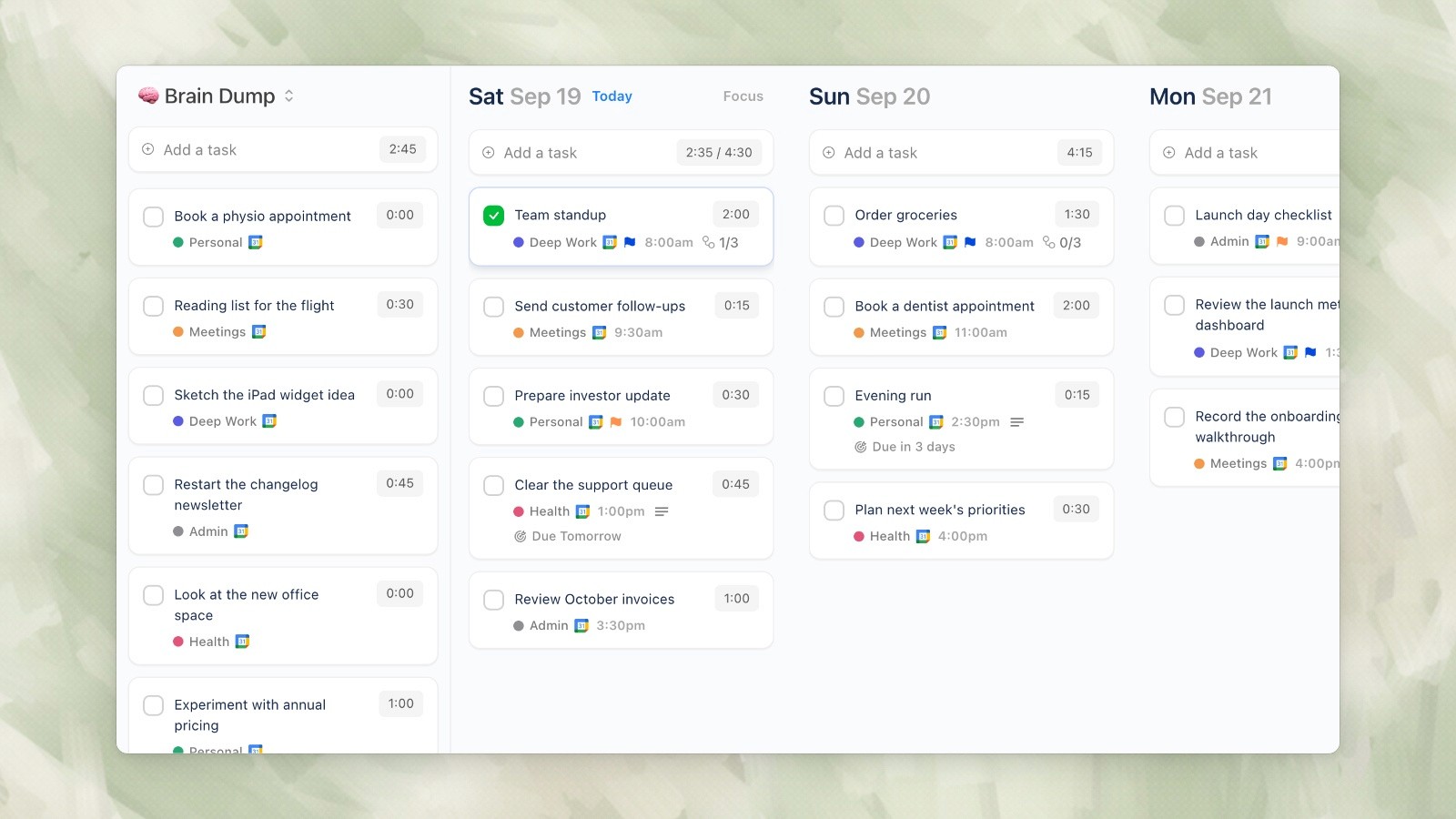
Ellie brings together the features that matter most for daily productivity without the overhead of excessive integrations or an intimidating interface. Here’s what makes Ellie distinctive:
Brain Dump for Capturing Ideas
Ellie includes a brain dump feature for quickly capturing ideas and tasks without worrying about organization. This is perfect for the moment when inspiration strikes or when you want to quickly offload a task from your mental load. Later, you can process and organize these items into your workflow.
Kanban View for Visual Organization
Beyond lists and a calendar, Ellie lays your week out as a board with a column for each day, so you can drag tasks between days and see your whole week at a glance.
Timebox Feature for Time-Blocked Planning
Ellie’s timebox feature lets you schedule tasks and allocate specific time blocks to them. This is ideal for focused work sessions and helps you build realistic daily schedules rather than just maintaining an endless task list. Time-blocking is one of the most effective productivity methods, and Ellie makes it a first-class feature.
Seamless Calendar Integration
Ellie connects to Google, Outlook and Apple calendars, keeping your tasks and events visible in one place. This unified view helps you see how tasks fit into your day and avoid over-scheduling.
Pricing
Ellie has a free plan, and Ellie Pro is $9.99/month or $99.99/year. Students and teachers get 50% off the yearly plan.
If you’re evaluating productivity tools in 2026, Ellie is worth exploring alongside Akiflow and Routine. It takes a focused approach that many users find more practical than Akiflow’s integration maximalism but more feature-rich than Routine’s minimalism.
Learn more about Ellie and try it yourself at https://ellieplanner.com.
Final Verdict
Both Akiflow and Routine solve real problems, but they serve different users:
Akiflow is for consolidators. If your work involves pulling information from multiple tools and you want everything in one command center, Akiflow’s 80+ integrations and keyboard-focused interface make it an exceptional choice. The investment is higher, but the consolidation payoff can be significant for complex workflows. Just be prepared for a learning curve and limited mobile support.
Routine is for minimalists. If you value beautiful design, focus, and simplicity, and your workflow primarily involves Google Calendar and native task management, Routine is an elegant solution at half Akiflow’s price. The free plan lets you try it risk-free, and the pro version is affordable for solo users and small teams.
The “best” tool ultimately depends on your specific workflow, the tools you already use, your budget, and your personal productivity philosophy. Both have earned their place in the 2026 productivity landscape—they just serve very different purposes.
If neither Akiflow nor Routine feels like the perfect fit, Ellie offers a compelling middle ground with its combination of brain dump, kanban, timebox, and calendar integration features at a reasonable price. Whatever you choose, the most important thing is selecting a tool you’ll actually use consistently to organize your work and manage your time effectively.
The productivity tool landscape has expanded dramatically in recent years, with each new product promising to be the “one tool to rule them all.” Yet most people find themselves juggling multiple apps—task managers, calendar apps, note-taking tools, and email clients. Two products take fundamentally different approaches to solving this fragmentation: Akiflow and Routine.
Akiflow positions itself as a command center for your digital life, pulling together tasks and information from over 80 different applications through Zapier integrations. It embraces a keyboard-first, power-user philosophy with an emphasis on speed and consolidation. Routine, on the other hand, takes a minimalist stance with a beautifully designed daily planner that combines tasks, calendar, and notes into a clean, focused interface. Rather than trying to integrate everything, Routine focuses on doing the essentials extraordinarily well.
Both tools address real pain points in productivity workflows, but they appeal to different types of users. In this comprehensive comparison, we’ll examine their features, pricing, strengths, and weaknesses to help you determine which one aligns better with your workflow and preferences.
Feature Comparison: Head-to-Head
Let’s break down how these two tools stack up across the key features that matter most to productivity-focused users:
Feature | Akiflow | Routine |
|---|---|---|
Integrations | 80+ apps via Zapier | Limited (Google Calendar primary) |
Task Management | Consolidated from multiple sources | Native tasks with clean interface |
Calendar Integration | Google, Outlook and iCloud | Built-in with Google Calendar sync |
Notes/Journaling | Limited | Strong with Notes feature |
Keyboard Shortcuts | Extensive, command-bar focused | Basic |
Mobile App | iPhone and Android | No |
Free Plan | No | Yes |
Design Philosophy | Power-user, feature-rich | Minimalist, beautiful |
Team Features | Team calendars and booking links | No |
Pricing (Monthly) | $34/mo Pro | $15/mo Pro |
Pricing (Annual) | $228/year ($19/mo) | $120/year ($10/mo) |
Trial Available | 7-day trial | Free plan (limited features) |
Where Akiflow Wins
Akiflow excels at being the ultimate task consolidation hub. If your workflows span multiple apps and tools, here’s what makes Akiflow stand out:
1. Unmatched Integration Ecosystem (80+ Apps)
Akiflow’s biggest strength is its ability to pull tasks and information from over 80 different applications. Through Zapier integrations, you can consolidate tasks from Todoist, Asana, Monday.com, Notion, GitHub, Jira, Slack, email, and countless other tools into a single command center. This is particularly valuable for users who work across a fragmented toolstack and want a unified view of all their work. Instead of checking multiple apps throughout the day, everything flows into Akiflow where you can review and prioritize from one location.
2. Keyboard-First Power User Experience
Akiflow is built for keyboard warriors. The extensive keyboard shortcut system and command bar allow you to navigate, create, and manage tasks without touching your mouse. This focus on keyboard efficiency appeals to developers, writers, and other power users who spend their days typing and want to minimize context-switching. The command-center aesthetic makes it feel more like a developer tool than a traditional task manager, which resonates with technical professionals.
3. Task Consolidation and Deduplication
When you have tasks in multiple systems, Akiflow intelligently consolidates them in one view. You don’t have to mentally aggregate your workload across six different apps. Everything comes together, allowing you to see your complete workload at a glance. This consolidation feature is game-changing for anyone managing projects across multiple platforms or tools that different teams use.
4. Advanced Task Prioritization and Planning
Akiflow provides sophisticated tools for task prioritization and daily planning. You can pull in tasks from your integrated sources, organize them for the day, and execute against a clear priority structure. The keyboard-driven interface makes rapid task management feel smooth and efficient, whether you’re triaging your inbox or planning your sprint.
Where Routine Wins
Routine takes a different approach—focusing on what it does best: being a beautiful, minimalist daily planner. Here’s where Routine shines:
1. Gorgeous, Distraction-Free Design
Routine’s interface is objectively beautiful. The design is clean, modern, and intentionally minimalist. There’s no feature bloat, no overwhelming options, just a serene workspace designed for focus. For users who find cluttered interfaces distracting or overwhelming, Routine’s aesthetic is a breath of fresh air. The visual design actually makes you want to open the app and get organized, which is rare in productivity tools.
2. Free Plan (Entry Point for Everyone)
Routine offers a free plan, making it accessible to everyone. You can try Routine without any financial commitment, explore the experience, and decide if the paid tier makes sense for your workflow. Akiflow requires a commitment—their 7-day trial is generous, but there’s no free ongoing option. For budget-conscious users or those just testing a new tool, Routine’s free plan is a major advantage.
3. Integrated Notes and Journaling Features
Routine includes built-in notes and journaling capabilities, so you can combine task planning with personal reflection and note-taking. This is more than just a task manager; it’s a daily planner that helps you process thoughts, capture ideas, and track habits. The Pages and console features let you organize information beyond just tasks, making it a more holistic planning tool.
4. Lower Pricing with Intelligent Minimalism
Routine’s Pro plan is just $15 per month ($120/year or $10/mo on annual billing), significantly cheaper than Akiflow’s $34/month. This lower price point doesn’t mean fewer features for what most users actually need—it reflects a philosophy of doing fewer things exceptionally well rather than trying to be everything to everyone. If you’re not using 80 integrations, you’re likely getting better value from Routine’s focused feature set at half the price.
Where Both Fall Short
Despite their respective strengths, both Akiflow and Routine have notable limitations:
Team and Collaboration Features
Neither tool offers strong team features. If you’re looking to manage shared projects, assign tasks to colleagues, or collaborate on workflows with your team, both Akiflow and Routine fall short. They’re designed as individual productivity tools, not team collaboration platforms. This makes them less suitable for cross-functional teams or organizations that need shared visibility into projects and workstreams.
Limited Comparison to Broader Ecosystems
When compared to established task management platforms like Todoist, Asana, or Monday.com, both Akiflow and Routine have smaller feature sets. Todoist, for example, has robust team features, recurring tasks with complex patterns, and a massive app ecosystem. Akiflow tries to bridge this gap through integrations, but it’s still pulling from other tools rather than offering native depth. Routine deliberately keeps its feature set lean, which is its design philosophy but also its limitation.
Mobile Limits
Akiflow has iPhone and Android apps, but its planning rituals and focus timer only run on desktop, so planning your whole day from your phone is limited.
Akiflow’s Learning Curve
For new users, Akiflow’s command-center approach and keyboard-focused design can feel overwhelming. The power-user optimization can actually be a barrier to entry for users who prefer more traditional, visually-guided interfaces. The 7-day trial might not be enough time to fully grasp the workflow and determine if it’s a good fit.
Routine’s Integration Limitations
If you use tools beyond Google Calendar, Routine’s limited integration ecosystem might leave you managing information in multiple places. You won’t be able to pull in tasks from Asana, GitHub, Slack, or other services the way you can with Akiflow. This is an intentional trade-off—Routine wants to keep things simple—but it means more manual data entry if your workflow is complex.
Pricing Comparison
Let’s break down the financial commitment required for each tool:
Plan | Akiflow | Routine |
|---|---|---|
Free Plan | No (7-day trial only) | Yes, limited features |
Monthly Pricing | $34/month (Pro) | $15/month (Pro) |
Annual Pricing | $228/year ($19/month) | $120/year ($10/month) |
Annual Savings vs Monthly | $180/year (44% discount) | $60/year (33% discount) |
Cost Comparison (Annual) | $108/year more than Routine | $108/year less than Akiflow |
If cost is a factor in your decision, Routine is significantly cheaper. Even on annual billing, Akiflow costs $228 while Routine costs $120—Routine is about half the price. For teams evaluating multiple users, this difference compounds quickly. However, if Akiflow’s consolidation capabilities save you hours each week by eliminating context-switching across tools, the investment might be justified for your specific use case.
Who Should Choose What
Choose Akiflow If You:
Work with 5 or more different task management or project tools
Are a keyboard-first, power-user type who values efficiency and shortcuts
Need to consolidate tasks from GitHub, Asana, Notion, Jira, Slack, or other specialized tools
Want a “command center” dashboard that shows everything in one place
Mostly work at a desktop and use your phone to check and capture tasks
Are willing to invest $228+/year for a comprehensive consolidation solution
Value integration breadth over feature depth
Choose Routine If You:
Prefer beautiful, minimalist design that reduces cognitive load
Want to combine daily planning, task management, and note-taking in one tool
Primarily use Google Calendar and don’t need deep integrations with specialized tools
Are looking for a lower-cost solution ($120/year vs $228/year)
Want to try a tool risk-free with their free plan before committing
Appreciate journaling and reflection as part of your planning process
Work solo or in small teams and don’t need advanced collaboration features
Want a tool that’s intentionally minimal rather than feature-maximized
The Third Alternative: Ellie
While Akiflow and Routine are both excellent tools, there’s a third option worth considering that bridges some of the gaps both tools leave open: Ellie, a daily planner app that combines the best principles from both worlds.
Ellie brings together the features that matter most for daily productivity without the overhead of excessive integrations or an intimidating interface. Here’s what makes Ellie distinctive:
Brain Dump for Capturing Ideas
Ellie includes a brain dump feature for quickly capturing ideas and tasks without worrying about organization. This is perfect for the moment when inspiration strikes or when you want to quickly offload a task from your mental load. Later, you can process and organize these items into your workflow.
Kanban View for Visual Organization
Beyond lists and a calendar, Ellie lays your week out as a board with a column for each day, so you can drag tasks between days and see your whole week at a glance.
Timebox Feature for Time-Blocked Planning
Ellie’s timebox feature lets you schedule tasks and allocate specific time blocks to them. This is ideal for focused work sessions and helps you build realistic daily schedules rather than just maintaining an endless task list. Time-blocking is one of the most effective productivity methods, and Ellie makes it a first-class feature.
Seamless Calendar Integration
Ellie connects to Google, Outlook and Apple calendars, keeping your tasks and events visible in one place. This unified view helps you see how tasks fit into your day and avoid over-scheduling.
Pricing
Ellie has a free plan, and Ellie Pro is $9.99/month or $99.99/year. Students and teachers get 50% off the yearly plan.
If you’re evaluating productivity tools in 2026, Ellie is worth exploring alongside Akiflow and Routine. It takes a focused approach that many users find more practical than Akiflow’s integration maximalism but more feature-rich than Routine’s minimalism.
Learn more about Ellie and try it yourself at https://ellieplanner.com.
Final Verdict
Both Akiflow and Routine solve real problems, but they serve different users:
Akiflow is for consolidators. If your work involves pulling information from multiple tools and you want everything in one command center, Akiflow’s 80+ integrations and keyboard-focused interface make it an exceptional choice. The investment is higher, but the consolidation payoff can be significant for complex workflows. Just be prepared for a learning curve and limited mobile support.
Routine is for minimalists. If you value beautiful design, focus, and simplicity, and your workflow primarily involves Google Calendar and native task management, Routine is an elegant solution at half Akiflow’s price. The free plan lets you try it risk-free, and the pro version is affordable for solo users and small teams.
The “best” tool ultimately depends on your specific workflow, the tools you already use, your budget, and your personal productivity philosophy. Both have earned their place in the 2026 productivity landscape—they just serve very different purposes.
If neither Akiflow nor Routine feels like the perfect fit, Ellie offers a compelling middle ground with its combination of brain dump, kanban, timebox, and calendar integration features at a reasonable price. Whatever you choose, the most important thing is selecting a tool you’ll actually use consistently to organize your work and manage your time effectively.
Give your brain the night off
Dump everything into Ellie, give tomorrow a plan, and close the laptop.
Try Ellie free
Web, Mac, Windows, iPhone and iPad. No credit card required.
